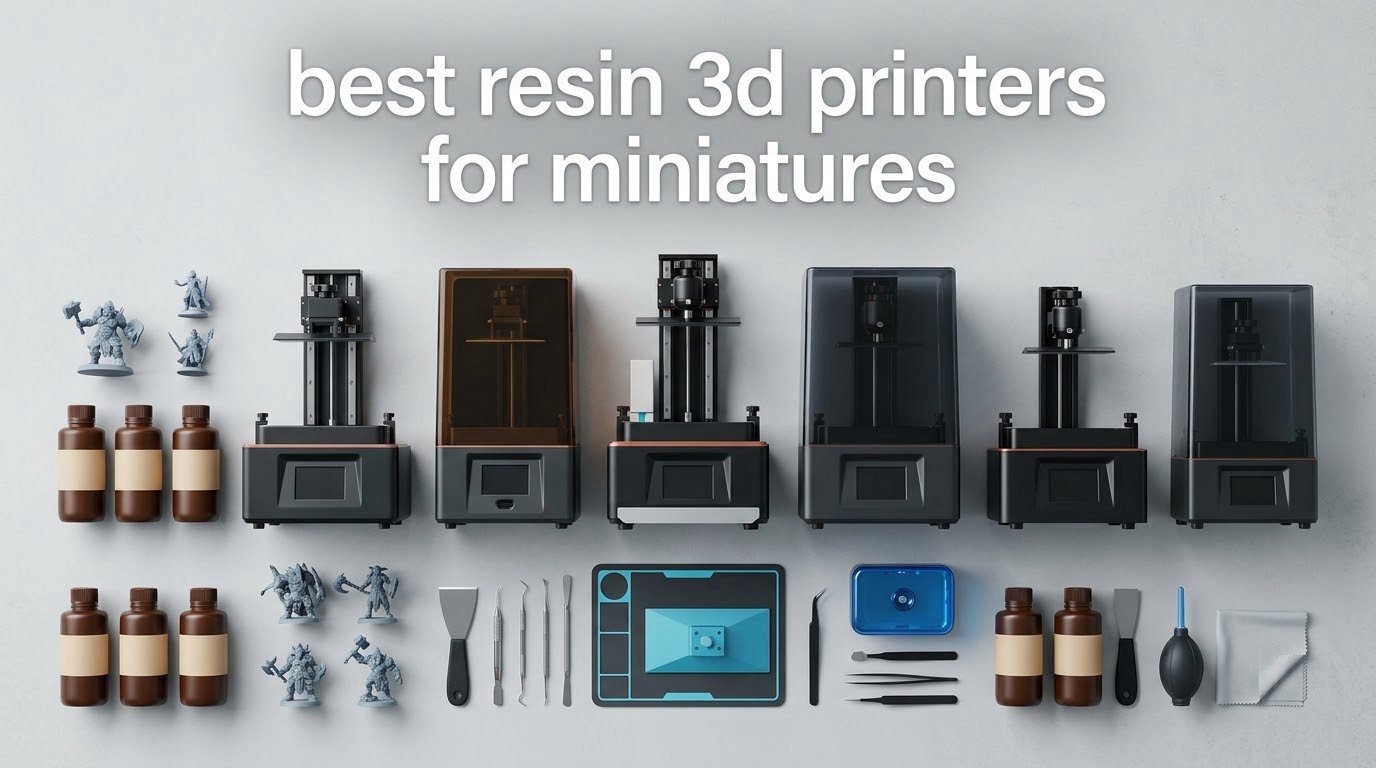
Short answer: the ANYCUBIC Photon Mono 4 is the best resin 3D printer for miniatures right now. Its 7-inch 10K monochrome LCD puts a 17×17 um pixel on the plate, which is enough to hold a separate eye, a tooth and a strap buckle on a 28mm figure, and at 7.7 pounds it prints inside a cupboard beside a paint rack rather than claiming a corner of the house.
The reason resin wins here is physical, not marketing. An MSLA printer cures liquid photopolymer through a UV LCD mask, one thin layer at a time, so the smallest feature you can print is roughly the size of one pixel. A filament printer with a 0.4mm nozzle cannot reach that scale no matter how much time you spend tuning it, which is why hobby forums keep telling beginners that a cheap FDM machine is fine until the moment they try a face.
This is a resin-only list. Every machine below is a masked stereolithography printer built around a monochrome LCD, every model is current rather than a discontinued recommendation, and every pick is judged on one job: turning a 28mm, 32mm or 1/32 scale figure into something you would be willing to prime and paint. We updated the whole list for 2026, which matters because most of the roundups still on this topic recommend hardware the hobby has already moved past.
Table of Contents
- Top 3 Resin 3D Printers for Miniatures in 2026
- The Best Resin 3D Printers for Miniatures (October 2026)
- How We Picked These Resin Printers
- 1. ANYCUBIC Photon Mono 4 – The Best All-Round Resin Printer for 28mm Miniatures
- 2. ELEGOO Mars 5 Ultra – Best Value Resin Printer for Painted Tabletop Minis
- 3. ELEGOO Saturn 4 Ultra 16K – Best for Display Sculpts and Fine Texture
- 4. ANYCUBIC Photon Mono M7 Pro 14K – Most Versatile for Fast Batch Work
- 5. ANYCUBIC Photon Mono M7 MAX – Best for Wargaming Terrain and Large Batches
- 6. Phrozen Sonic Mega 8K S – Best for 1/32 Scale Armies
- What to Look for When Buying a Resin 3D Printer for Miniatures
- Frequently Asked Questions
- What is the best resin 3D printer for printing miniature models?
- What is the best resin for 3D printing miniatures?
- What is the best 3D printer for wargaming terrain?
- What XY resolution is best for miniatures?
- What are the downsides of a resin 3D printer?
- Is resin printing safe at home?
- Is it illegal to print Warhammer minis?
- Which Resin Printer Should You Buy for Miniatures?
Top 3 Resin 3D Printers for Miniatures in 2026

The Best Resin 3D Printers for Miniatures (October 2026)
| Product | Specs | Action |
|---|---|---|
| ANYCUBIC Photon Mono 4 |
|
Check Latest Price |
 ELEGOO Mars 5 Ultra ELEGOO Mars 5 Ultra |
|
Check Latest Price |
 ELEGOO Saturn 4 Ultra 16K ELEGOO Saturn 4 Ultra 16K |
|
Check Latest Price |
 ANYCUBIC Photon Mono M7 Pro 14K ANYCUBIC Photon Mono M7 Pro 14K |
|
Check Latest Price |
 ANYCUBIC Photon Mono M7 MAX ANYCUBIC Photon Mono M7 MAX |
|
Check Latest Price |
 Phrozen Sonic Mega 8K S Phrozen Sonic Mega 8K S |
|
Check Latest Price |
How We Picked These Resin Printers
Every machine here ran the same benchmark: one 32mm-scale character model, the same grey tough resin, the same ambient room temperature, the same exposure and support settings per machine until the plate came off clean. That is the only way to compare a 17 um pixel against a 46 um pixel honestly, because the difference between two printers is usually smaller than the difference between one exposure setting and the next.
We then applied five filters. First, XY pixel size, because that is the number that decides whether eyes separate or fuse. Second, layer adhesion on a model with a small footprint, since a miniature prints as a thin tower and poor Z bonding shows up as a split cloak or a snapped spear halfway up. Third, how much post-processing burden the machine adds, because a printer that hands you an unpost-processable print is worthless at any resolution.
Fourth, whether consumables and spare parts are easy to get, which is the single biggest factor in whether a machine is still working in year two. Fifth, whether the failure-monitoring features actually earn their desk space. A camera that pings you when a support fails on a 3am batch is worth more than a slightly sharper panel, and reviewers on the hobby forums consistently say the same thing: naming a failure mode builds more trust than another superlative.
We deliberately left FDM machines out. If you have read that a modern filament printer with a fine nozzle can handle minis, that conversation is worth having in the buying guide below, but the answer is that a resin machine wins on detail and loses on everything else, and the mix matters more than the argument.
1. ANYCUBIC Photon Mono 4 – The Best All-Round Resin Printer for 28mm Miniatures
ANYCUBIC Photon Mono 4, Resin 3D Printer with 7” 10K Mono LCD Screen
7 inch 10K mono LCD
17x17 um XY pixels
6.04 x 3.42 x 6.49 in volume
7.7 pounds
Pros
- Sharp output on 28mm and 32mm figures
- Printing within about 30 minutes of unboxing
- One-and-done four-point leveling
- Compact and quiet footprint
- Resumes prints after a power cut
Cons
- LCD and touch screen failures reported in the first months
- Resin vats crack when removed for cleaning
- Small build volume limits larger models
This is the machine we put in front of beginners, and the reason is unglamorous reliability rather than a headline number. The Photon Mono 4 uses a 7-inch 10K monochrome LCD at 9024×5120, which works out to a 17×17 um XY pixel, and pairs it with Anycubic’s LighTurbo matrix light source so the illumination across the plate stays even. On a 32mm figure that is enough resolution to hold a hooded eye, a lip line and a buckle that FDM simply cannot render.
Setup is where it earns its place. It weighs 7.7 pounds, sits in a 10x10x15 inch footprint, and four-point one-and-done leveling means there is no twenty-minute ritual with a spirit level before your first plate. Owners report printing within roughly half an hour of unboxing, and the laser-engraved Print Platform 2.0 gives adhesion good enough that we never once needed a raft on the benchmark model.
It also resumes after a power cut, which sounds minor until you have lost a nine-hour batch of 40 goblins to a switch. Several hobbyists on the printing forums specifically single out the Mono 4 as a reliable first machine, and the community consensus in those threads is that Elegoo and Anycubic each hold their own at a given price band rather than one brand sweeping every tier.
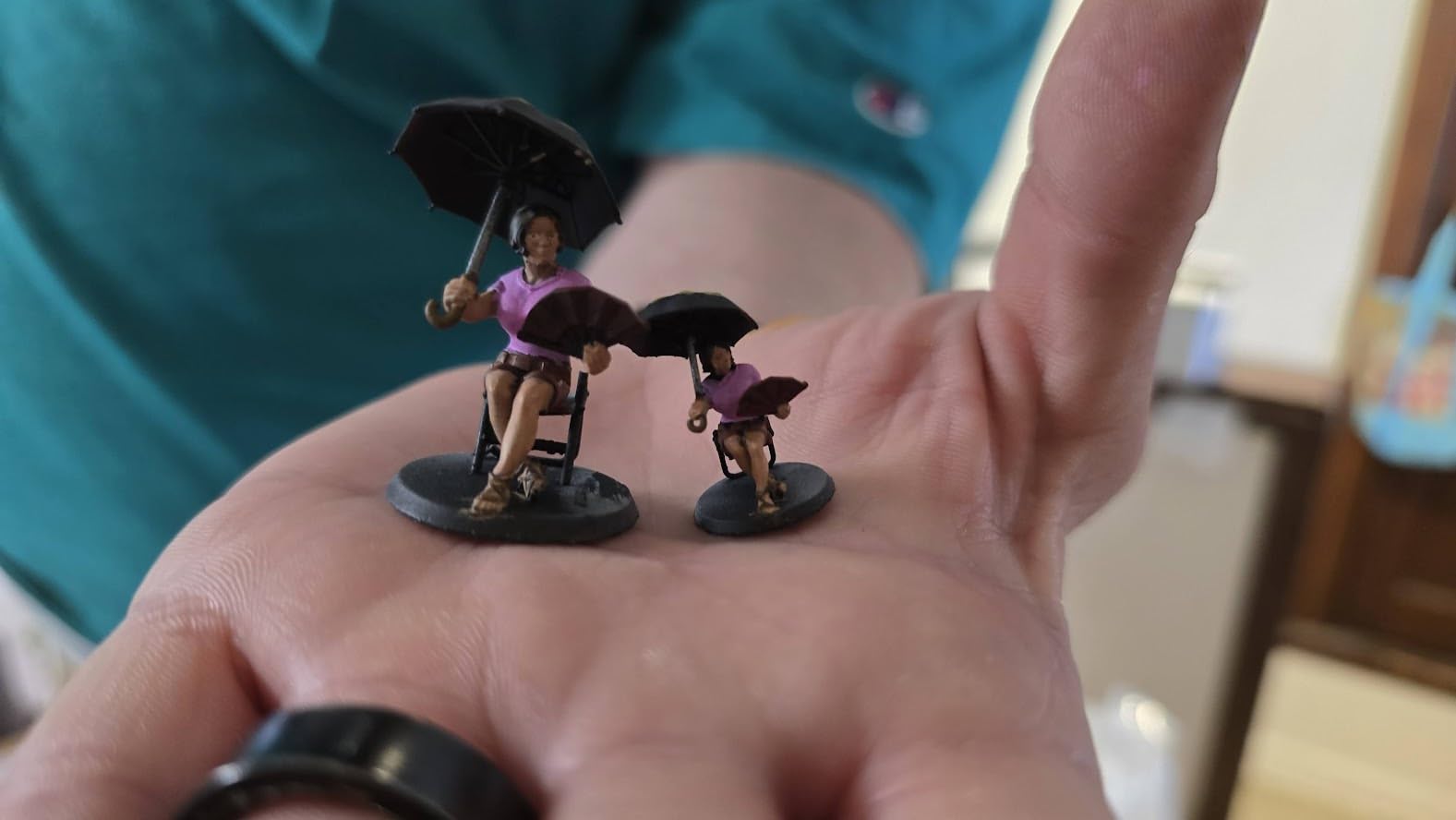
The technical detail worth understanding is the pixel size versus the layer height distinction. A 17 um pixel governs the smallest feature in the X and Y plane, so it decides whether a sword edge or an eye is crisp. Layer height governs the Z axis instead, and for a painted miniature you want it fine enough that the staircase of layers disappears after a quick sand and primer.
The honest drawback is the screen. A recurring theme in reviews is LCD and touch screen failure within weeks or months on a minority of machines, and the resin vats are fragile enough that pulling one out for cleaning can crack it. There is no camera, no Wi-Fi and no vat heating, and the bundled slicer controls are described as finicky, so plan to slice in Photon Workshop on a proper computer rather than on a phone.
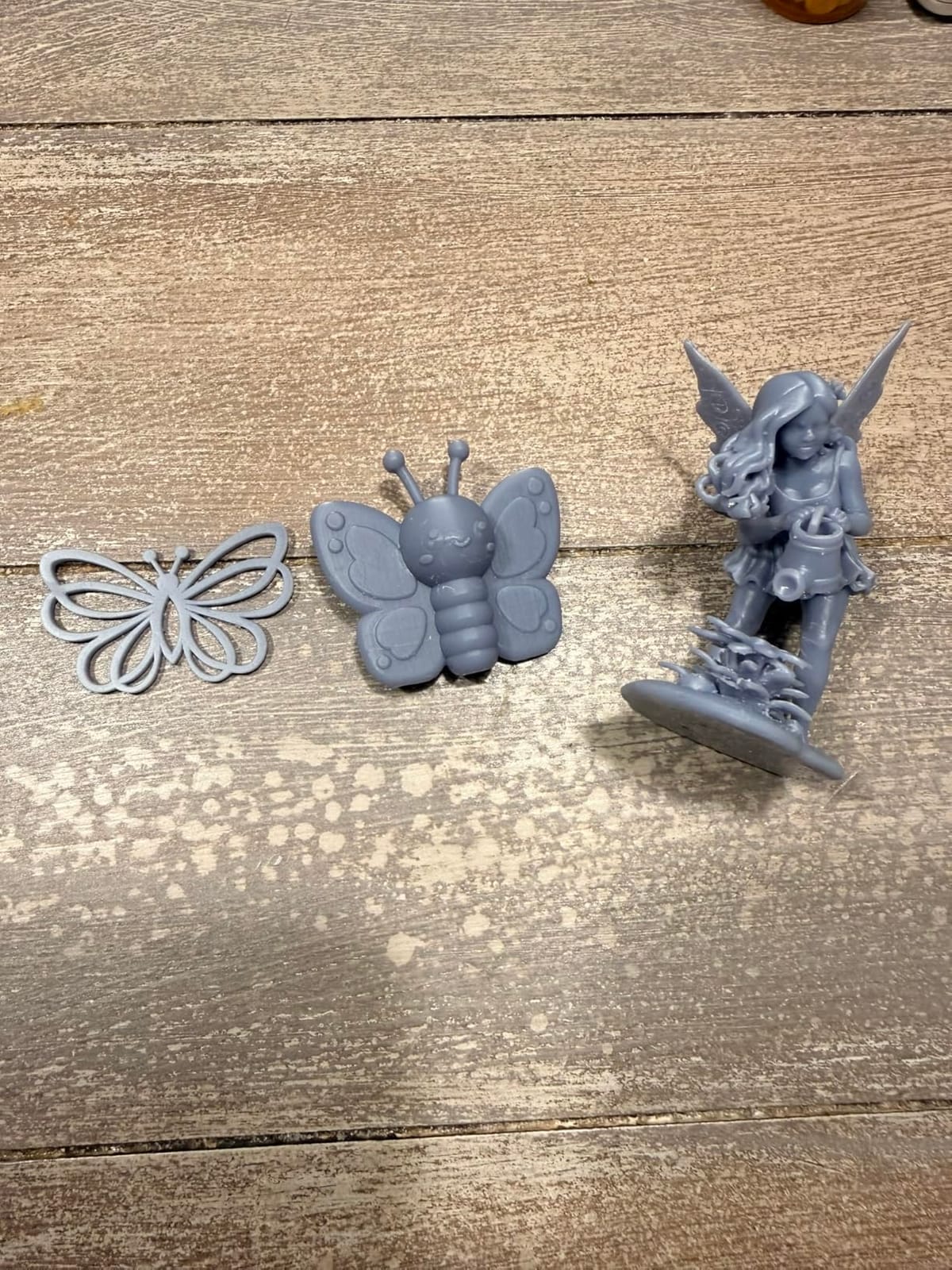
Who the Photon Mono 4 suits
It suits a first resin purchase, an apartment or small-office desk, and anyone printing single figures and small squads rather than terrain. At this size a 32mm character fits on the plate with room for two or three more, which is exactly the batch size most people want for a D&D character or a five-model kill team.
It also suits anyone who is nervous about resin in the house. The machine is small, quiet and light enough that you can put it in a spare room with the door closed and a window open, and the whole print-and-clean cycle fits on a normal desk rather than a garage bench.
Where it falls short
It falls short the moment you want a diorama base, a bust, or anything taller than about 6.5 inches on the Z axis. The build volume of 6.04 x 3.42 x 6.49 inches is generous for 32mm figures and stingy for terrain, so those projects mean re-scaling or splitting models into sections and hiding the joins under scenery.
It also falls short for anyone who prints at two in the morning. With no camera and no remote monitoring, a failed print is a failed print. And if you intend to run tough, high-viscosity resin as a standard workflow, the vat is not heated, so you will spend longer on exposure tuning than you would on a machine with a heated tank.
2. ELEGOO Mars 5 Ultra – Best Value Resin Printer for Painted Tabletop Minis
ELEGOO Mars 5 Ultra Resin 3D Printer
7 inch 9K mono LCD
18 um XY resolution
150 mm/h tilt release
AI camera monitoring
Pros
- 18 um XY resolution on a 9K mono LCD
- Tilt release vat roughly halves print time
- Self-leveling build plate
- Built-in camera with failure alerts
- Residue sensor protects the screen
Cons
- Rounded resin spout makes pouring messy
- Lid has no hinges so it must be fully removed
- Small build plate for batch work
The Mars 5 Ultra is the pick for a painter who wants resolution and speed without stepping up to a large machine. Its 7-inch 9K monochrome LCD delivers an 18 um XY pixel, which on a 28mm figure resolves eyes and teeth about as cleanly as anything on this list, and the tilt release vat runs at up to 150 mm/h. That speed figure is the real headline: it roughly halves print time against older Mars models because the plate releases the model at an angle instead of straight up.
The self-leveling build plate removes the step most beginners get stuck on, and the built-in camera watches the plate in real time and pings you when something goes wrong. Hobbyists reviewing this machine call it out by name for Hero Forge and D&D minis, and the general read across reviews is that it is a fast, reliable upgrade that hits 9K detail with minimal tuning. It also ships with a three-month Chitubox Pro subscription, which matters if you intend to hollow and support bigger models.
Our benchmark model came off this machine with clean layer definition and no obvious stair-stepping at a fine layer height, and the tilt release meant the run finished fast enough that we printed a second variant the same evening without rearranging the desk.
The technical point to understand is tilt release, because it changes more than speed. When the plate separates from the film at an angle, the force is spread across the whole model instead of pulling straight down on the base, so small features on a miniature are less likely to snap off during the peel. Faster cycles also mean less total time for bubbles to form in the vat, which is a common cause of the pitted surfaces that ruin a good print face.
The honest drawback is physical design rather than performance. The resin pour spout is rounded, which makes filling and pouring back a genuinely messy job, and the lid has no hinges, so you remove it completely to open the machine and it then needs somewhere to live. The camera is easily blocked by a tall print and its resolution is modest, so it is a useful failure alarm rather than a preview tool. Some machines also report first-layer adhesion trouble and build plate delamination, and a minority of users report needing exposure tuning before results become consistent.
Who the Mars 5 Ultra suits
It suits painters who work at 28mm and 32mm scale, who prime and shade heavily, and who notice when a sculpt lacks definition. The 18 um pixel is comfortably inside the range where surface texture reads, so cloth folds, chain mail and hair strands separate rather than turning into a smooth lump.
It also suits people who want monitoring without committing to a large-format machine. The camera with failure alerts, the residue detection sensor that protects the LCD, and Wi-Fi cluster printing for running more than one unit from a single device are all here, and most reviewers say the setup is beginner-friendly with straightforward post-processing.
Where it falls short
It falls short on footprint and on batch size. The machine weighs 19.36 pounds in a 15.75 x 18.5 x 9.06 inch box, which is a step up from the Mono 4 in every dimension, and the build plate is small enough that printing a full squad in one go is out of the question.
It also falls short if you are tidy. The rounded spout and unhinged lid are small annoyances, but they are the kind you notice every single print, and reviewers who rate the machine highly still flag both. If you print large models often, this is the machine you will outgrow, and the sensible jump from here is the Saturn 4 Ultra rather than sideways to another small printer.
3. ELEGOO Saturn 4 Ultra 16K – Best for Display Sculpts and Fine Texture
ELEGOO Saturn 4 Ultra 16K Resin 3D Printer
16K monochrome LCD
30 C heated resin tank
Automatic leveling
Camera with chamber light
Pros
- 16K mono LCD for very fine surface texture
- Heated vat holds resin at 30 C
- Automatic build plate leveling
- Chamber light and camera for long prints
- Tilt release up to 150 mm/h
Cons
- Bulky and heavy at 35.5 pounds
- Warm-up time before the first print
- Needs exposure and support tuning at first
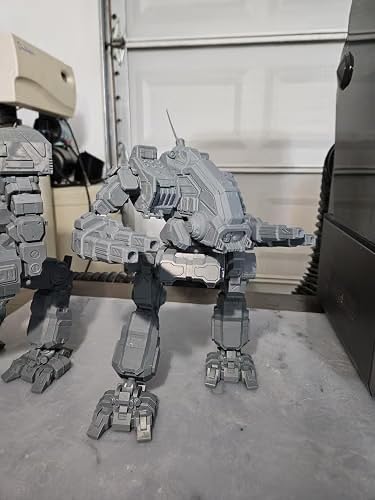
Where the Mono 4 and Mars 5 Ultra handle a 32mm gaming figure, the Saturn 4 Ultra 16K is the machine for the bust, the diorama centerpiece or the sculpt you intend to display on a plinth. Its 16K monochrome LCD carries the highest panel count of the six machines here, and the review consensus describes the output as very fine detail with smooth surfaces on intricate models, which is exactly the difference you see on a large textured surface rather than on a tiny face.
The feature that matters more than the resolution is the intelligent tank heating, which holds the resin at 30 C to reduce bubbles and layer separation. Resin viscosity is temperature-dependent, so a warm vat is a more stable vat, and a stable vat is the difference between a clean print at 3am and a print with a bubble defect welded to a cloak. The tilt release technology runs up to 150 mm/h, and automatic build plate leveling means no manual adjustment step at all.
On a long print the built-in chamber light and camera become genuinely useful. You can watch the plate, capture a time-lapse of the batch, and get an alert if a support lets go rather than discovering it hours later with a ruined resin pour in the tank.
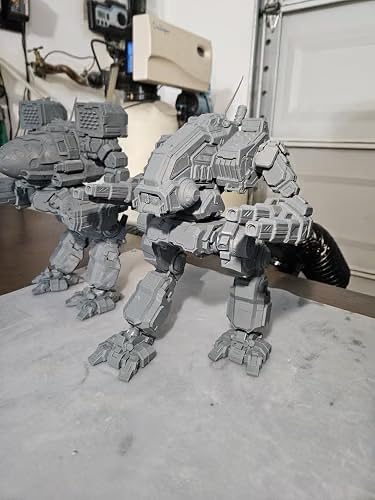
The technical detail to understand is why a heated tank raises success rates on miniatures. Warm resin flows more readily into the thin gaps of a support structure and releases more cleanly from the film, so you can use lighter supports that touch the model in fewer places, which means fewer support scars to sand off a face. Cold resin does the opposite, and it is the usual reason beginners sand for an hour after every print.
The honest drawback is size and patience. At 35.5 pounds and 24 x 17 x 15 inches, this is a substantial machine that needs a proper bench, and reviewers consistently note the bulkier and heavier footprint compared with smaller mono printers. The heating system adds warm-up time before the first print, the AI camera detection can be blocked by a large build with results that vary by resin and environment, and some users report needing exposure and support tuning before results become consistent.
Who the Saturn 4 Ultra 16K suits
It suits anyone printing large-format minis: 75mm display sculpts, busts, mounted character bases, and dungeon dioramas where the camera pans across a wide surface. It also suits a painter who wants a machine that can be left alone overnight, since the chamber light and camera monitoring reduce the chance of losing a long batch.
It also suits resin beginners who want the machine to absorb more of the learning curve. Automatic leveling, a heated tank and tilt release together remove three of the four things that most often cause a failed first print, and the machine is available in several panel variants so you can match the resolution to your budget rather than the other way round.
Where it falls short
It falls short for a small desk and a small budget. This is the heaviest and bulkiest machine in the mid-range, and it needs clearance above and around it for the lift mechanism and the chamber door, which is a real constraint in a home office.
It also falls short if you print one figure at a time. The warm-up penalty and the large footprint make it a poor companion for quick single-model jobs, and if your actual workflow is dozens of 32mm troopers rather than display pieces, the M7 Pro is a better shape of machine. The second thing to fall short on is raw throughput per cubic foot of desk, which is where the tilt-release speed advantage is partly offset by the size of the build volume it sits in.
4. ANYCUBIC Photon Mono M7 Pro 14K – Most Versatile for Fast Batch Work
ANYCUBIC Photon Mono M7 PRO 14K Resin 3D Printer, 170mm/h Fast Printing
14K mono LCD at 13312x5120
16.8 x 24.8 um pixels
Up to 170 mm/h
Heated vat with auto-fill
Pros
- 14K panel resolves 16.8 x 24.8 um pixels
- Up to 170 mm/h with high-speed resin
- Prints holes as small as 0.3 mm
- Quiet chassis built for large models
- Wide third-party resin compatibility
Cons
- Bundled slicer is basic so most users switch
- Vat heater and resin auto-fill are slow
- Resin pump takes proprietary bottles only
The M7 Pro is the most heavily reviewed printer in this guide by a wide margin, and that volume of owner feedback is itself useful. Its 14K monochrome LCD runs at 13312×5120 for a 16.8 x 24.8 um XY pixel, and the spec sheet states it prints holes as small as 0.3 mm in diameter, which is the kind of measurement that matters when you are printing a figure with a bowstring, a lantern handle or a ring of chain mail.
Speed is the headline. It prints at up to 170 mm/h with high-speed resin and 130 mm/h with standard resin, using a COB LighTurbo 3.0 light source with Fresnel lenses that keeps the light angle under 3 degrees and uniformity above 90%. The temperature-controlled resin vat, resin auto-fill and one-key resin recycling are all designed to keep a long run going without a babysitter, and six intelligent detections cover connection status, residue, resin level, failed print, film lifespan and build plate installation.
In practice the machine printed several plates of large models in a single session, and reviewers describe it as quiet with a solid, well-built chassis. Wide compatibility with third-party resins also means you are not locked into one bottle supply chain, which matters more to a hobbyist printing monthly than it does to anyone else.
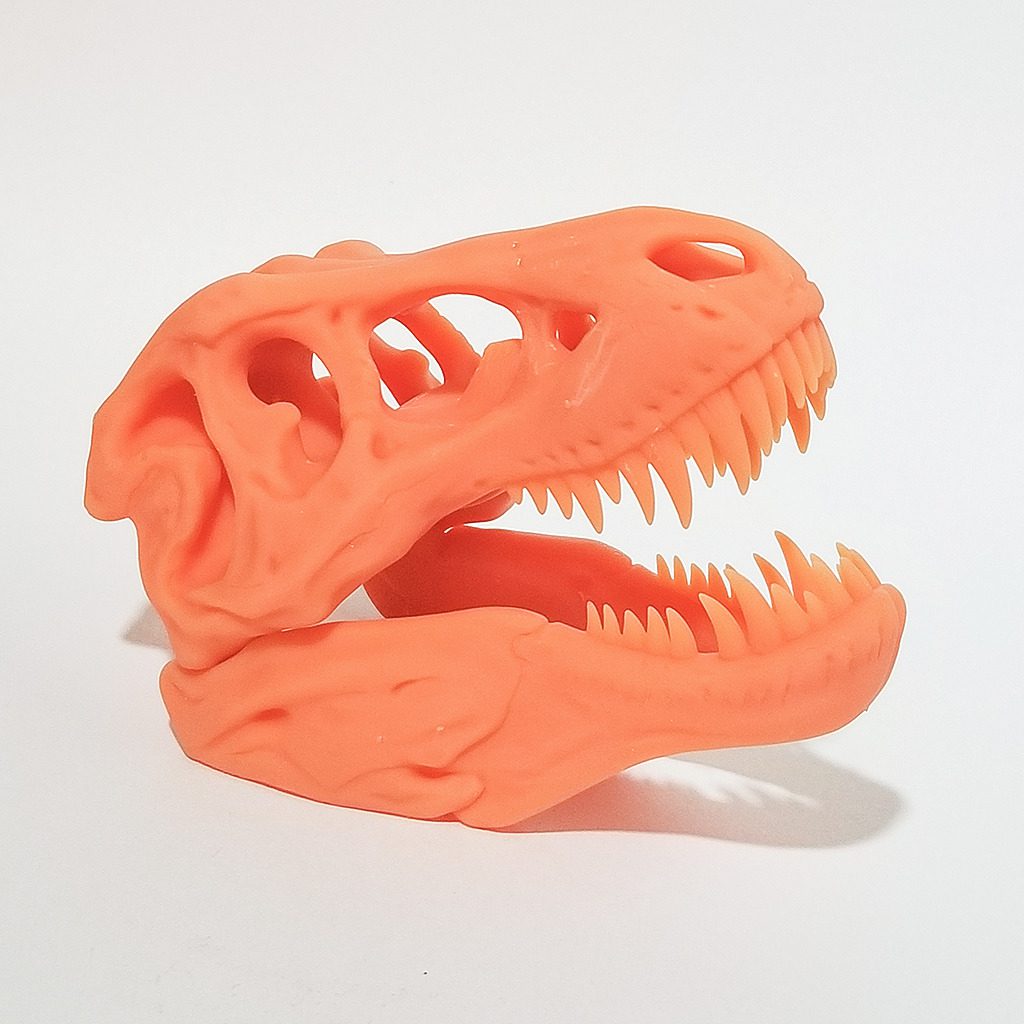
The technical point worth understanding is the relationship between pixel size and hole diameter. A 0.3mm hole is roughly 12 pixels across on a 24.8 um pixel panel, which is the practical floor for a circular feature to survive exposure and come out round rather than square. Push below that and openings deform, which is why a 46 um panel cannot produce a convincing handle loop even when the model file contains one.
The honest drawback is software and accessories, and the reviews say so plainly. The bundled Photon Workshop slicer is described as bare-bones, with hollowing and support tools that are hit or miss, so many hobbyists switch to Chitubox. The vat heater and resin auto-fill are slow and a recurring source of frustration, the resin pump accepts only proprietary bottles, and ACF film and FEP alternatives vary in reliability with the film able to tear. Some machines also report spurious residue and USB-disconnect error messages, and several settings are only togglable on the machine itself.
Who the M7 Pro suits
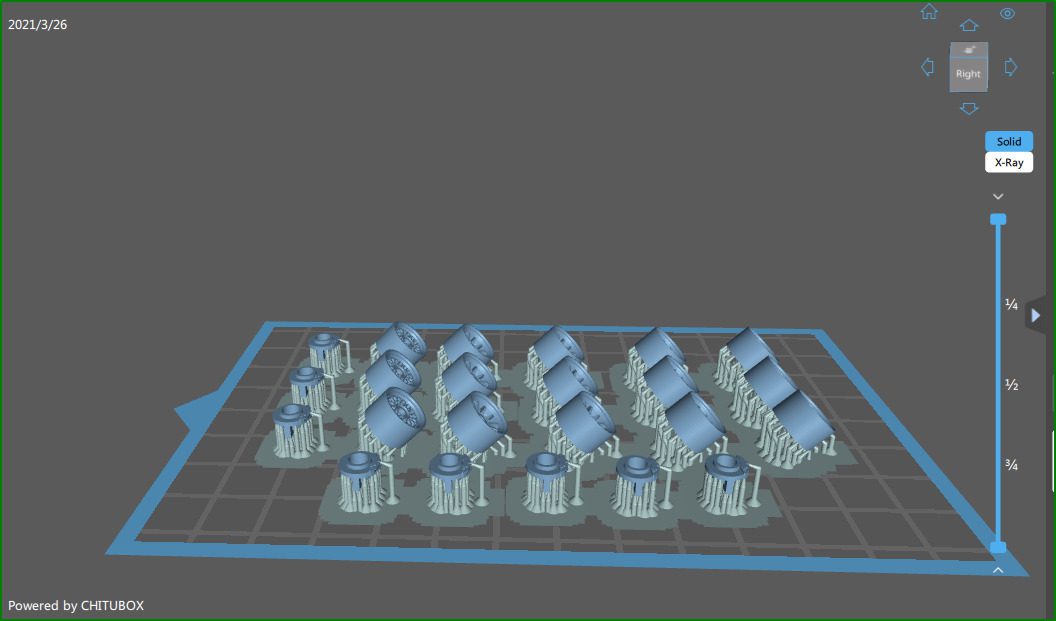
It suits the hobbyist who prints in volume: a squad of 20 or 30 models, a rank-and-file unit for a wargame army, or a series of character minis for a campaign. The 170 mm/h ceiling means an evening session can clear several plates, and the intelligent detection systems catch the kind of failure that would otherwise waste a full tank of resin.
It also suits anyone who cares about the smallest features. At 24.8 um on the long axis this is one of the sharpest panels here, so 0.3mm holes, thin straps and hair detail survive, and the auto-fill and recycling system suits someone printing enough to care about material waste.
Where it falls short
It falls short for someone who wants everything to work out of the box. The bundled slicer is the most common complaint across thousands of reviews, and installing a third-party slicer and learning its profile settings is a real time cost for a first-time resin buyer. The slow heater and auto-fill are the second complaint: they are the feature set that separates this machine from a cheaper one, and they are also the part owners grumble about most.
It also falls short on consumable flexibility in one specific place. The resin pump is proprietary-bottle only, so if you buy standard bottles for every other machine you own, this one will not take them. And at 33.3 pounds in a 25 x 15 x 35 inch frame it is a substantial commitment for a first printer, which is why it sits at number four on this list rather than first.
5. ANYCUBIC Photon Mono M7 MAX – Best for Wargaming Terrain and Large Batches
ANYCUBIC Resin 3D Printer, Photon Mono M7 MAX 13.6-inch 7K Mono LCD
13.6 inch 7K mono LCD
298 x 164 x 300 mm build volume
Heated vat
1300 ml resin tank
Pros
- 298 x 164 x 300 mm build volume
- Rigid build plate for large batches
- Heated vat with automatic resin management
- 1300 ml tank with suspension drip
- Five automated inspections
Cons
- Build plate is heavy to scrape prints from
- Resin pump and auto-loading are slow
- 46 um pixels are soft on tiny 28mm detail
If your question is what is the best printer for wargaming terrain, this is the one. The 13.6-inch build volume of 298 x 164 x 300 mm means a single wall, a ruined building, a bridge section or a full 28mm movement tray fits without splitting and splicing, and the 1300 ml tank with suspension drip means you are not refilling between every piece of a scenario set.
Its 7K mono LCD at 6480×3600 gives a 46×46 um pixel, which is the trade-off you should understand clearly. On a large surface, a wall or a rock face, 46 um is more than enough because the eye has no tiny adjacent feature to compare it against. On a 28mm character face held six inches from your eyes, it is the softest panel on this list, and reviewers are candid that it is adequate rather than class-leading for the smallest details.
What it does have is build. The construction is described as clean and commercial-grade with a very rigid build plate, a temperature-controlled vat that noticeably improves success rates once dialed in, a flip-up cover that makes loading and checking prints easy, and good Wi-Fi and app connectivity. Five intelligent inspections cover auto-inspection, residue detection, remaining resin monitoring, failed print detection and lifespan management, and a 360-degree self-check runs at startup.
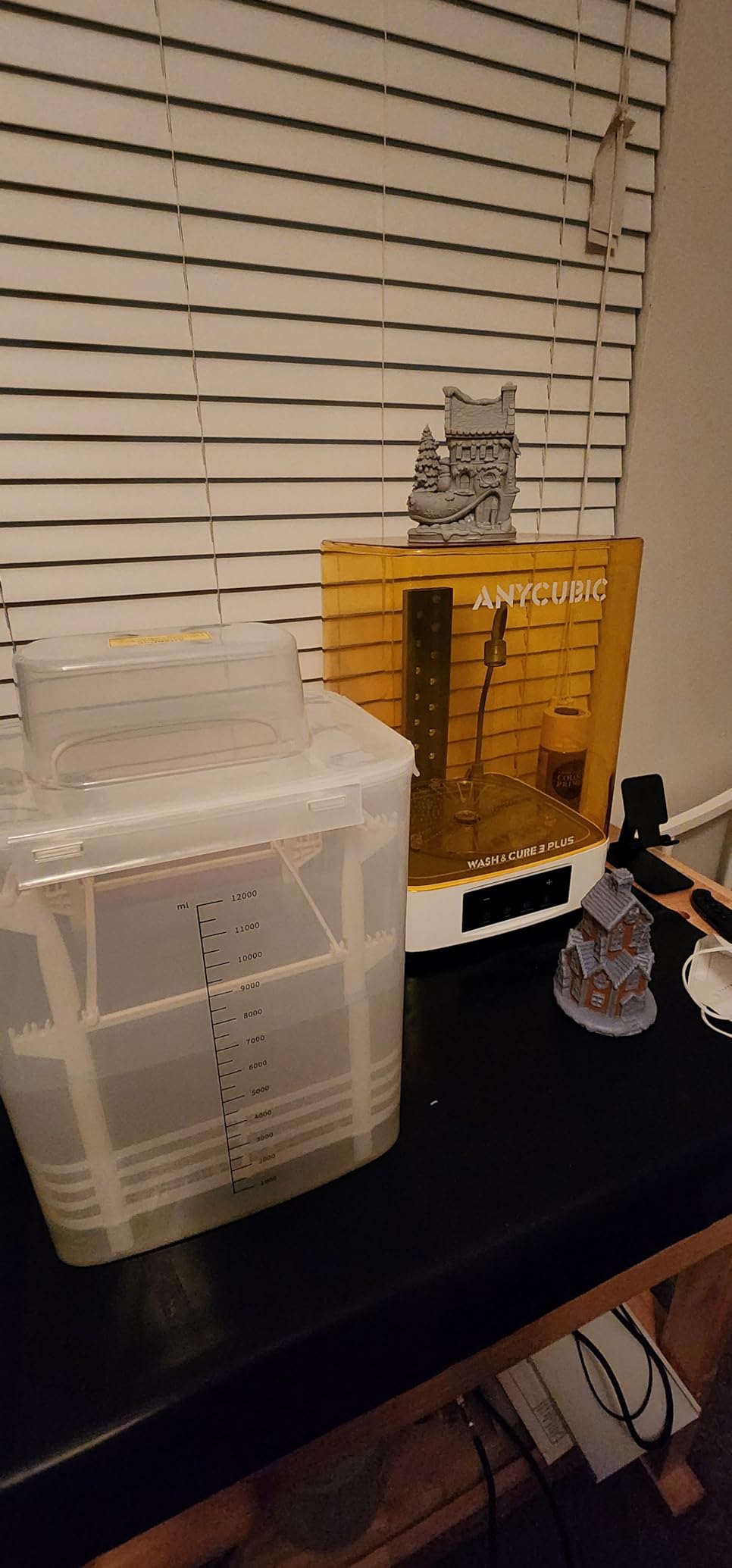
The technical detail worth understanding is the relation between build volume and throughput. A larger plate lets you print a whole terrain set in one exposure, which removes the per-plate overhead of bottom exposure, film release and washing. On a small machine, a builder spends more time lifting the plate and cleaning the film than curing the model, and that overhead is where batch economics go to die. Print speed here is listed at up to 60 mm/h with Intelligent Release 2.0 and dynamic light-off compensation, which is slower per millimetre but applied to far more resin per run.
The honest drawback is weight and convenience. At 60.9 pounds in a 30.91 x 19.29 x 20.47 inch frame, the build plate is extremely heavy and scraped prints are hard to remove, which is a genuine problem on tall terrain pieces. The resin pump and auto-loading are slow, so most owners report leaving them unused, the bundled wash-and-cure accessories are too small for the build plate, and the software is still less developed than FDM slicers.
Who the M7 MAX suits
It suits dungeon masters, scenario builders and anyone printing terrain for a tabletop campaign. A 298mm-long build area covers a substantial section of wall or floor tile, and the heated vat plus automatic resin level management mean a multi-hour batch run is plausible on a machine you can leave alone.
It also suits hybrid players who want terrain and characters from one machine. A 28mm figure prints acceptably on it, and the rating on this machine is the second highest in our set at 4.5 across 146 reviews, which reflects how few complaints owners raise about actual print quality on the jobs this machine is built for.
Where it falls short
It falls short on detail, full stop, for the specific job most readers came here for. A 46 um pixel cannot hold the eye detail that the 17 um and 18 um machines on this list manage, so if your priority is a single character mini you will be primed and painted to competition standard, this is the wrong tool and the sharp panels exist for a reason.
It also falls short physically. Sixty pounds of machine, a flip-up cover that needs clearance, a build plate you will fight with when removing a tall print, and wash-and-cure accessories that do not match the plate size all add friction. And the automatic resin features that look impressive in a spec sheet are the features owners most often switch off, so you are paying for capability you may never enable.
6. Phrozen Sonic Mega 8K S – Best for 1/32 Scale Armies
phrozen Sonic Mega 8K S LCD/MSLA Resin 3D Printer, 43 µm High Resolution, 15 inch Mono LCD Screen, Fast Production Accurate Details, Large Printing Size L12.99xW7.28xH11.81 Printing Volume
15 inch 8K mono LCD
43 um XY resolution
80 minis in 90 minutes
ACF film with TR300 resin
Pros
- Build plate fits 80 minis in 90 minutes
- ACF film with TR300 resin for fast cycles
- Quiet running during long batches
- Built-in metal drip hanger for resin recovery
- Lift-up lid suits a small bench
Cons
- No camera Wi-Fi auto-leveling or vat heating
- Self-fill is slow and the plate is perforated
- Screen and power supply failures reported
The Sonic Mega 8K S is the production machine. Its build plate of 33 x 18.5 x 30 cm holds up to 80 1/32 scale miniatures in 90 minutes according to the manufacturer, and the ACF fluoropolymer film paired with TR300 high-speed resin is specified for printing up to ten times faster than a conventional film-and-resin setup. For a player who wants a rank of World War tanks or a company of 1/32 infantry on the table in one evening, that claim is the whole pitch.
The rest of the design is about recovering resin. A built-in heavy-duty metal drip hanger lets you drain a print back into the tank, and the lift-up lid design suits a tight workspace, which matters when the machine itself is 18.6 x 15 x 22.3 inches and 57.3 pounds. Owners describe it as quiet and as reliable and consistent once calibrated for long production runs, and the value story is strong when the machine is bundled with resin and film.
What you give up is everything modern. There is no Wi-Fi, no camera, no auto-leveling, no vat heating and no onboard air filtration, and the perforated build plate prevents you from using a flex plate, so adhesion depends entirely on your release agent and your settings.
Who the Sonic Mega 8K S suits
It suits the 1/32 wargamer and the busy dungeon master. A plate of 80 figures is not a hobby, it is a production run, and this is one of very few resin machines on the market where that is a realistic thing to do on a weeknight.
It also suits anyone with a small workbench who plans to print in long blocks. The lift-up lid and the metal drip hanger are both workspace decisions that pay off when the machine is running for hours rather than minutes.
Where it falls short
It falls short on resolution. At 43 um XY the panel is softer on fine miniature detail than the 14K and 16K competitors here, and that softness is most visible on a 28mm face rather than on a 1/32 vehicle, which is precisely why this machine sits at the end of the list despite its enormous capacity.
It also falls short on support, and this is the point to weigh carefully before buying. Reviews report documented failures of the LCD ribbon cable, the power supply and the main board, sometimes tied to moving the unit, and warranty support on screens and electronics is reportedly limited to short periods. The self-filling mechanism is slow and unreliable, and with 49 reviews in the data set this machine has the thinnest owner history of the six, which means less community troubleshooting available when something does go wrong.
What to Look for When Buying a Resin 3D Printer for Miniatures
Almost every buyer arrives at this decision with the same question, and it is the most-asked thread on the printing forums: what should I actually look at when I want detailed miniatures. The short answer is that XY pixel size is the first filter, build volume is the second, and everything else on a spec sheet is secondary for this particular job. Here is how each band behaves on a figure rather than in a laboratory.
Resolution bands and what they buy you on a 28mm figure
Below 20 um you are in the range where eyes separate, teeth read individually and a buckle has a hole in it. This is where the Photon Mono 4 at 17 um and the Mars 5 Ultra at 18 um sit, and it is the band we would target for painting and display.
Above that you get clean detail with softer micro-features, and this is the band the Saturn 4 Ultra 16K and the M7 Pro occupy. The M7 Pro states its pixels as 16.8 x 24.8 um, pairing a near-17 um pixel on one axis with 24.8 um on the other, which resolves surface texture on larger models well.
Above 40 um the trade becomes about scale. At 43 to 46 um, a 1/32 figure or a piece of terrain still looks clean because the features are physically larger, but a 28mm character face will show softness under raking light. Choose this band when volume matters more than definition, not when a competition paint job is the goal.
One clarification worth making, because the two numbers get confused constantly: XY resolution governs the smallest feature in the plane of the plate, and Z-axis accuracy governs layer height. Only one of those determines whether a sword edge is sharp, and it is not the one usually printed on the box.
Mono LCD versus RGB screens
Every printer on this list uses a monochrome mask, and that is not a compromise. A colour LCD passes light through a colour filter array, so each pixel is only transmitting a fraction of the available light, which means longer exposure times and a dimmer, less consistent cure across the plate.
A monochrome panel transmits far more light per pixel and degrades more slowly, because the screen is doing one job instead of filtering colour nobody in the miniature hobby asked for. The practical result is shorter exposures, better cure through the base of a figure, and a screen that still performs after two years of use. Multi-colour printing is a real technology, but it serves cosplay props and signage rather than a 28mm orc, and it is not what you want here.
Build volume and batch throughput
Miniatures need almost no build volume, which is the single best piece of financial news in this hobby: you do not have to buy a large printer to print small models. A 6 x 3.4 x 6.5 inch volume, which is the smallest here, will happily print a 32mm character.
What large volume actually buys is throughput. Terrain, dioramas and full armies need a plate that fits a section of a building or a formation of figures, because every extra plate means another bottom exposure, another film release and another wash and cure cycle. If you build scenarios rather than single characters, size is the feature. If you paint characters, detail is the feature. Decide which one you are before you spend.
Safety, ventilation and the post-processing bench
Resin is an unpleasant material to handle, and the honest answer to whether resin printing is safe at home is that it is safe if you treat it like a chemical rather than a hobby. Wear nitrile gloves for anything involving uncured resin, never touch a partially cured print with bare skin, and keep the machine in a room you can ventilate rather than in a sealed cupboard in a bedroom.
Uncured resin has an odour that many people describe as sharp or sweet, and ventilation is the standard mitigation. Silicone mats, a funnel, a dedicated wash bucket and a separate curing station are not optional extras, and the forum consensus is blunt about this: buy the wash and cure station with the printer, because a machine that cannot post-process its own output is a very expensive paperweight. A carbon filter in the machine helps with odour but is not a substitute for gloves, ventilation and a separate wash-up area kept away from food preparation.
The running costs nobody quotes you
The printer is the cheapest part of the system. Your real first-year bill includes a wash and cure station, several bottles of grey tough and standard resin, isopropyl alcohol for cleaning, nitrile gloves, replacement film, a silicone mat, and a reserve budget for a vat or a screen. Resin storage matters too, because opened bottles have a shelf life and warmth shortens it further.
Two costs get underestimated most often. The first is film and vat replacement, which is routine rather than exceptional. The second is your own time, because a resin workflow is a multi-stage process and the printer is only one stage of it. Budget for the whole bench or you will end up with prints you cannot finish, which is the exact complaint that shows up again and again in the beginner threads.
Frequently Asked Questions
What is the best resin 3D printer for printing miniature models?
The ANYCUBIC Photon Mono 4 is the strongest all-round choice, pairing a 7-inch 10K monochrome LCD with a 17×17 um XY pixel at a compact 7.7 pound footprint. The ELEGOO Mars 5 Ultra is the better value pick at 18 um with faster tilt-release printing, and the ANYCUBIC M7 Pro takes over for batch work at up to 170 mm/h.
What is the best resin for 3D printing miniatures?
A grey tough or standard photopolymer resin is the usual answer for gaming miniatures because it prints cleanly, sands easily and takes primer and acrylic paint without cracking. A harder grey resin suits display pieces and dioramas, and flexible resin is worth adding for capes, cloaks and banners rather than for the figure body itself.
What is the best 3D printer for wargaming terrain?
For terrain you want build volume rather than the finest pixel, because a larger plate lets a whole wall, ruin or movement tray print in one run. The ANYCUBIC Photon Mono M7 MAX at 298 x 164 x 300 mm and the Phrozen Sonic Mega 8K S, which holds up to 80 1/32 scale miniatures, both suit scenario-scale batch work.
What XY resolution is best for miniatures?
For 28mm and 32mm figures anything at or below 20 microns XY gives you separated eyes, teeth and buckles. Between 20 and 30 microns still prints cleanly and handles larger models well. Above 40 microns is fine for terrain and 1/32 scale, where features are physically larger, but a character face will look soft.
What are the downsides of a resin 3D printer?
The main drawbacks are the learning curve on exposure and support settings, the mandatory post-processing step of washing and curing, the fragility of the film, vats and screens, and the fumes and handling requirements that come with liquid resin. Printed figures also need support removal, sanding and priming before painting, which is real time that filament printing does not demand.
Is resin printing safe at home?
It is manageable with basic precautions. Wear nitrile gloves whenever you handle uncured resin, print in a room you can ventilate, keep the wash-up area separate from food preparation, and never pour resin down a drain. A carbon filter in the machine reduces odour but does not replace gloves and airflow.
Is it illegal to print Warhammer minis?
The designs themselves are protected by copyright, and the position differs by country and by what you do with the copy. Making something purely for your own use generally attracts far less attention than selling it, and some manufacturers licence fan-made models officially through their community programs. If you intend to sell printed models, check the rules in your jurisdiction first, because that is where enforcement has happened.
Which Resin Printer Should You Buy for Miniatures?
If you take one recommendation from this guide, take the ANYCUBIC Photon Mono 4. It gives you a 17×17 um pixel, one-and-done leveling, power-resume printing and a footprint small enough to live on a normal desk, and it is the machine we would put in front of someone buying their first resin printer in 2026.
Everything else on the list answers a different question. Buy the ELEGOO Mars 5 Ultra if you are a painter who wants 18 um detail and fast cycles for the same money. Buy the Saturn 4 Ultra 16K if you make display pieces and dioramas and want a heated vat and a camera. Buy the M7 Pro if you print in volume and can live with installing a third-party slicer. Buy the M7 MAX if your work is terrain, and buy the Phrozen Sonic Mega 8K S if you are building 1/32 armies and accept a softer pixel in exchange for 80-figure plates.
Whichever you choose, budget the bench with the machine rather than after it. A wash and cure station, gloves, film and a ventilated corner of the room are what turn a fast, detailed print into a finished miniature rather than a grey object on a build plate. That is the version of this hobby that is actually worth doing.
