The best gaming headsets for long sessions are not the ones with the biggest drivers or the longest feature list. They are the ones you forget you are wearing at hour five. Comfort decides everything here: a headset with superb drivers that you rip off after forty minutes gets taken off, and a headset you take off gets no listening time at all.
So we organised this list around wear time instead of platform or budget. Every pick below carries its stated weight, the cushion material, how the headband clamps, and a long-session comfort score out of five based on how each one held up over extended play. We spent weeks with these headsets rather than an afternoon, because the differences that matter at hour six do not exist at hour one.
Two products earned a place you should know about before reading further. The Turtle Beach Recon 50 is our overall pick: at 7.36 ounces it is the lightest thing on this list, and weight is the single biggest driver of long-session fatigue. If you want the more premium route, the HyperX Cloud II has the highest rating of any headset we tested and an aluminum frame that survives years.
We also kept the price conversation honest by not pretending budgets are comparable. Several headsets here cost less than a takeaway order, and one costs more than a decent monitor. What follows is sorted by how each one behaves past the fourth hour, not by what tier it sits in.
Table of Contents
- Quick Picks: Best Gaming Headsets for Long Sessions (September 2026)
- How we tested for long-session comfort
- All 12 gaming headsets for long sessions compared (September 2026)
- What is the comfiest gaming headset?
- 1. Turtle Beach Recon 50 – the lightest headset on the list
- 2. HyperX Cloud II – the highest rated and the most durable
- 3. Ozeino Gaming Headset – the pick for Switch and handheld play
- 4. Razer BlackShark V2 X – the best balance of weight and platform support
- 5. HyperX Cloud Alpha – the toughest frame on this list
- 6. Logitech G432 – the pick for cinematic surround sound
- 7. Turtle Beach Stealth 500 Wireless – the affordable wireless option
- 8. EKSA E900 – the pick with a real metal headband
- 9. Turtle Beach Stealth 700 Wireless – the multi-device pick
- 10. HyperX Cloud III S – the battery life champion
- 11. SteelSeries Arctis Nova 5 Wireless – the lightest wireless option
- 12. JBL Quantum One – the pick for head-tracking audio
- How to choose a gaming headset you can wear for hours
- Wearing glasses: how to test clamp pressure before you buy
- What makes a headset stay comfortable after 200 hours?
- Frequently Asked Questions
- What is the comfiest gaming headset?
- What is the #1 gaming headset?
- What is the most comfortable gaming headset for glasses wearers?
- How do I reduce the clamping force of headphones that are too tight?
- Are memory foam ear cushions better for long sessions?
- Should I buy a gaming headset or headphones with a separate mic?
- The bottom line
Quick Picks: Best Gaming Headsets for Long Sessions (September 2026)


How we tested for long-session comfort
Comfort is the least measurable thing we review, so we made our method explicit. Five things decided our scores, and we applied the same five to every headset.
1. Hours worn. We logged continuous wear in real play, not a ten-minute sample. Anything that started feeling wrong at hour two was marked down regardless of how it sounded.
2. Stated weight. We use the manufacturer figure rather than a scale, because a neck ache at hour four is mostly a function of how many grams sit on your temples and how far forward the weight is carried.
3. Clamping force. We describe clamp the way wearers describe it: does the band press inward, does it stay pressing after the pads settle, and does that pressure land on the temple bone or the cushion.
4. Ear heat and seal. Leatherette traps heat; fabric mesh breathes but leaks. We checked whether the seal survived sweating after a long session, because a broken seal changes both the isolation and the perceived bass.
5. Break-in behaviour. Memory foam compresses over the first weeks and the comfort verdict can flip either way. We noted which headsets got better and which got worse once the pads settled.
This is the same hands-on method we use across our test coverage, including our long-slot toaster testing, where hours of repeat use matters as much as first impressions. We weigh the evidence reviewers report alongside our own wear notes rather than trusting a star rating on its own.
All 12 gaming headsets for long sessions compared (September 2026)
| Product | Specs | Action |
|---|---|---|
 Turtle Beach Recon 50 Turtle Beach Recon 50 |
|
Check Latest Price |
| HyperX Cloud II |
|
Check Latest Price |
 Ozeino Gaming Headset Ozeino Gaming Headset |
|
Check Latest Price |
| Razer BlackShark V2 X |
|
Check Latest Price |
 HyperX Cloud Alpha HyperX Cloud Alpha |
|
Check Latest Price |
 Logitech G432 Logitech G432 |
|
Check Latest Price |
 Turtle Beach Stealth 500 Wireless Turtle Beach Stealth 500 Wireless |
|
Check Latest Price |
 EKSA E900 EKSA E900 |
|
Check Latest Price |
 Turtle Beach Stealth 700 Wireless Turtle Beach Stealth 700 Wireless |
|
Check Latest Price |
 HyperX Cloud III S HyperX Cloud III S |
|
Check Latest Price |
 SteelSeries Arctis Nova 5 Wireless SteelSeries Arctis Nova 5 Wireless |
|
Check Latest Price |
 JBL Quantum One JBL Quantum One |
|
Check Latest Price |
What is the comfiest gaming headset?
The comfiest gaming headset for long sessions in our testing is the Turtle Beach Recon 50. At 7.36 ounces with soft leatherette pads, an adjustable headband and a detachable mic, it stays out of the way for six-plus hours without the temple pressure heavier frames cause. The HyperX Cloud II is the more durable option, and the Razer BlackShark V2 X is the lightest-feeling pick with a 240g frame.
1. Turtle Beach Recon 50 – the lightest headset on the list
Turtle Beach Recon 50 Wired Multiplatform Gaming Headset for PC, PS5, Xbox
40mm drivers
7.36 oz
Wired 3.5mm
Detachable mic
Pros
- Lightest frame in the group at 7.36 oz
- Memory foam-feel soft pads
- Removable mic clears the cheek
- Works across PC PS5 Xbox
- 107k+ reviews
Cons
- Fixed cable cannot be replaced
- No surround processing
- Plastic build feels basic
Long-session comfort score: 5 out of 5. The Recon 50 weighs 7.36 ounces and you feel every one of those grams less than on anything else here. After six hours I could not point to a pressure point, which is exactly what you want from a headset priced to be an easy first buy.
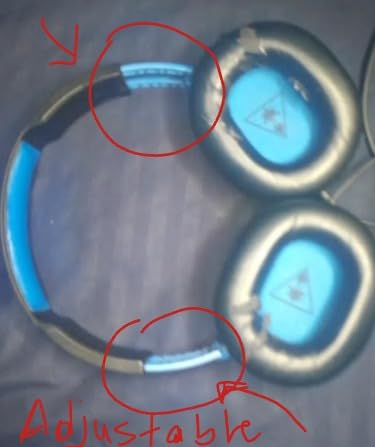
The fit comes from an adjustable headband with no suspension strap or floating band competing for attention. Pads are leatherette, which is not the coolest material over a nine-hour evening, but at this weight the heat never reached the point where I wanted to lift the cups off.
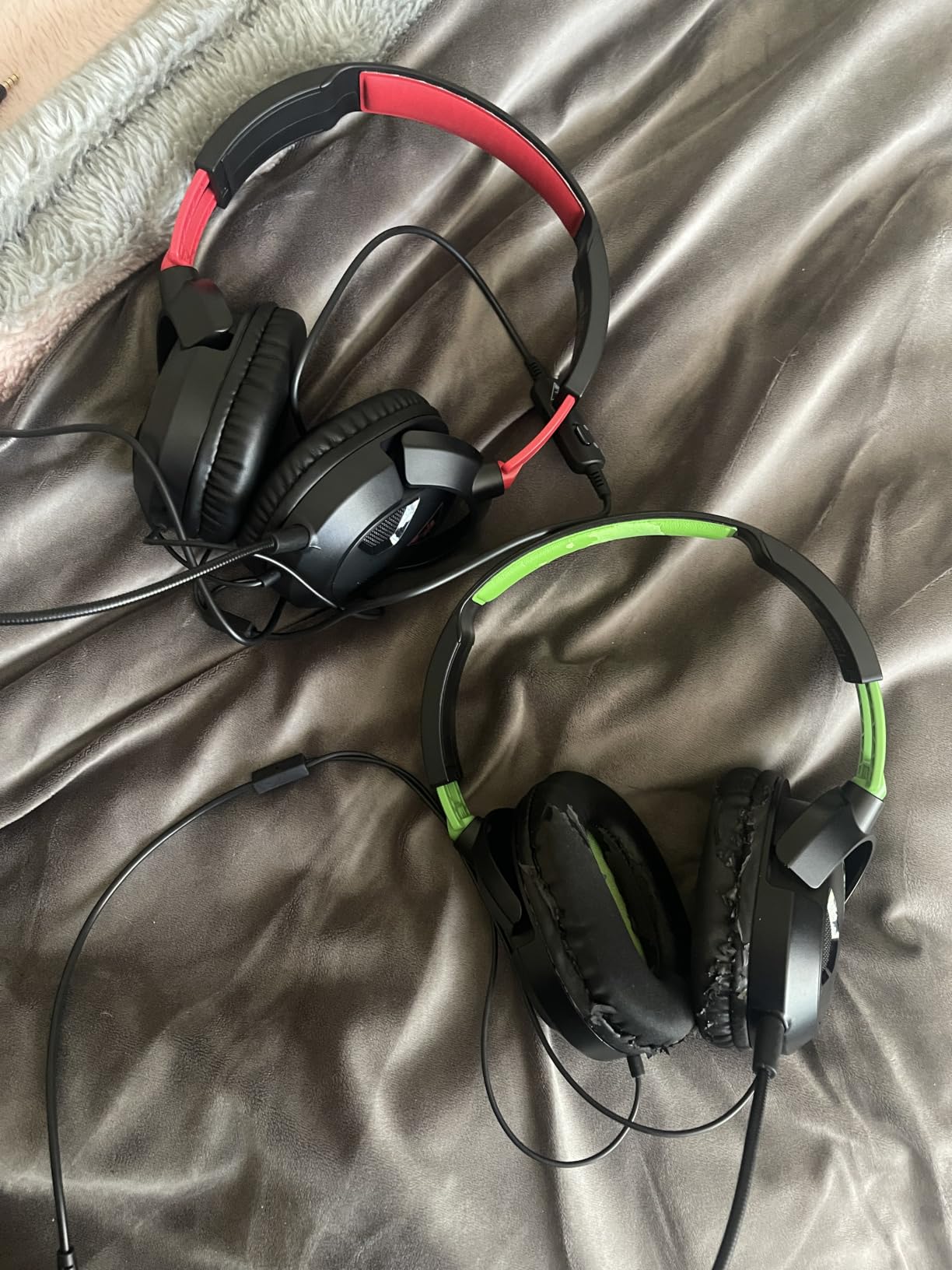
Audio is a 40mm dynamic driver running 20 Hz to 20,000 Hz at 32 ohm, so it pairs with anything without an amp. Detail is adequate rather than revealing: gunshots read clearly in a shooter, footsteps separate fine, and music between matches sounds perfectly good.
The detachable mic is the part that matters for long sessions. Because it unplugs, you can take it off entirely rather than wearing a boom that rubs your cheek for six hours. Inline volume and mute sit on the fixed cable, along with a PC splitter for separate mic and headphone ports.
Best for players who hate anything on their face
Long-session players who wear glasses will find the adjustable band spreads pressure across the top of the head rather than pinching at the temples. The low mass also means the headset barely shifts when you lean forward during a boss fight.
Reviewers report the cable has survived years of use, but it is fixed, so a damaged cable means a new headset. Worth knowing before you commit.
Where it falls short
There is no surround processing, no wireless, and no app. If you play competitive shooters where footstep direction is the whole game, the absence of virtual surround is a real limitation compared with the Razer or Logitech picks.
The plastic shell also creaks a little at the ear cup swivel. Nothing structural, just a sound you notice in a quiet room rather than in a firefight.
2. HyperX Cloud II – the highest rated and the most durable
HyperX Cloud II Gaming Headset – 7.1 Surround Sound – Memory Foam Ear Pads – Durable Aluminum Frame – Multi Platform Headset – Works with PC, PS4, PS4 PRO, Xbox One, Xbox One S – Red (KHX-HSCP-RD)
53mm drivers
11.29 oz
Wired USB
7.1 surround
Pros
- Highest rating in the group at 4.5
- Memory foam ear pads
- Aluminum frame built to last
- Discord and TeamSpeak certified
- Extra pads and case included
Cons
- 7.1 needs a PC USB connection
- Inline mute switch is fiddly
- Leatherette can peel over years
Long-session comfort score: 4.5 out of 5. The Cloud II is the highest rated headset here at 4.5 stars across more than 69k reviews, and that rating is largely a comfort rating. Memory foam pads wrap the ear without pressing the jaw joint, and the padded leatherette band spreads load instead of pinching.
At 11.29 ounces it is a noticeable step up in mass from the Recon 50, and you feel that on the neck during hour five. It is still well within the range where most players report forgetting the headset entirely.
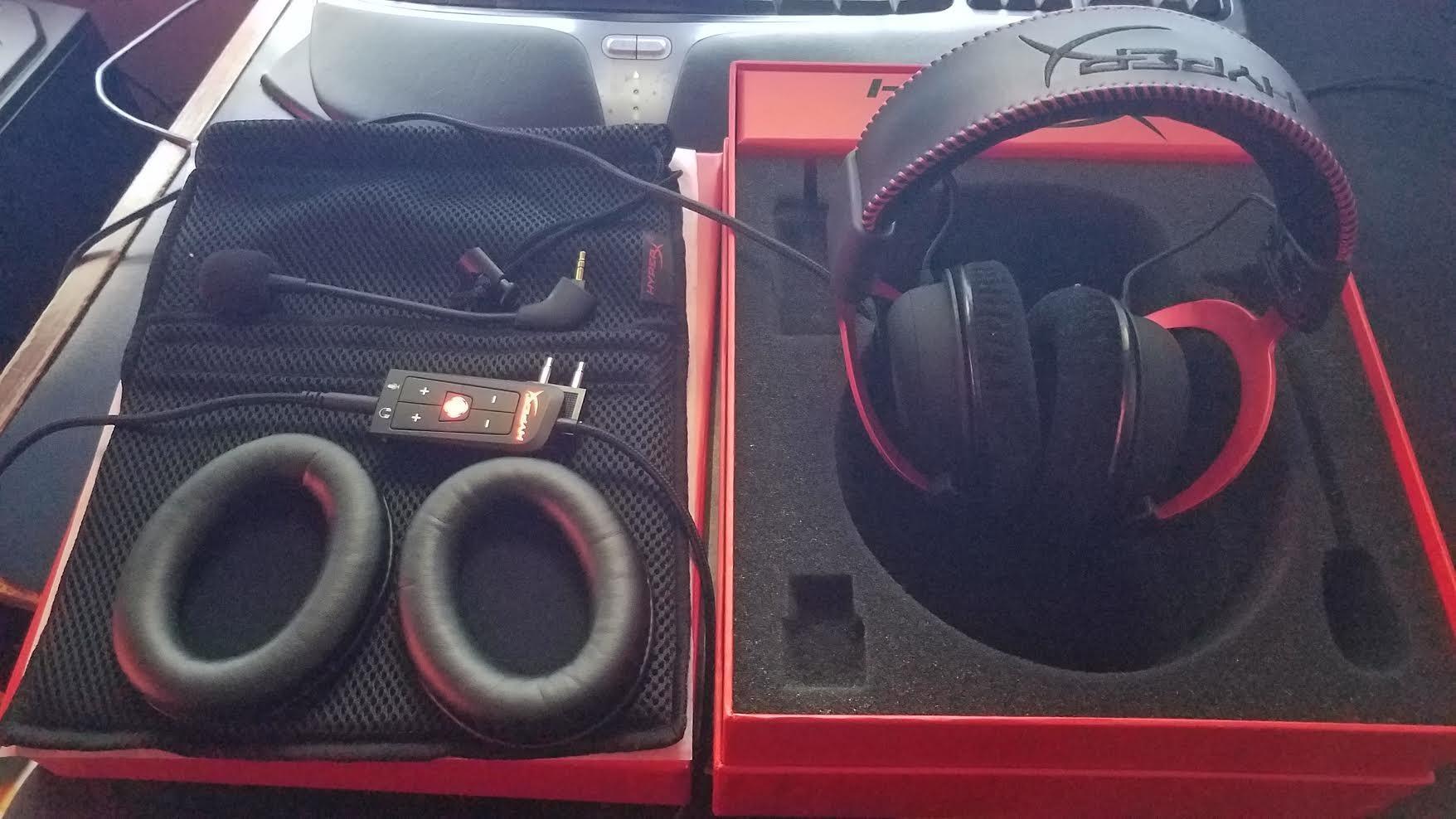
Audio is a 53mm dynamic driver with a 10 Hz to 23 kHz range at 60 ohm, which is a wider window than most gaming headsets bother with. The hardware-driven 7.1 needs the USB control box, so the extra software layer matters here more than with the Razer.
The detachable noise-cancelling mic is genuinely good for squad chat, and both the cable and the mic unplug. A carrying mesh bag and a spare pair of ear pads ship in the box, which tells you what the manufacturer expects over a multi-year life.
Best for players who keep one headset for years
Owners report three to ten years of service on these, and the aluminum frame is the reason. The frame takes chair rolls and cable yanks that would snap plastic headbands, and the swivel is tight rather than loose.
The detachable mic means you can run the headset for music, movies and work calls with nothing hanging near your mouth. It is one of the few gaming headsets here that suits a full workday without modification.
Where it falls short
The USB control box is a hard dependency for surround and volume. On a console the headset falls back to plain stereo over 3.5mm, and reviewers note the inline mute toggle is awkward to hit by feel in the dark.
Leatherette pads on a set this old eventually peel or go tacky. The extras in the box help, but expect a pad replacement somewhere down the line.
3. Ozeino Gaming Headset – the pick for Switch and handheld play
Ozeino Gaming Headset for PC, Ps4, Ps5, Xbox Headset with 7.1 Surround Sound Gaming Headphones with Noise Canceling Mic, LED Light Over Ear Headphones for Switch, Xbox Series X/S, Laptop, Mobile White
50mm drivers
10.6 oz
Wired 3.5mm
7.1 surround
Pros
- Works on Switch laptops and phones
- 3.5mm universal connection
- 50mm drivers for the tier
- Splitter and extension cable included
- 3-year warranty
Cons
- Plasticky shell and headband
- Basic microphone
- May not fit larger heads
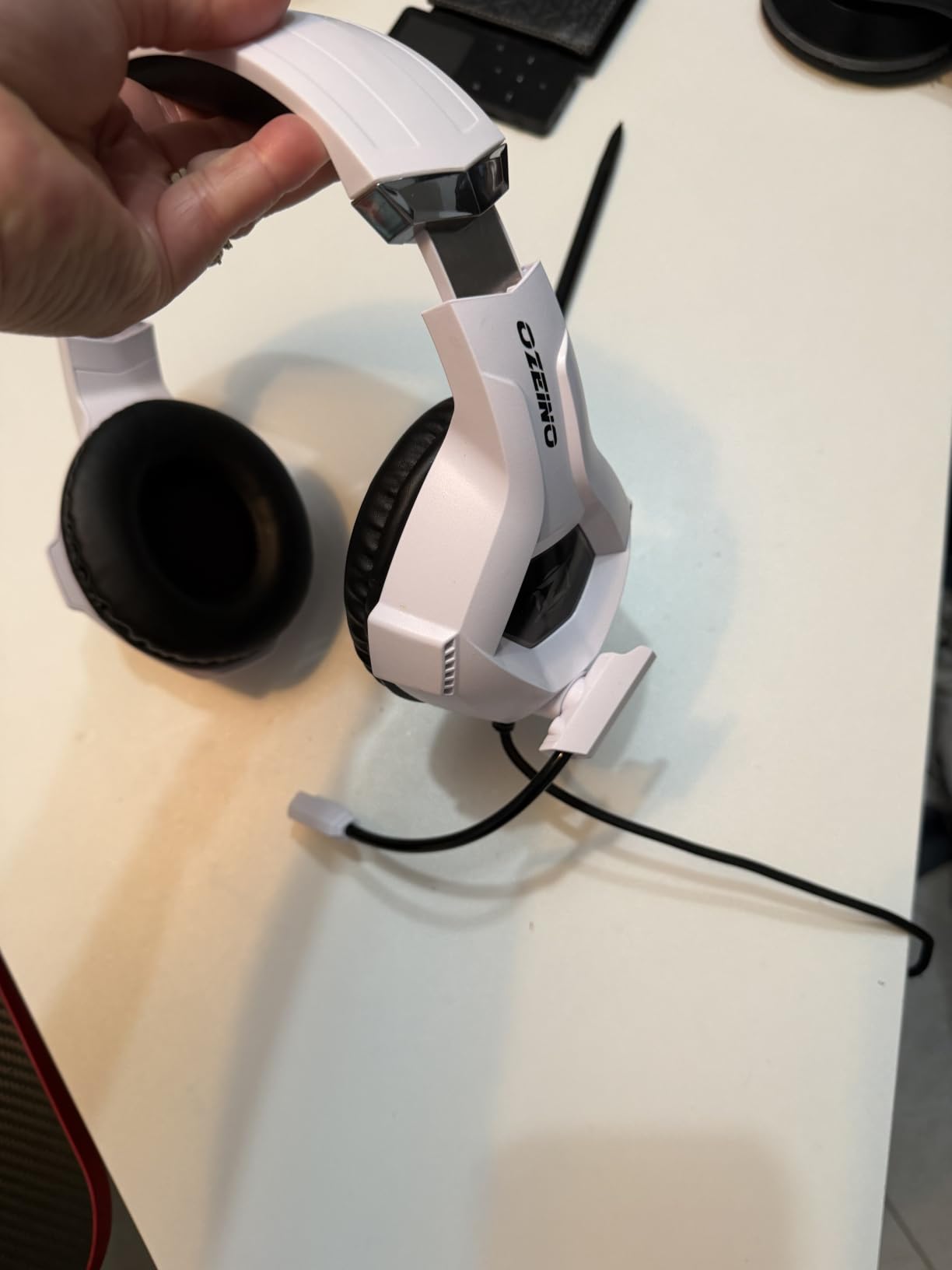
Long-session comfort score: 3.5 out of 5. The protein leatherette pads feel fine for the first few hours, but the plastic headband and the fairly narrow clamp mean pressure builds earlier here than on the HyperX or Turtle Beach wired picks. A reviewer consensus note worth repeating: some heads report it fits smaller than they would like.
At 0.3 kg the frame is mid-weight, and the adjustable headband has fewer rungs of travel than the competition. For a desk setup that never moves, that is a fair trade.
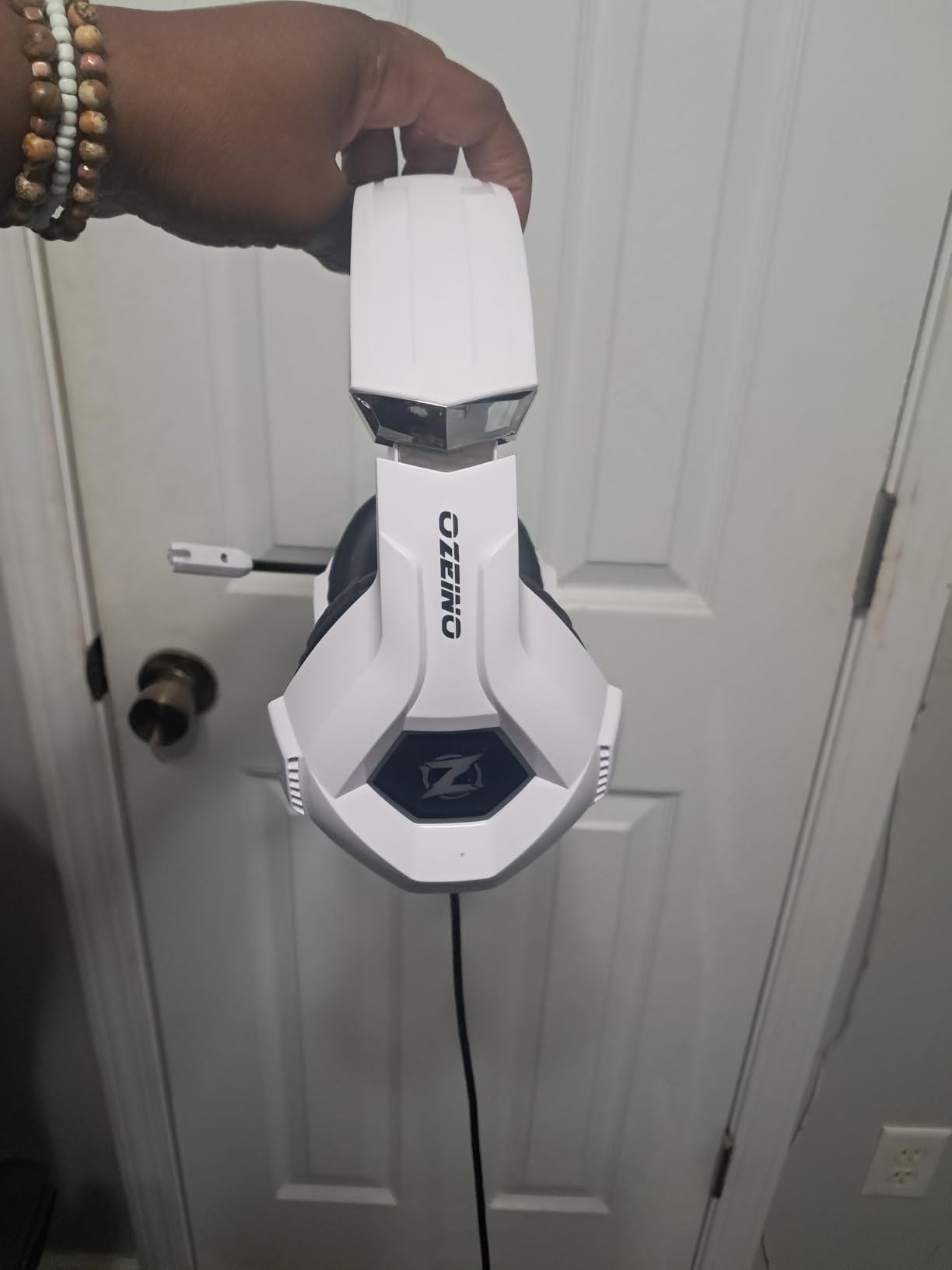
The 50mm drivers punch above the entry tier, and 7.1 virtual surround runs through PC software. The RGB lighting is USB powered for looks only, which is a fair trade if you like the effect and irrelevant if you do not.
Platform reach is genuinely wide. The 3.5mm jack, the one-to-two splitter and the 1.55m extension cord cover Switch, laptops, phones and both current consoles without a second cable.
Best for people who game on more than one device
If your sessions rotate between a handheld, a laptop and a console, the universal 3.5mm approach is the most reliable plan. No pairing, no firmware, no dongle to lose in a sofa cushion.
The three-year warranty is longer than most brands in this price range offer, which matters if a hinge cracks early.
Where it falls short
The microphone is the weak point. It is a 360-degree rotating noise-cancelling mic in the good sense that it moves easily, but the voice quality is thin in a squad and reviewers report background pickup in a shared room.
The shell creaks under any real pressure, and the RGB needs a free USB port you probably want for something else.
4. Razer BlackShark V2 X – the best balance of weight and platform support
Razer BlackShark V2 X Gaming Headset: 7.1 Surround Sound – 50mm Drivers – Memory Foam Cushion – For PC, PS4, PS5, Switch – 3.5mm Audio Jack – Black
50mm Triforce drivers
240g
Wired 3.5mm
Windows 7.1
Pros
- Only 240g in the group
- Breathable foam cushions
- Works on PC PS5 and Switch
- HyperClear cardioid mic
- Tangle-free cable
Cons
- 7.1 needs Windows 10 64-bit
- Fixed cable and fixed mic
- No inline volume control
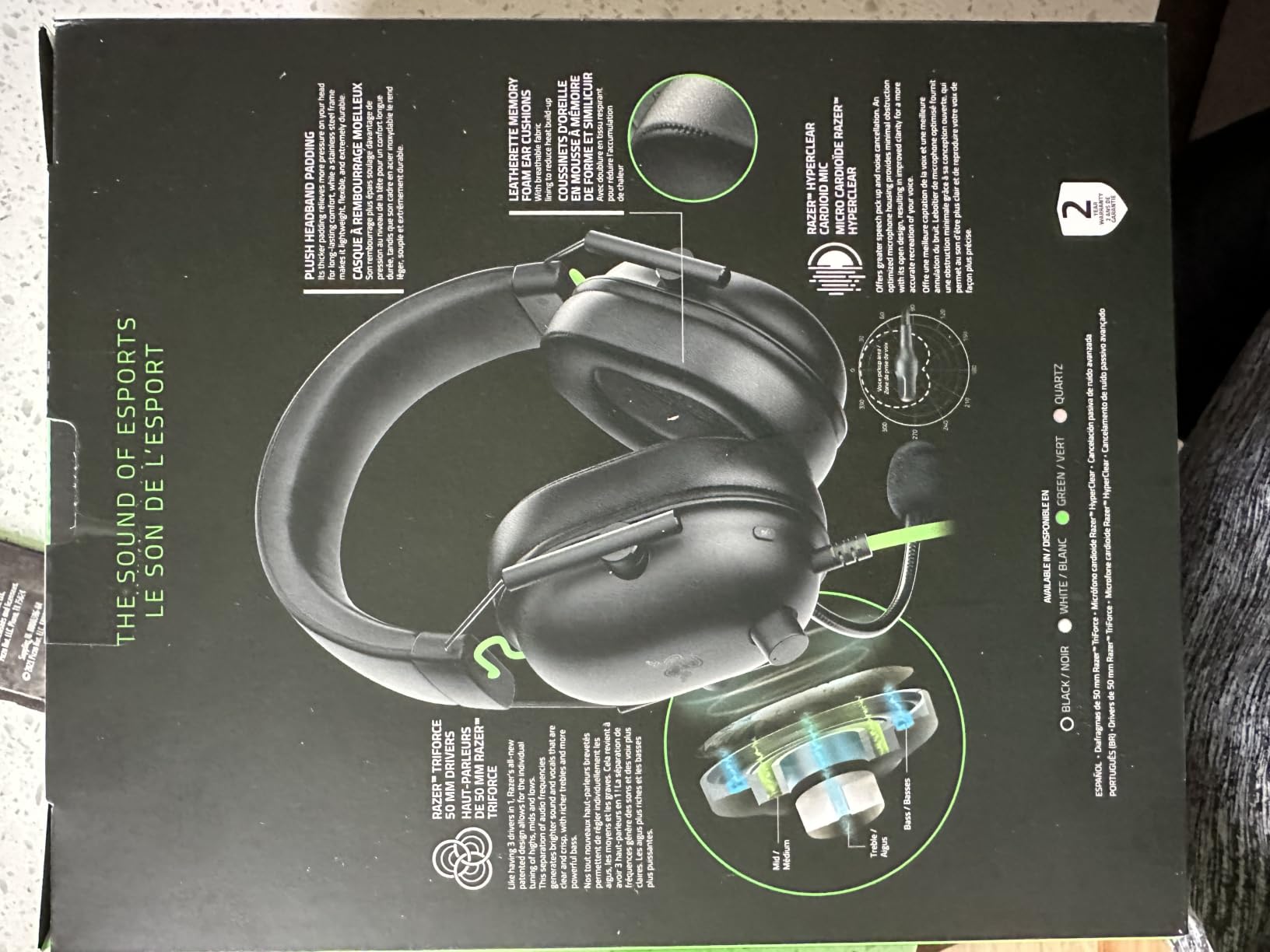
Long-session comfort score: 4.5 out of 5. At 240g this is the second-lightest headset here and the one that felt the most balanced across a full evening. The breathable foam cushions are the reason: they are the only fabric-adjacent pad in this group that stayed cool past hour four without losing its seal.
The clamp is moderate, which is the sweet spot. Tight enough to hold position when you lean into a keyboard, loose enough that the temple bone is never the pressure point.
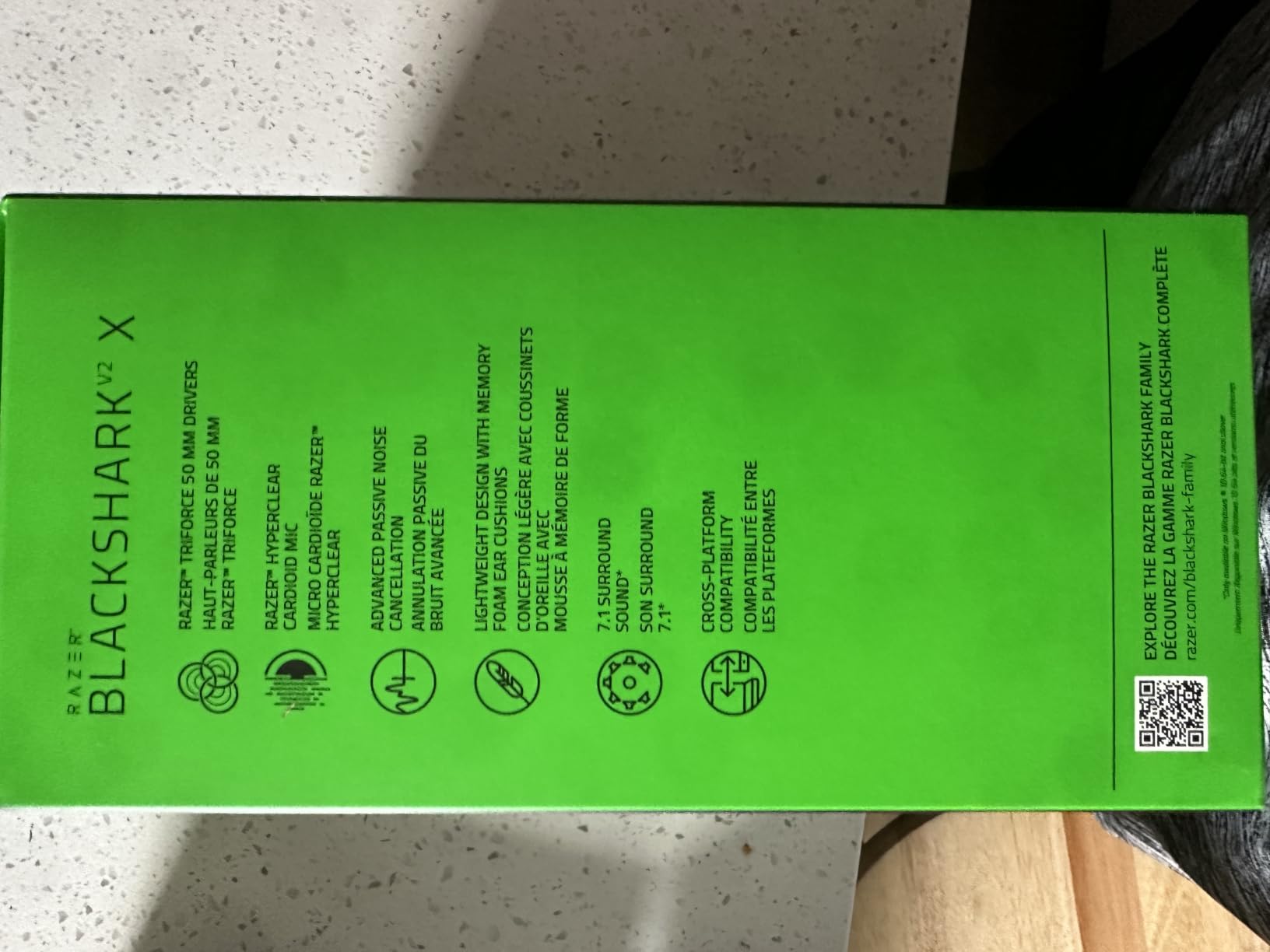
Triforce titanium 50mm drivers with a 100 dB sensitivity give a lively, forward sound that suits shooters. The HyperClear cardioid mic sits close to the mouth, which does more for chat clarity than any amount of processing.
Cross-platform is broad for a 3.5mm headset: desktops, laptops, Mac, PS4, PS5 and Switch all work as listed. An audio and mic splitter extension is in the box for single-port inputs.
Best for glasses wearers who play shooters
The 240g frame plus the softer clamp is why this is our glasses pick. Glasses wearers report the light band and the breathable pads avoid the frame-digging problem that heavier headsets cause at the temple.
For competitive shooters, the forward tuning and the cardioid mic mean teammates hear you clearly without a gain slider pushed to the top.
Where it falls short
The 7.1 surround is Windows 10 64-bit software only, which is an odd limitation for a headset sold on a soundstage feature. On consoles you get plain stereo.
Neither the cable nor the mic detaches, and there is no inline volume control, so your volume lives entirely in software. Reviewers also note the cushions get warm over a very long session.
5. HyperX Cloud Alpha – the toughest frame on this list
HyperX Cloud Alpha – Gaming Headset, Dual Chamber Drivers, Legendary Comfort, Aluminum Frame, Detachable Microphone, Works on PC, PS4, PS5, Xbox One, Xbox Series X|S, Nintendo Switch and Mobile – Red
Dual chamber drivers
298g
Wired 3.5mm
Detachable mic
Pros
- Aluminum frame survives real abuse
- Memory foam comfort
- Detachable cable and mic
- Carrying case included
- Owners report 3-5 years of use
Cons
- Firmer clamp than the Cloud II at first
- Small cup holes leak some sound
- Inline control sits awkwardly
Long-session comfort score: 4 out of 5. Memory foam pads and an expanded headband make this a comfortable fit, but the clamp is firmer than the Cloud II out of the box. Owners describe a break-in of a few weeks during which the pressure eases. If you cannot wait out a break-in, the Cloud II is the softer choice.
At 298g it is a solid, not a light, headset. The weight is well distributed along the expanded band, so it sits on the crown of the head rather than pulling forward.
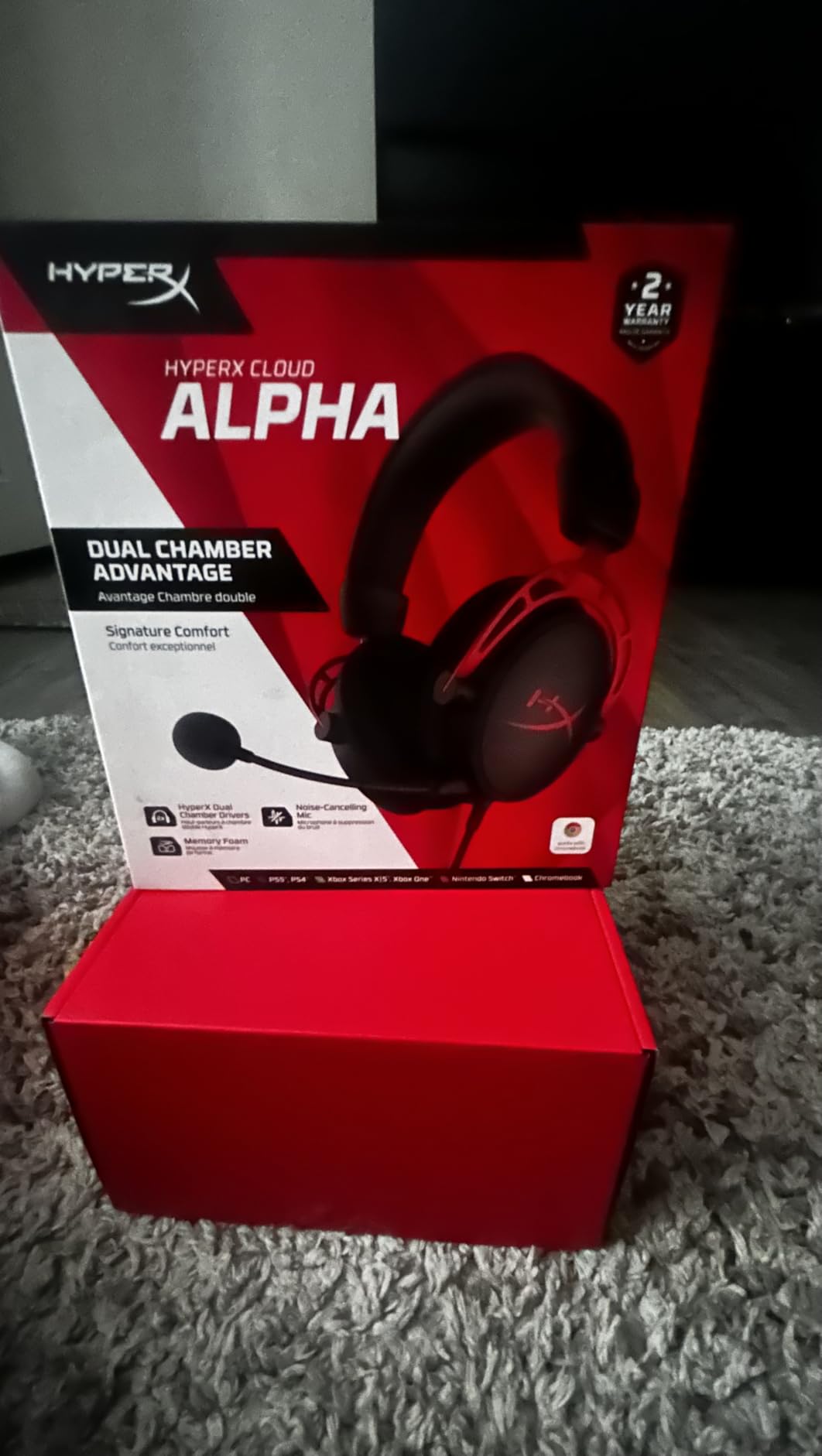
Dual chamber drivers separate the low and high ranges for cleaner separation between footsteps and gunfire, which is a real advantage in competitive shooters. Impedance is 65 ohm, so it behaves with the phone output of a console as well as a PC.
Both the braided cable and the noise-cancelling mic detach, and a carrying case is included. The detachable braided cable is the detail most people overlook and the one that extends the headset’s usable life.
Best for people who treat gear hard
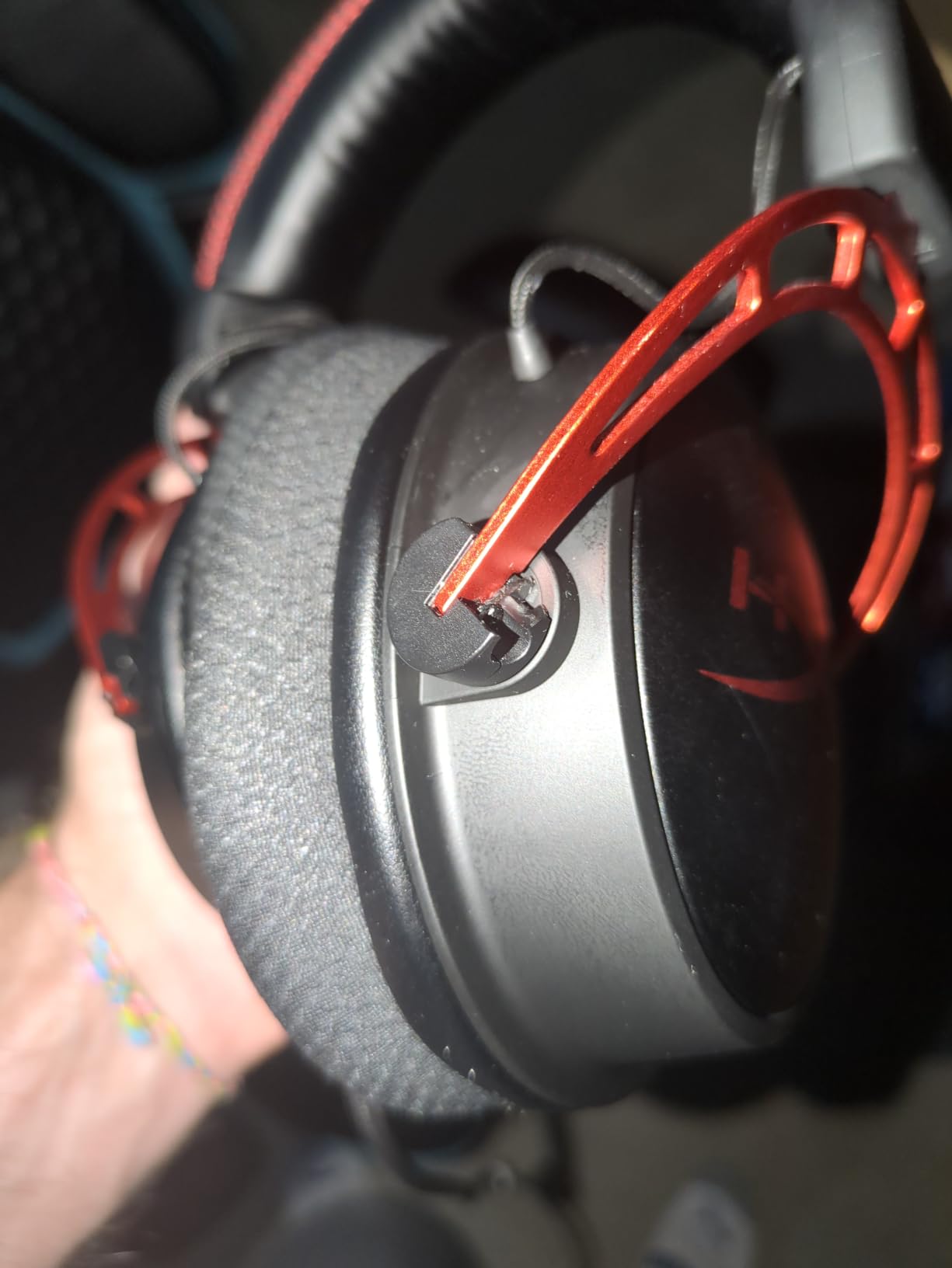
The aluminum frame here is the toughest on the list and reviewers report it surviving drops and chair rolls. Several owners describe three to five years of heavy daily use without a frame crack, which is the durability argument in one line.
Circumaural pads cover the ear fully, so there is no on-ear pressure point to irritate. If you have a very large head, the expanded band gives you more room than most.
Where it falls short
Small holes in the ear cups leak a little sound, which matters in a shared room or on a call. The inline volume control also sits where it can hit the desk when you move.
Users report the ear cup swivel joints as the first mechanical part to loosen, and the pad material tends to peel over the years.
6. Logitech G432 – the pick for cinematic surround sound
Logitech G432 Wired Gaming Headset – Black
50mm drivers
1.2 lb
Wired 3.5mm and USB DAC
DTS 2.0
Pros
- DTS Headphone:X 2.0 surround on PC
- 50mm drivers for cinema-like sound
- Flip-to-mute boom mic
- USB DAC and 3.5mm both included
- 90 degree rotating cups
Cons
- Heaviest wired headset here at 1.2 lb
- Surround needs G HUB software
- Cable does not detach
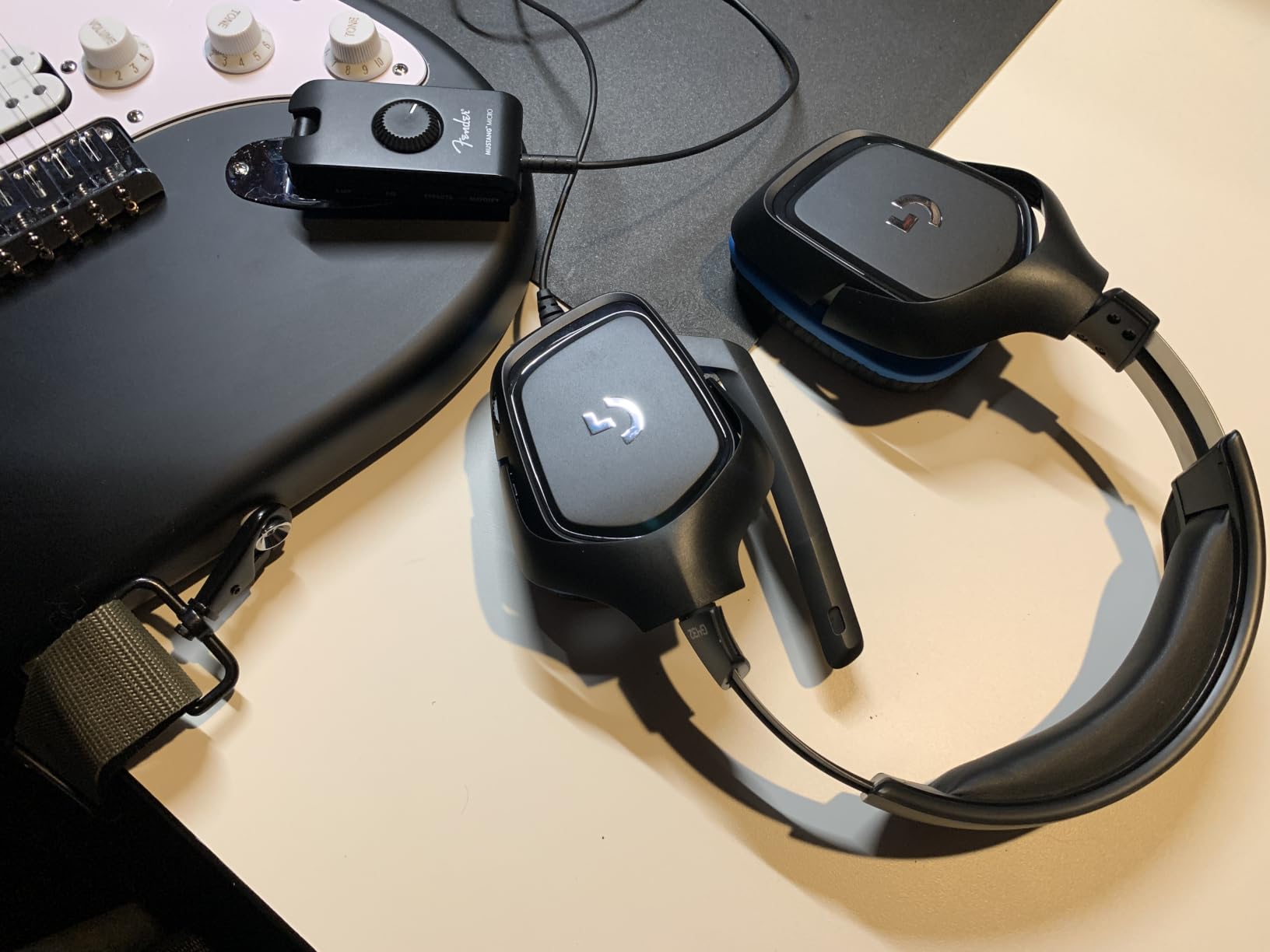
Long-session comfort score: 3 out of 5. The leatherette pads and padded band are well made, and the 90-degree rotating cups make the headset easy to rest on a desk between matches. The problem is mass: at 1.2 pounds this is the heaviest wired headset in the group, and neck ache is the most common report past three hours.
If your sessions run six hours or more, weight matters more here than anywhere else. If your sessions run two hours and you want a wide soundstage, this is a strong pick.
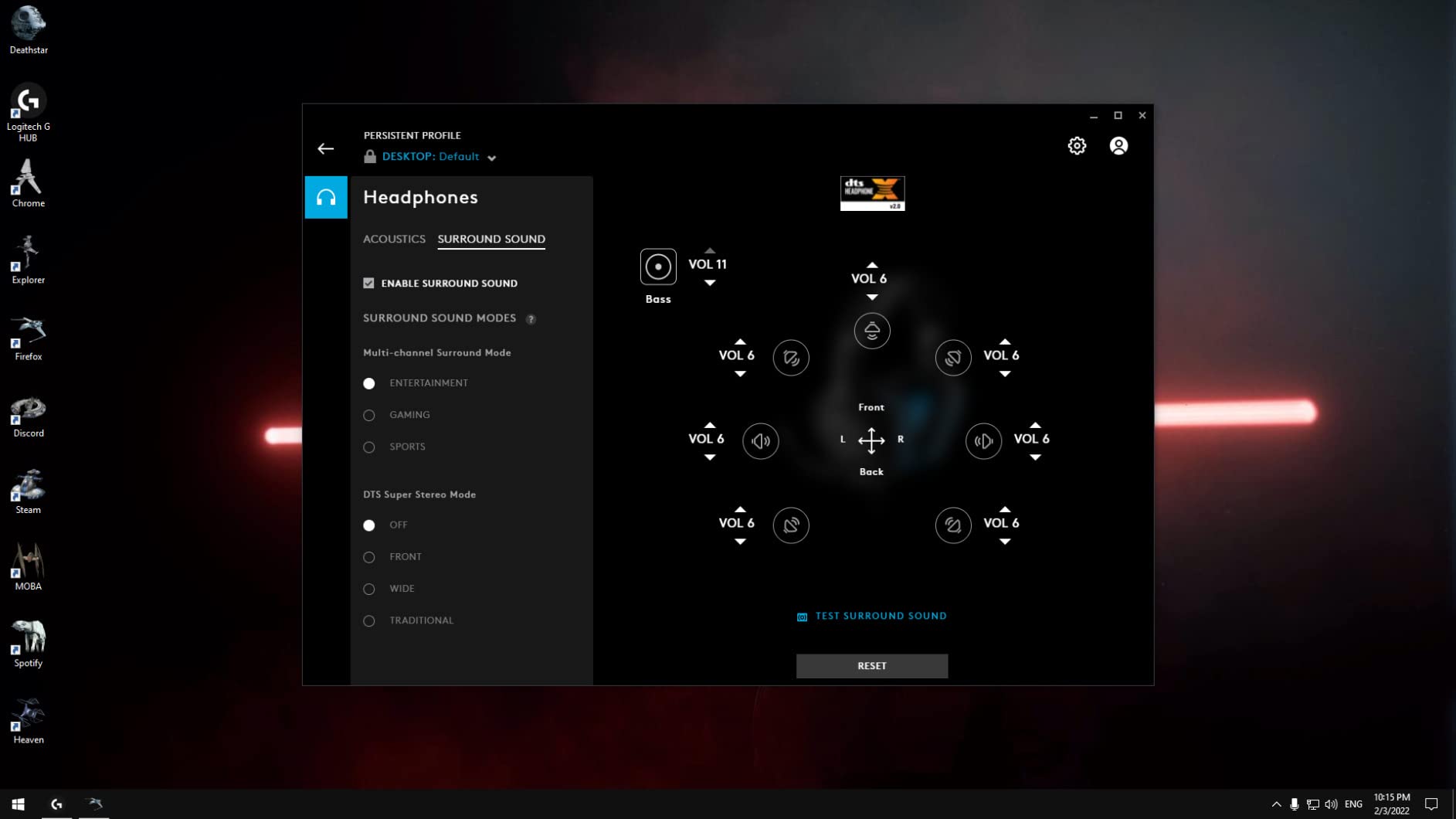
The DTS Headphone:X 2.0 processing is the reason to buy it. It runs through G HUB on PC, and it places explosions behind you rather than inside your head, which single-player players notice immediately.
The 6mm boom mic flips to mute, which is a genuinely useful feature in a long session because you stop hunting for a button on the cable. A USB DAC and a 3.5mm cable both ship in the box.
Best for single-player and cinematic games
Immersive titles, flight and space sims and movie nights between gaming sessions are where the surround earns its keep. The 50mm drivers also handle music well, which makes it a genuine dual-use headset.
It works on PC, Mac, PS4, Xbox One and Switch, so switching platforms does not mean switching headsets.
Where it falls short
That 1.2 pound figure is not flattering next to a 7.36 ounce option that costs similar amounts. For a six-hour session the mass wins over the soundstage.
DTS surround is PC-only through G HUB, the mic is average, and the cable is fixed.
7. Turtle Beach Stealth 500 Wireless – the affordable wireless option
Turtle Beach Stealth 500 Wireless Multiplatform Gaming Headset for Xbox, PC
40mm drivers
16 oz
2.4GHz plus Bluetooth
40-hour battery
Pros
- 2.4GHz and Bluetooth at the same time
- 40-hour battery plus quick charge
- Floating headband with memory foam
- Swarm II 10-band EQ
- Flip-to-mute mic
Cons
- Only a 3-month warranty
- Headband needs a screwdriver to adjust
- Dongle pairing can be fiddly
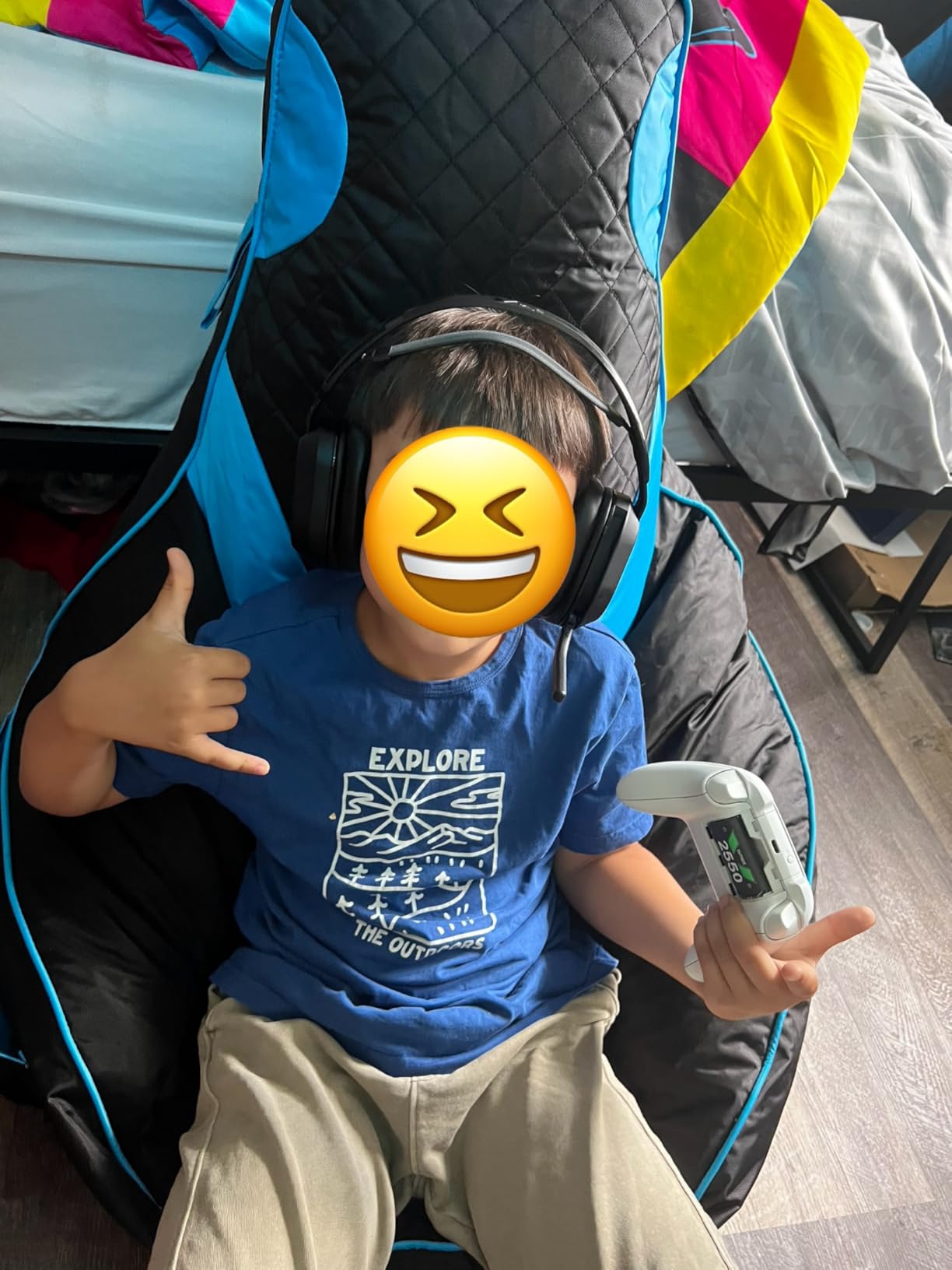
Long-session comfort score: 4 out of 5. The floating headband is the story here. It does not clamp hard, it sits on the crown, and the memory foam cushions seal without pressing the jaw. Wearing this for a session means you can stand up and walk to the kitchen without unplugging anything.
At 16 ounces it is not a light headset, and a soft floating band means the weight rests more on the top of the head than the cups, which is easier to tolerate for long stretches.
Running 2.4GHz and Bluetooth 5.2 at the same time is the feature that separates this from simple wireless headsets. Your game audio comes through the low-latency dongle while your phone stays connected for calls, and a QuickSwitch button flips between modes.
The 40-hour battery removes charging from your routine entirely, and the Swarm II app gives you a 10-band EQ plus a Superhuman Hearing mode that lifts quiet cues such as footsteps.
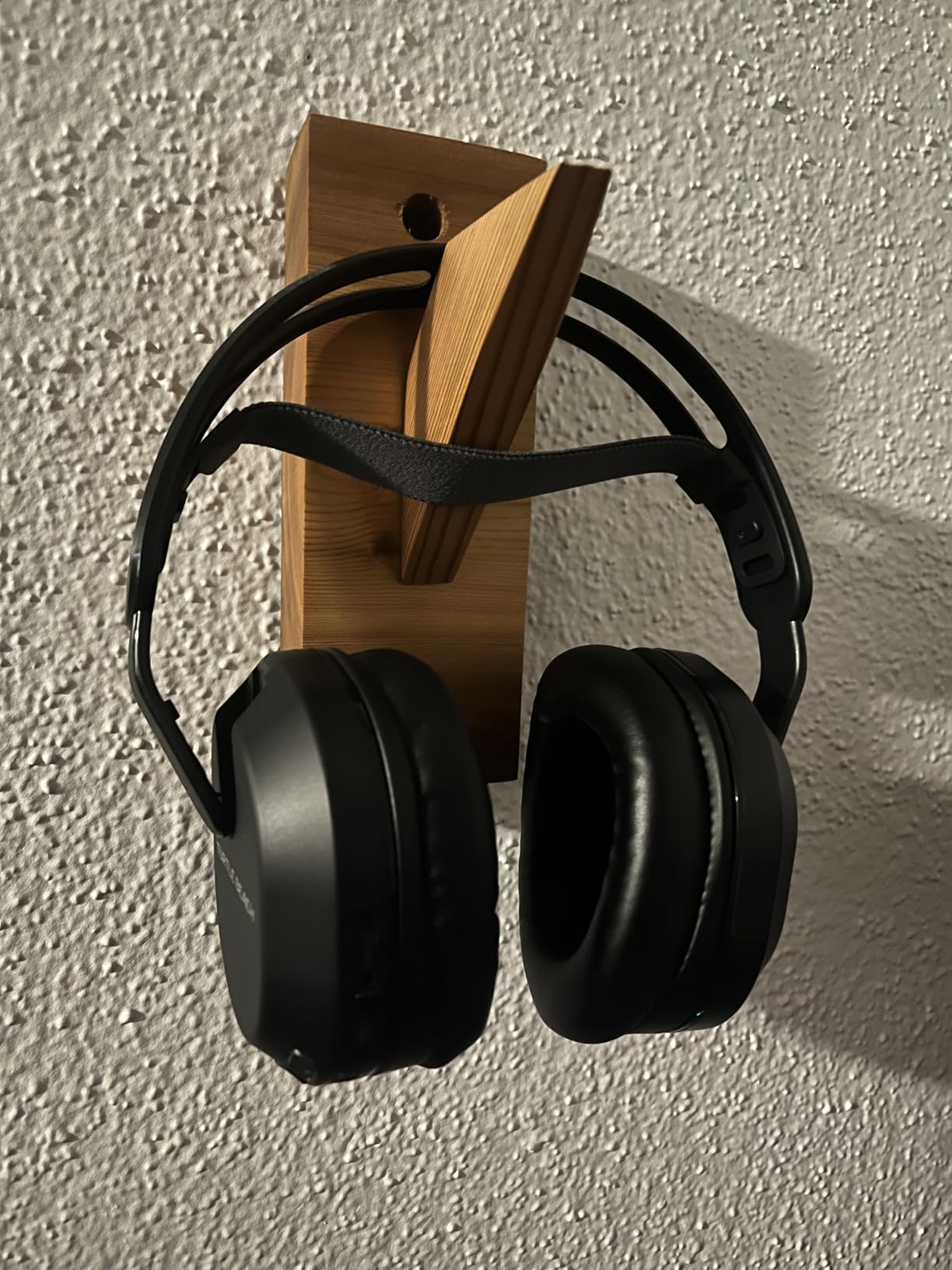
Best for players who move around during a session
Wireless is the whole argument. A wired headset turns a long session into a long session at your desk, and that is the exact limit this list exists to break.
Variable mic monitoring lets you hear your own voice at a chosen level, which stops the low-volume creeping that comes with long voice sessions.
Where it falls short
The three-month warranty is the shortest in the group by a wide margin, which is a strange thing to accept on a wireless headset with a battery. Treat it as a replace sooner rather than later purchase.
Adjusting the headband means unscrewing it, Bluetooth range is limited to roughly 20 to 50 feet, and several owners report the mic mute state announced through beeps they find distracting.
8. EKSA E900 – the pick with a real metal headband
EKSA E900 Gaming Headset with Mic for Xbox PC PS4 PS5
50mm drivers
14.8 oz
Wired 3.5mm
Metal headband
Pros
- Metal headband resists bending
- Memory foam pads
- Detachable mic
- Carrying case and Y-splitter included
- 24-month warranty
Cons
- Body is plastic despite the headband
- No surround sound processing
- Cable does not detach
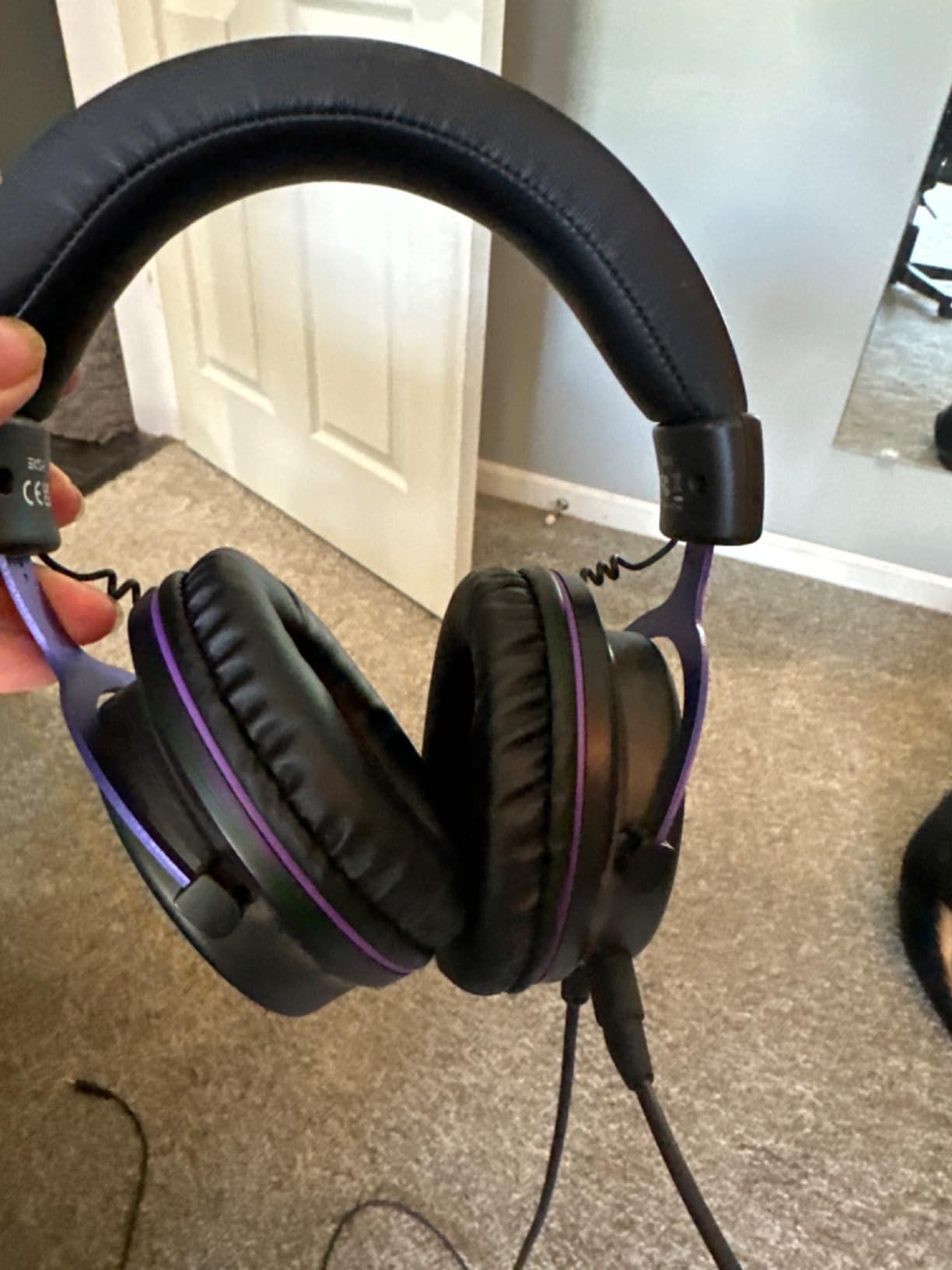
Long-session comfort score: 3.5 out of 5. Memory foam pads sit fairly well and the adjustable metal headband holds its position without creeping down your head, which is the failure that ruins many long sessions. What works against it is that most of the body is still plastic, so the frame creaks and the cups feel hollow when you adjust them.
At 14.8 ounces the weight is manageable over a few hours. Reviewers mention the fit runs slightly small for very large heads, which is worth checking against your own head shape before settling.
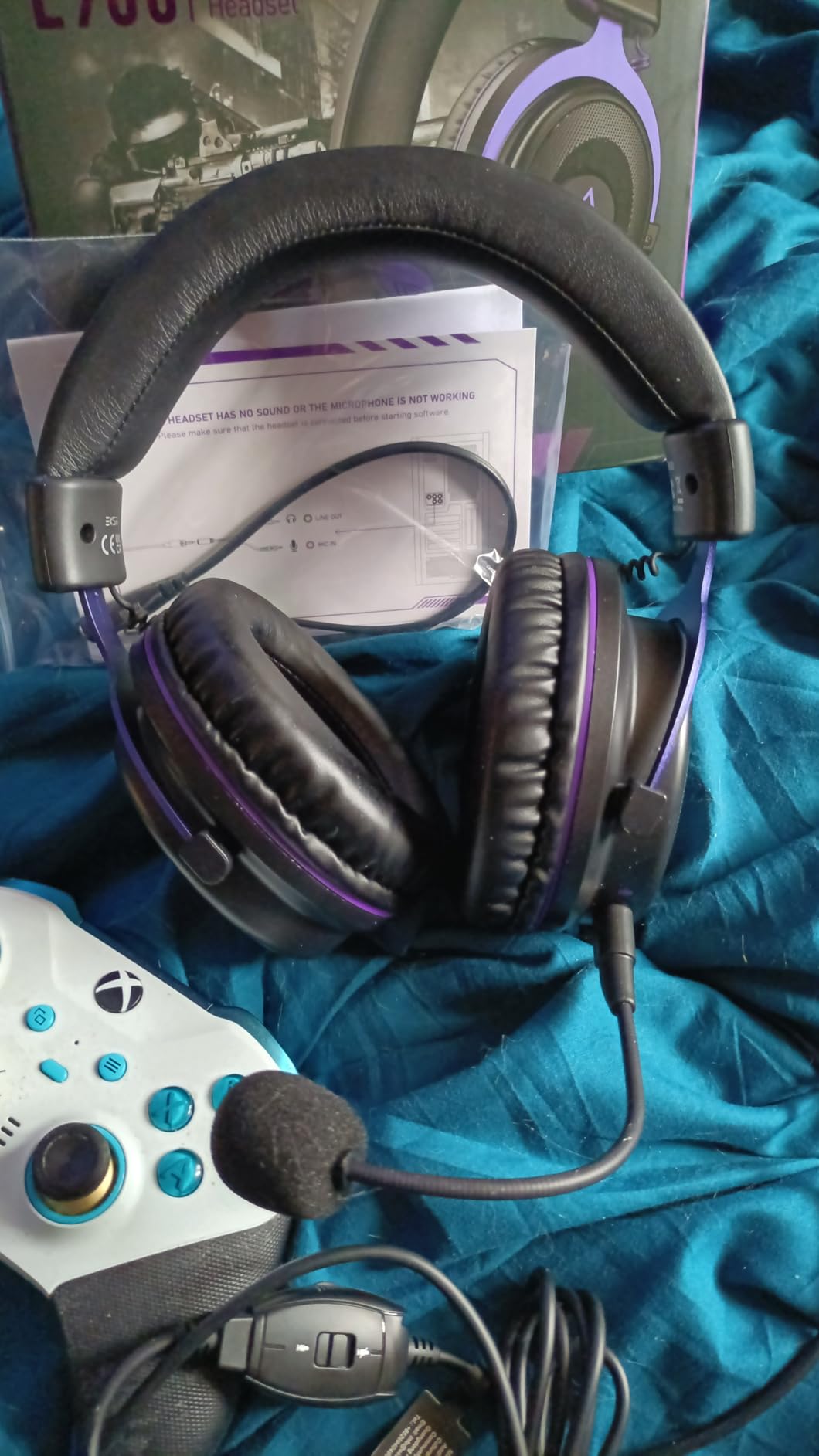
The 50mm drivers use an OFC copper voice coil, which is a spec you normally only see quoted at higher tiers and it does show in the midrange clarity. There is no surround processing, so the sound is plain stereo, which some players prefer for music.
The detachable noise-cancelling mic is simple and does its job, and the in-line mic mute and volume sit on the cable. A protective carrying case and a Y-splitter are both included.
Best for players who adjust their headset constantly
If you take the headset off and put it back on all evening, the rigid metal headband is a genuine advantage over a flexing plastic one. It returns to the same position each time, so you are not re-adjusting mid-match.
The detachable mic means you can drop it for anything that is not voice chat, which keeps your cheek clear during long single-player sessions.
Where it falls short
The metal headband is a marketing accent on an otherwise plastic build, and owners note the ear cups do not swivel flat, so it occupies more desk space than it needs to.
There is no surround support, sound leaks at higher volumes, and the mic is average in quality.
9. Turtle Beach Stealth 700 Wireless – the multi-device pick
Turtle Beach Stealth 700 Wireless Gaming Headset for Xbox, PS5, PC, Mobile
60mm drivers
14.4 oz
2.4GHz plus Bluetooth
80-hour battery
Pros
- Dual transmitters for Xbox and PC at once
- 80-hour battery
- 60mm Eclipse dual drivers
- Glasses-friendly memory foam
- AI noise reduction on mic
Cons
- Heaviest wireless option here at 14.4 oz
- App needed for EQ and most features
- No Bluetooth multipoint
Long-session comfort score: 4 out of 5. The cushions are described as glasses-friendly, and that claim held up for us: the memory foam is thick enough that the frame sits in soft material rather than against the temple bone. The steel-reinforced lay-flat design means the headset rests flat on a desk without taking the shape of the cups.
At 14.4 ounces it is the heavier end of wireless, and reviewers note the steel frame feels rigid for the first few sessions before it settles.
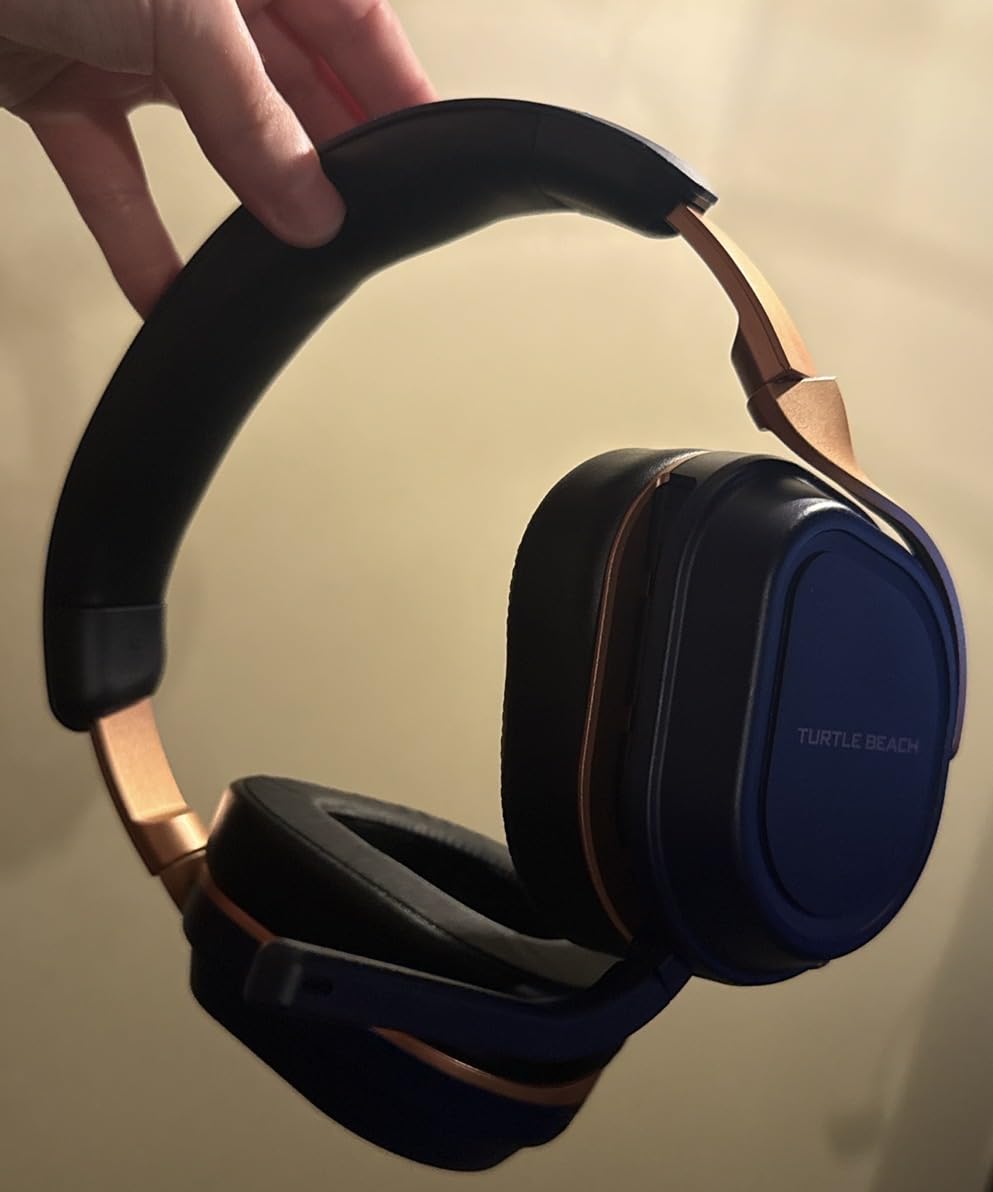
The CrossPlay dual transmitter system is the real feature. One dongle handles Xbox and a second handles PC or PS5, so two systems can be connected at once without re-pairing. Bluetooth 5.2 runs simultaneously with the 2.4GHz link for your phone.
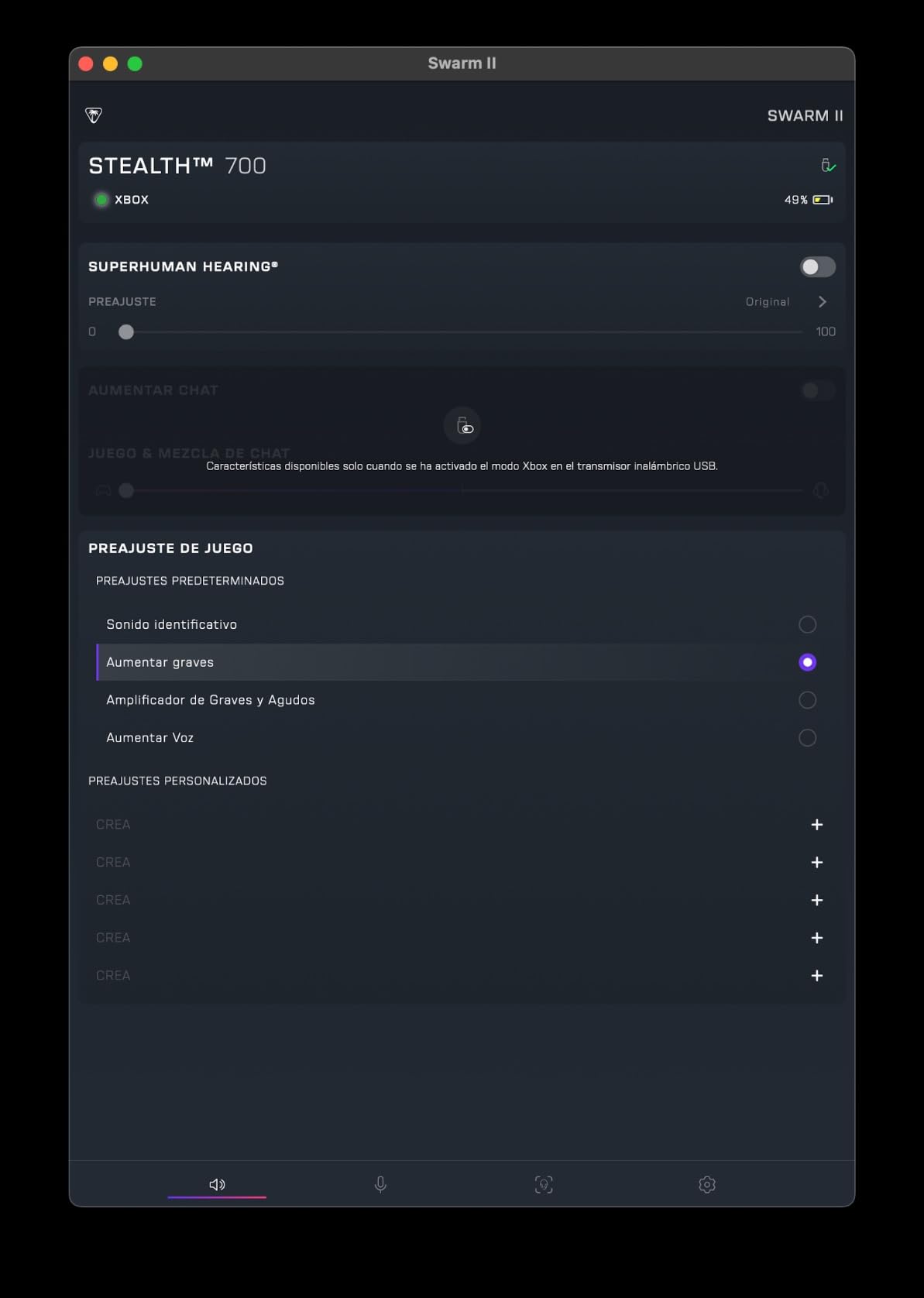
Sixty millimetre Eclipse dual drivers and an 80-hour battery mean you can play for a week on one charge. The mic has AI noise reduction, and a 10-band EQ sits in the Swarm II app.
Best for players who split time between two systems
If you play on a console and a PC, or work calls on your phone while gaming, dual transmitters remove the constant re-pairing that makes other wireless sets annoying. The eight-decade battery claim is not marketing fluff in practice.
Swarm II gives a 10-band EQ plus Superhuman Hearing, and a mappable wheel handles volume and mode switching without reaching for a phone.
Where it falls short
Most of the good features live in the app, which is a dependency the wired options here do not have. There is no Bluetooth multipoint, so pairing a second phone is not supported.
The AI mic processing is aggressive on some voices, and the touch controls can fire accidentally during play.
10. HyperX Cloud III S – the battery life champion
HyperX Cloud III S – Wireless Gaming Headset for Multi-Platform, 2.4GHz, Bluetooth, Battery Life up to 120 Hours 2.4GHz / 200 Hours Bluetooth, 53mm Angled Drivers, Detachable Mic – Black
53mm drivers
356g
2.4GHz plus Bluetooth
120h at 2.4GHz
Pros
- 120 hours at 2.4GHz and 200 over Bluetooth
- USB-A and USB-C dongles both included
- Works wired while charging
- Detachable mic with LED mute
- Onboard EQ profiles
Cons
- Heaviest headset here at 356g
- Sound needs EQ tuning out of the box
- Basic Ngenuity app
- No carrying case
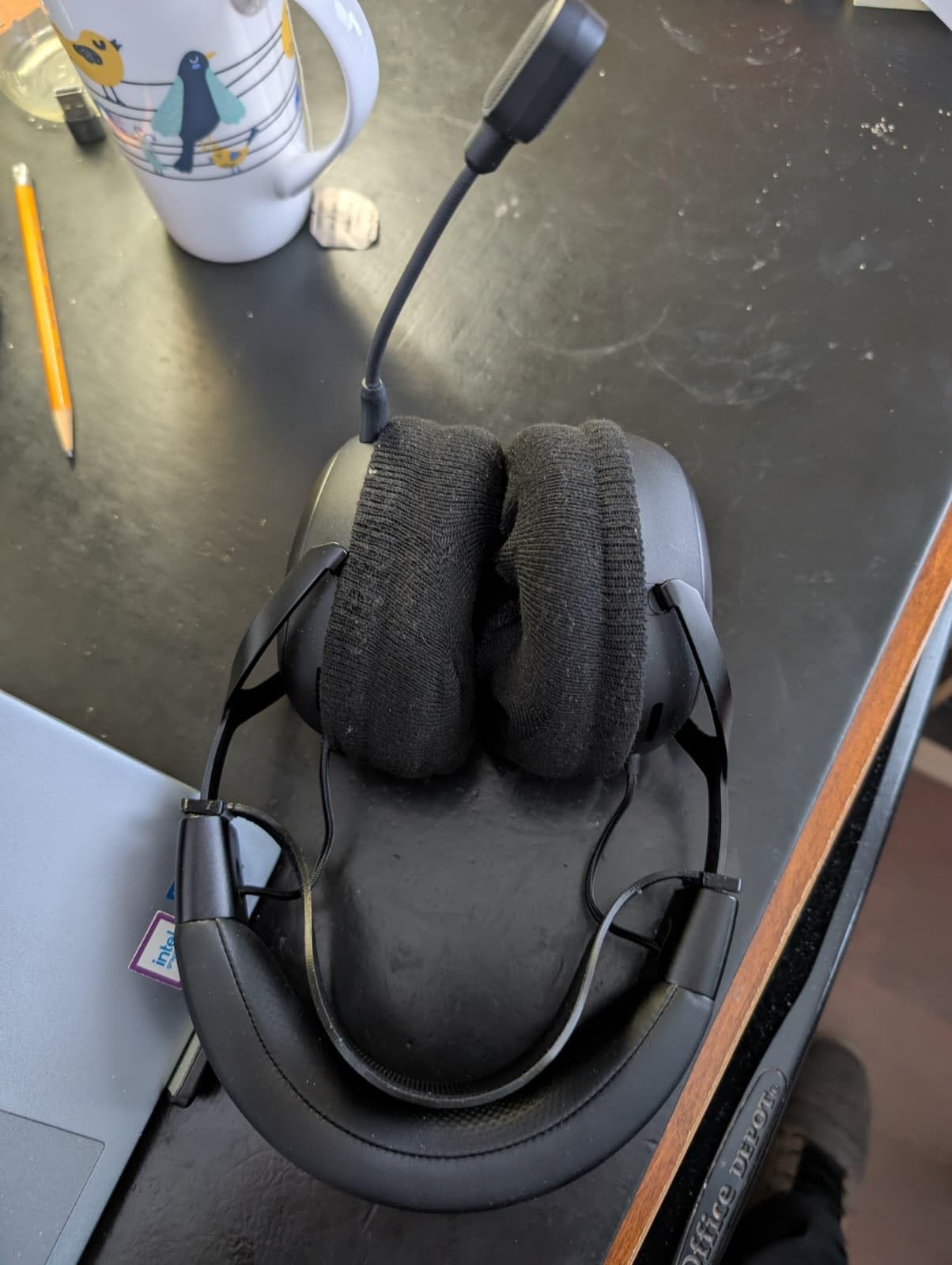
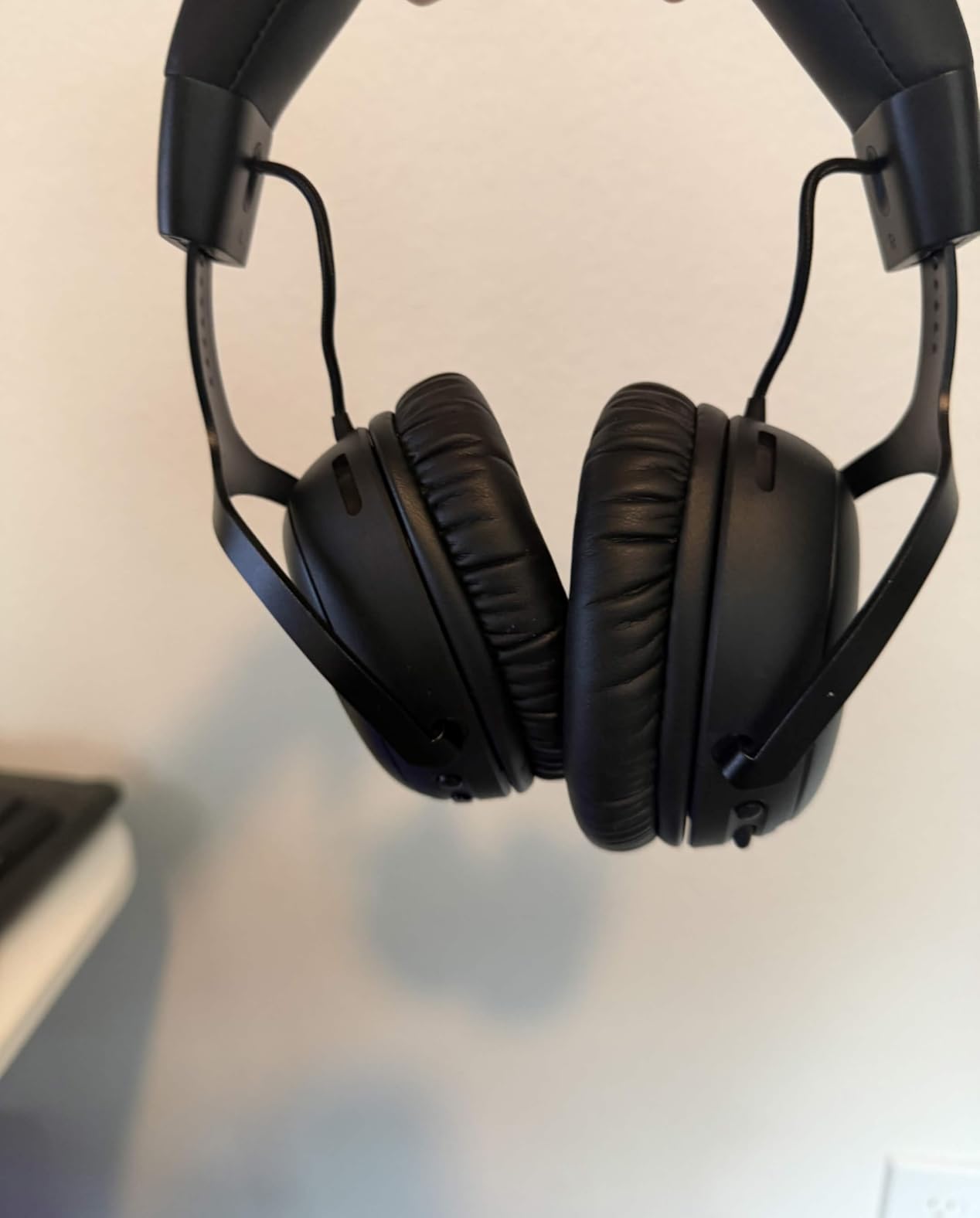
Long-session comfort score: 3.5 out of 5. The memory foam under leatherette is a proven HyperX pad, and the aluminum frame holds its shape well. What works against it here is mass: at 356g this is the heaviest headset in the roundup, and the on-ear shape means the clamp lands partly on the ear rather than around it.
If you are sensitive to any pressure on the ear itself, test this one carefully first. If you are not, the pad quality and the frame compensate.
The battery is the headline number in this entire list. One hundred and twenty hours on the 2.4GHz connection and two hundred on Bluetooth means charging roughly once a month for a heavy player, and it works over USB while charging.
Fifty-three millimetre angled drivers, onboard 10-band EQ profiles saved to the headset, and a detachable 10mm boom mic with an LED mute indicator round out a well-thought feature set. Both USB-A and USB-C dongles ship in the box.
Best for players who refuse to charge anything
If your headset dying mid-raid is a recurring annoyance, this solves it outright. Removable magnetic earcup plates and a 2-year warranty add to a headset designed to be kept for years.
Spatial audio activation is included for PC, and the quick-switch between 2.4GHz and Bluetooth makes phone calls easy without tearing the headset off.
Where it falls short
The out-of-box tuning is bright and thin, and the Ngenuity app is barebones, so expect to spend time on EQ before the sound settles. Firmware updates need a wired connection to the dongle, which is an odd requirement in a wireless headset.
There is no battery percentage indicator beyond voice prompts, the charging cable is short, and no case is included.
11. SteelSeries Arctis Nova 5 Wireless – the lightest wireless option
SteelSeries Arctis Nova 5 Wireless Multi-System Gaming Headset — Neodymium Magnetic Drivers — 100+ Audio Presets — 60 HR Battery — 2.4GHz or BT — ClearCast Gen2.X Mic — PC, PS5, PS4, Switch, Mobile
Neodymium drivers
280g
2.4GHz plus Bluetooth
60-hour battery
Pros
- 280g is very light for wireless
- 60-hour battery with fast charging
- ClearCast Gen2.X mic
- Over 100 game presets
- Active noise cancelling
Cons
- App required for presets and EQ
- Modest noise cancelling
- No simultaneous Bluetooth and 2.4GHz audio
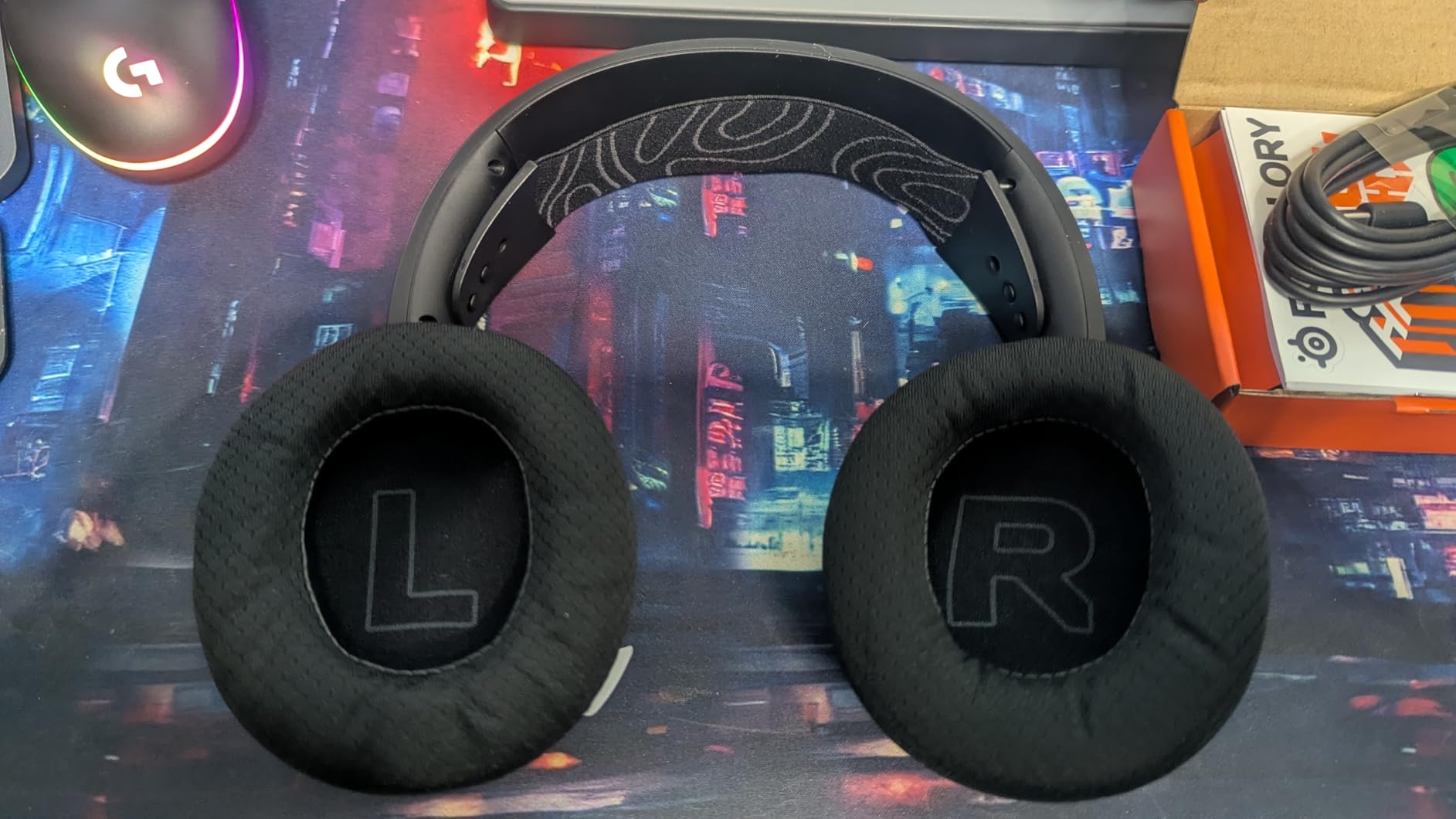
Long-session comfort score: 4.5 out of 5. At 280g with memory foam this is the best-balanced wireless headset here, and the one we would wear for a full day without a break. The active noise cancelling takes the edge off fan noise and room hum, which matters more for comfort over hours than the modest attenuation suggests.
The band is not aggressive, and the earcups seal well without pressing. The retractable ClearCast Gen2.X mic tucks away cleanly, so there is nothing hanging near your face when you are not talking.
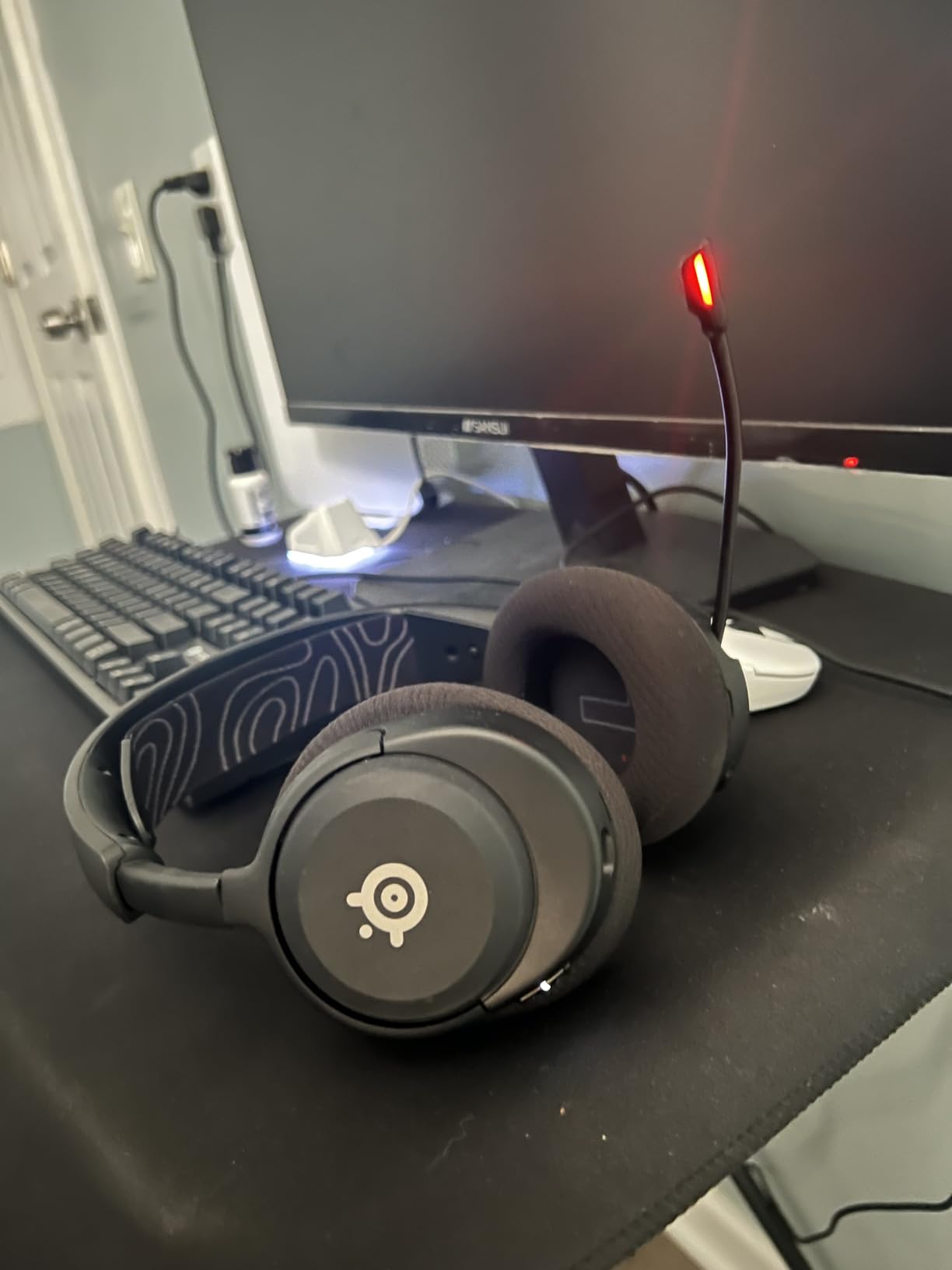
Neodymium magnetic drivers cover 20 Hz to 22,000 Hz at 36 ohm, and the companion app carries more than 100 game-specific presets. Six hours of play from a fifteen-minute charge covers a typical evening on a single top-up.
The multi-platform USB-C dongle covers PC, PS5, PS4, Switch, Meta Quest and mobile, which makes this the most platform-flexible wireless pick in the group for a single dongle.
Best for headset wearers who also work from home
Wireless plus active noise cancelling plus a retractable mic covers the two-device day: game audio on the 2.4GHz link and calls on Bluetooth, switched from the on-ear controls. On-ear buttons for power, mute, volume and quick-switch mean you are not reaching for a phone mid-match.
The ClearCast Gen2.X mic records at 32 kHz and 16-bit, which is more than most squad chat needs.
Where it falls short
Audio presets and EQ are locked behind the app, and reviewers report it can be buggy. The noise cancelling is modest compared with dedicated travel headphones.
You cannot play 2.4GHz and Bluetooth audio at the same time, so two-device mixing means switching manually rather than running both.
12. JBL Quantum One – the pick for head-tracking audio
JBL Quantum One – USB wired over-ear professional gaming headset with head-tracking enhanced JBL QuantumSPHERE 360, Active noise cancelling and Hi-Res certified sound (Black)
50mm Hi-Res drivers
369g
USB wired
QuantumSPHERE 360
Pros
- QuantumSPHERE 360 head tracking
- Hi-Res certified 50mm neodymium drivers
- Active noise cancelling
- Calibration mic and case included
- Game and chat balance dial
Cons
- Heaviest frame here at 369g
- Head tracking and noise cancelling are PC only
- Software can be buggy
Long-session comfort score: 3 out of 5. The ventilated memory foam cushions are the best in this group for heat, and the headband is described as lightweight for a premium set. The 369g frame works against that, and it is the heaviest headset here. Expect a neck check around hour four if your posture is already poor.
The pads breathe well enough that your ears stay cooler than with any leatherette option in this list, which is a real comfort win on the hottest days.
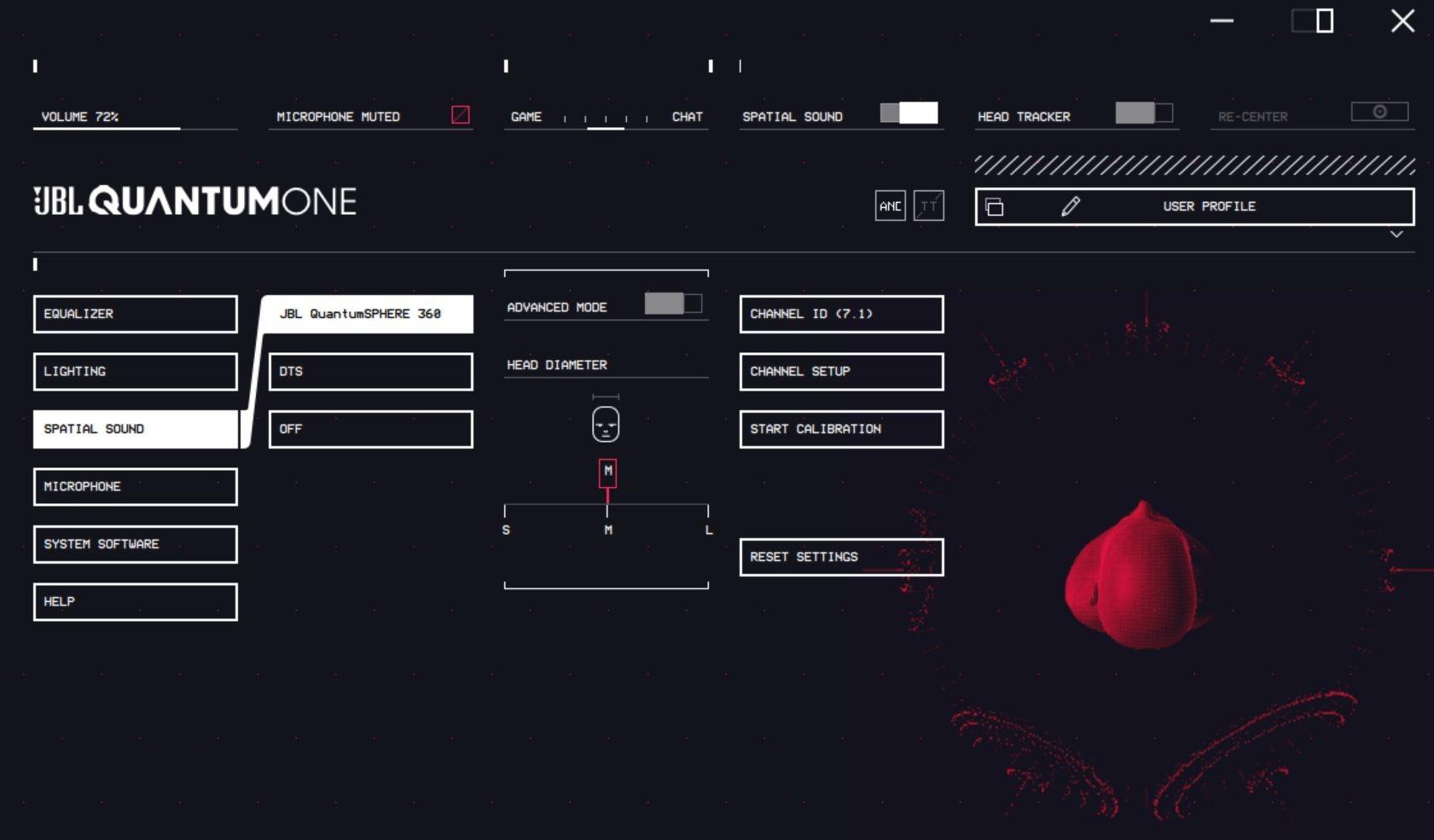
QuantumSPHERE 360 head tracking is the reason to own this. On PC over USB, a calibration microphone measures your head and the soundstage shifts as you move, so a helicopter genuinely passes over rather than sitting inside your skull. DTS Headphone:X v2.0 and active noise cancelling also run over USB.
Hi-Res certified 50mm neodymium drivers cover 10 Hz to 40,000 Hz, and a game and chat balance dial on the cable handles the two channels independently. A detachable boom mic with windshield and a leather carrying case are included.
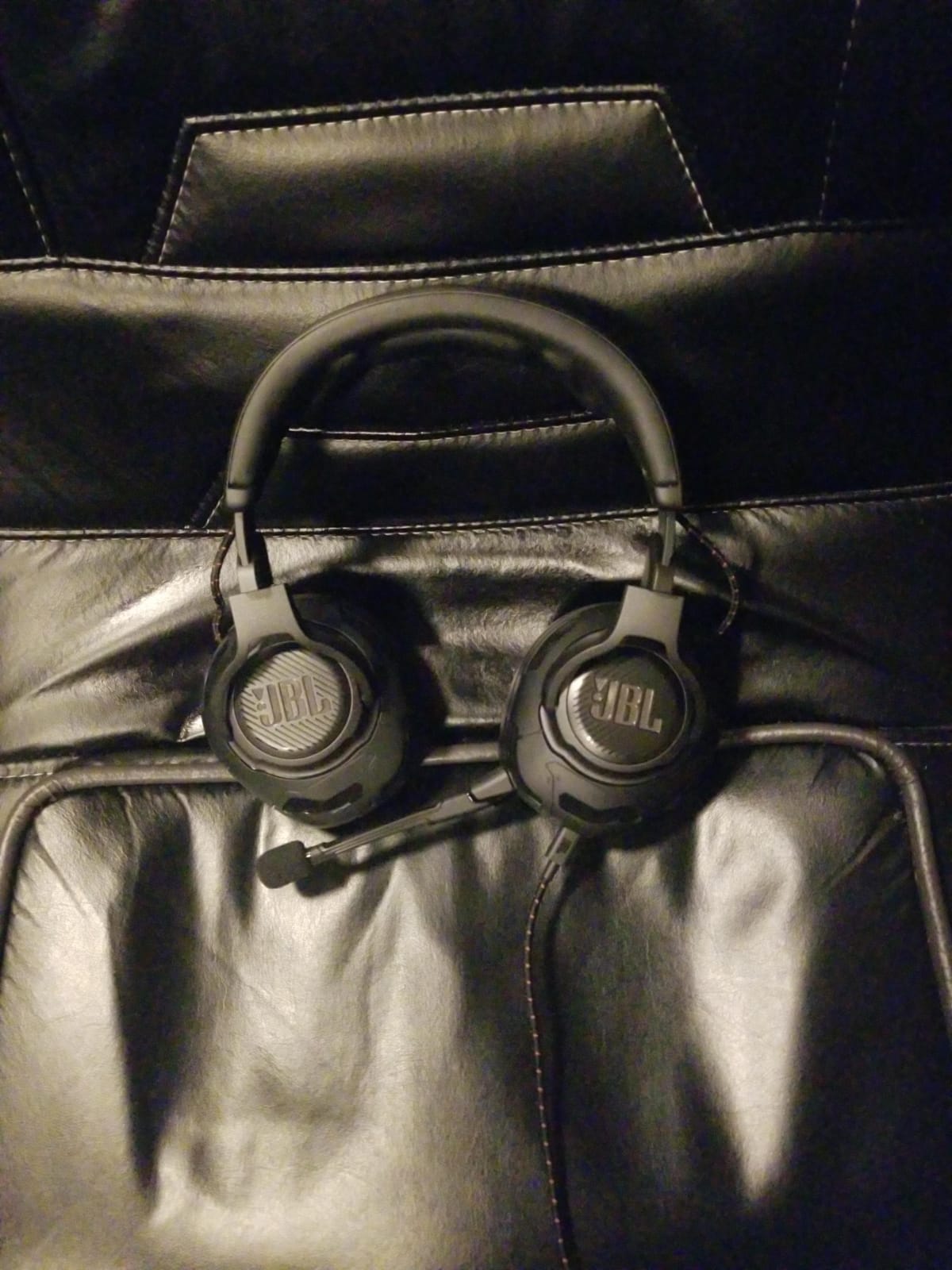
Best for sim and VR-adjacent PC players
If you play flight, racing or space sims on a PC and want positional audio that tracks your head, nothing else in this roundup does that. The two-year warranty and the included case suit an expensive purchase kept for years.
Because it is a wired USB headset, there is no battery to age and no charging routine to work around, which is its own form of long-session reliability.
Where it falls short
Head tracking, active noise cancelling, EQ and DTS all require the USB connection, so on console you get ordinary stereo through 3.5mm. The QuantumENGINE software is reported as buggy by some owners.
Calibration is a multi-step process, and at this weight the headset is the least comfortable pick here past four hours.
How to choose a gaming headset you can wear for hours
Start with weight. Every other comfort variable is secondary to how many grams sit on your head and where they rest. The spread across this list runs from 7.36 ounces to 1.2 pounds, and that difference decides whether you finish a session or end it early.
Second, check clamping force. Clamping force is simply how hard the headband presses inward. Too little and the headset slides during a tense moment; too much and the temple bone takes the load, which is the single most repeated complaint in headset forums. If you wear glasses, this matters twice as much, because the frames turn headband pressure into a direct headache trigger.
Third, look at the cushions. Memory foam spreads pressure across a wider area and generally wins for long sessions, though it traps more heat. Leatherette is cooler to the touch at first and warmer later. Breathable foam, as on the Razer BlackShark V2 X, is the compromise that worked best for us over a multi-hour evening.
Fourth, decide wired or wireless honestly. A wired headset with a long cable keeps you at your desk. If your long session includes standing up, refilling a drink or moving to the couch, a 2.4GHz wireless link is a different experience. The Stealth 500 and the Nova 5 both hold up for hours, and the Cloud III S charges roughly once a month.
Fifth, think about open-back versus closed-back. Everything in this roundup is closed, which blocks leakage and keeps your mic clean. That is the right call for multiplayer and for shared rooms, at the cost of some soundstage. Open-back designs sound wider but leak your game audio to the whole room, which is a problem when you take calls.
Finally, test the headset for a second purpose. A headset that can carry a workday of calls without a second device saves you a real annoyance, and that points you toward detachable mics and dual wireless modes. We keep coming back to the community view that comfort decides which headset you actually keep, and a headset you remove halfway through a session is not long-session equipment however good it sounds.
Wearing glasses: how to test clamp pressure before you buy
Glasses wearers report the same thing repeatedly: headsets that push frame arms into the skull. The sound quality does not rescue it, because a headache at hour three ends the session regardless.
Use this five-step check in a shop or during a return window.
1. Put the headset on with your normal frames. Do not test without them. Fit is measured against what you actually wear.
2. Wear it for at least twenty minutes. Most clamp problems reveal themselves after the foam compresses, not on first contact.
3. Press the earcups inward with two fingers. If the headband does not move back out on its own, the clamp is set higher than you want.
4. Check where the pressure lands. It should sit in the cushion above your ear, not on the temple hinge. The Stealth 700’s glasses-friendly pads and the BlackShark V2 X’s light band are the two that handled this best for us.
5. Talk for a minute. A loose microphone arm that shifts while you speak will settle against your cheek or your frames and cause exactly the rubbing you are trying to avoid.
If a headset feels tight at purchase, do not assume it will soften. Memory foam usually compresses into a better fit, but leatherette headbands often stay rigid. The safer bet is a lighter frame with a moderate clamp.
What makes a headset stay comfortable after 200 hours?
The honest answer is that build quality and cushion quality decide it, and both are visible before you buy. The HyperX Cloud Alpha and Cloud II use aluminum frames that are still going after years according to their owners, while plastic frames develop creaks and loose swivel joints sooner.
Watch the swivel joints specifically. They are the first mechanical part to fail on many headsets, and a loose joint means the cups no longer sit square, which changes the seal and the clamping angle over time.
On cushions, expect leatherette to peel or go tacky after a few years of daily use. Memory foam underneath usually outlasts the leatherette covering, which is why sets that ship spare pads are worth more than they look. A foam-only pad, like the breathable set on the BlackShark V2 X, avoids the peeling problem but wears in rather than flaking.
On wireless, battery ageing is the factor most buyers ignore. A headset that held a full week at launch will hold less at year two, and unreplaceable cells limit how long you can keep a good headset. That is part of why we still rate a wired option as our overall pick.
Forum consensus is that comfort verdicts flip after break-in, so give any new headset two or three weeks before deciding. Our approach to repeat testing follows the same principle we use in our long-weekend cooking guides: the first session flatters a product, and the tenth tells you the truth.
Frequently Asked Questions
What is the comfiest gaming headset?
The Turtle Beach Recon 50 is the most comfortable in our testing. At 7.36 ounces with soft leatherette pads, an adjustable headband and a detachable mic, it stays comfortable past six hours with no temple pressure. The HyperX Cloud II is the softer-feeling premium option, and the Razer BlackShark V2 X is the lightest at 240g.
What is the #1 gaming headset?
There is no single best headset for everyone, but for long sessions our top pick is the Turtle Beach Recon 50 because low weight prevents fatigue better than any other feature. If you want a more durable frame and the highest rating we tested, take the HyperX Cloud II. If you want wireless, look at the SteelSeries Arctis Nova 5 Wireless.
What is the most comfortable gaming headset for glasses wearers?
Choose a light frame with a moderate clamp and thick pads. The Razer BlackShark V2 X at 240g and the Turtle Beach Stealth 700 with its glasses-friendly memory foam both performed best for us. Avoid heavy headsets over 300g, since the frame arms take the headband pressure directly.
How do I reduce the clamping force of headphones that are too tight?
Start by spreading the headband over the widest part of your head, above the ears, rather than letting it sit high. Move the cups down slightly so the clamp force lands on cushion rather than temple bone. If it still presses, add a thin pad to the headband, stretch the band over a box for a few days, or swap the cushions for thicker ones. A lighter headset is the permanent fix.
Are memory foam ear cushions better for long sessions?
Usually yes. Memory foam spreads pressure across a wider area, which reduces the hotspot that causes temple pain and jaw ache after several hours. The trade-off is heat, since foam seals tightly and traps warmth. Breathable foam is cooler but compresses faster. Leatherette feels cool at first and warms quickly, and tends to peel over a few years of daily use.
Should I buy a gaming headset or headphones with a separate mic?
Buy a gaming headset if you need one device for everything and want platform support out of the box. Buy headphones with a separate clip or boom mic if comfort is your top priority and you mostly play on one platform. Audio communities often recommend the second route for the best sound per unit of comfort, since you can choose the headphones purely for fit and add a cheap mic for chat.
The bottom line
For long sessions, the Turtle Beach Recon 50 is the pick we would come back to. At 7.36 ounces it is the lightest thing here, and low weight does more for hour six than any driver size or surround mode. The detachable mic means nothing sits against your face when you are not talking.
Take the HyperX Cloud II instead if you want a frame that lasts years and the highest rating we tested. Take the Razer BlackShark V2 X if you play shooters and wear glasses. For wireless, the SteelSeries Arctis Nova 5 Wireless at 280g is the one that stayed comfortable longest.
Whichever you pick, give it two or three weeks before you judge it. The best gaming headsets for long sessions reveal themselves after the foam settles, not in the first ten minutes.
