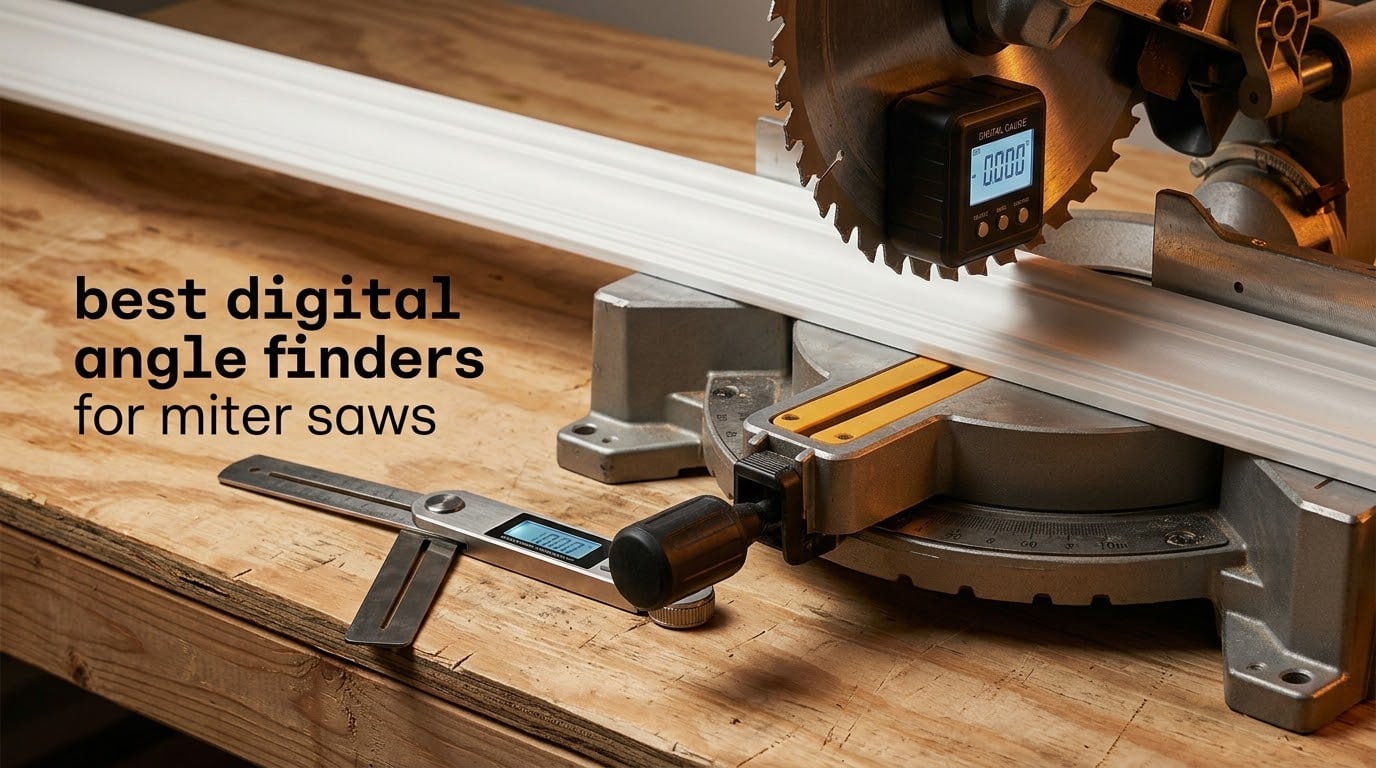
Ask any finish carpenter why a joint that should have closed tight came up with a wedge-shaped gap, and the answer is almost never the saw itself. It is the angle the saw claims to be set at versus the angle it actually holds. The factory scale on a miter saw is a printed pointer and a spring-loaded stop, and both of those drift with use, humidity, and repeated knocks with a trimmer head.
That is where a digital angle finder earns its place. Stuck to a blade or a fence, it gives you a number instead of an opinion, so the first cut tells you whether the saw is honest. We pulled the specs and owner feedback on ten of the most popular digital angle finders for miter saws, cross-checked every accuracy claim against what buyers report back after months of use, and sorted them by the job they actually do well.
By the time you reach the end of this guide you will know which style of tool suits a crown molding job versus a framing square-up, what a zero reference function really buys you on an unlevel platform, and which of these ten holds its calibration when it gets dropped off a saw table. If you are also outfitting the shop, our budget cabinet table saw guide covers the saw side of the same setup problem.
Table of Contents
- Top 3 Picks for Best Digital Angle Finders for Miter Saws in 2026
- All 10 Digital Angle Finders for Miter Saws Compared in 2026
- 1. Klein Tools 935DAG Digital Angle Gauge – The Accuracy Winner for Saw Setup
- 2. Wixey WR300 Type 2 Digital Angle Gauge – The Backlit Workhorse
- 3. Trend DLB Digital Level Box – Best for Squaring a New Saw
- 4. GemRed 82305 Digital Angle Finder Protractor – Best Value Ruler Style
- 5. GemRed DAG-V1 Digital Angle Gauge – Aluminum Body and 360 Degree Range
- 6. Neoteck NTK033 Digital Angle Finder – The Lightweight Pocket Option
- 7. XUNTOP USB Charging Digital Angle Finder with Dual Lasers
- 8. Neoteck 16 Inch Digital Angle Finder – Long Arms for Large Workpieces
- 9. S&F STEAD & FAST Digital Angle Gauge – The Only One With Slope Percentage
- 10. LEXIVON LX-DAF7 Aluminum Digital Angle Finder – Finest Display and Reverse Angles
- Digital Gauge vs Digital Protractor vs Analog – Which One Matches Your Work
- How to Calibrate a Digital Angle Finder Before You Cut
- Crown Molding Angles and How to Measure Them
- Frequently Asked Questions
- Conclusion – The Best Digital Angle Finders for Miter Saws in 2026
Top 3 Picks for Best Digital Angle Finders for Miter Saws in 2026

Klein Tools 935DAG
- 0-90 and 0-180 degree ranges
- Auto-rotating reverse contrast display
- Strong magnetic base for saw blades
Wixey WR300 Type 2
- 0.1 degree resolution and plus or minus 0.2 degree accuracy
- Backlit LCD with zero calibration
- Alloy steel body with strong magnets

GemRed 82305 Protractor
- Ruler and protractor in one
- Laser etched stainless steel arms
- Angle lock holds any reading
All 10 Digital Angle Finders for Miter Saws Compared in 2026
| Product | Specs | Action |
|---|---|---|
| Klein Tools 935DAG Digital Angle Gauge |
|
Check Latest Price |
| Wixey WR300 Type 2 Digital Angle Gauge |
|
Check Latest Price |
 Trend DLB Digital Level Box Trend DLB Digital Level Box |
|
Check Latest Price |
| GemRed 82305 Digital Angle Finder Protractor |
|
Check Latest Price |
 GemRed DAG-V1 Digital Angle Gauge GemRed DAG-V1 Digital Angle Gauge |
|
Check Latest Price |
 Neoteck NTK033 Digital Angle Finder Neoteck NTK033 Digital Angle Finder |
|
Check Latest Price |
 XUNTOP USB Charging Digital Angle Finder XUNTOP USB Charging Digital Angle Finder |
|
Check Latest Price |
 Neoteck 16 Inch Digital Angle Finder Neoteck 16 Inch Digital Angle Finder |
|
Check Latest Price |
 S&F STEAD & FAST Digital Angle Gauge S&F STEAD & FAST Digital Angle Gauge |
|
Check Latest Price |
 LEXIVON LX-DAF7 Digital Angle Finder LEXIVON LX-DAF7 Digital Angle Finder |
|
Check Latest Price |
1. Klein Tools 935DAG Digital Angle Gauge – The Accuracy Winner for Saw Setup
Klein Tools 935DAG Digital Electronic Level and Angle Gauge
0-90 and 0-180 degree ranges
Zero calibration
ABS plastic housing
3.5 ounces
Pros
- Very accurate and fast to zero and read
- Strong magnetic base that grips saw blades without slippage
- Compact enough for a pocket or toolbox
- Display flips when turned upside down
- Holds calibration even after drops
Cons
- Display can be hard to read in dim conditions
- Zero reference only sets near 0 degrees
- Needs batteries
This is the tool I reach for first when a miter saw starts cutting miters that do not close. The 935DAG is a palm-sized box with a flat magnetic base, and it sticks to a steel blade or a cast iron table with enough grip that you can swing the head without chasing the gauge.
Owners consistently describe it as fast to zero and quick to read, and the wide dual range covers both the 0-90 measurements you need for a miter and the 0-180 span you need for compound setups. The reverse contrast display is the feature I did not expect to like as much as I do, because it stays legible in a dim garage and flips automatically when the tool is turned over.
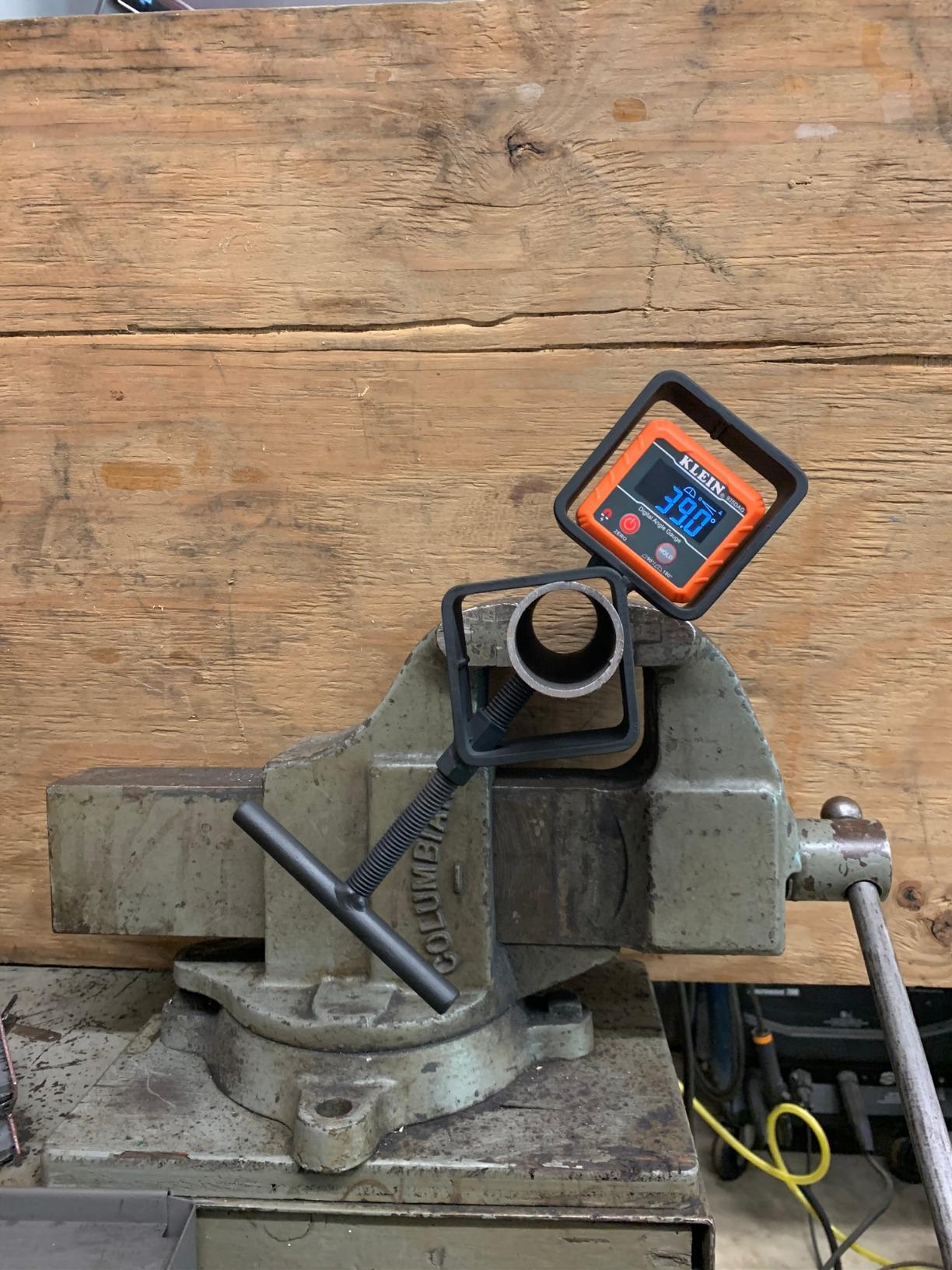
The V-groove edges are a nice touch that has nothing to do with saws. Owners use them for conduit and pipe alignment, which tells you the housing is rigid enough for shop use and not just a fragile plastic gimmick. At 3.5 ounces it disappears into a pocket, so it never becomes the excuse for not checking an angle.
Two limits are worth knowing before you buy. The zero calibration only references near 0 degrees, so you cannot lock a reference at, say, 38 degrees the way some competitors allow. And a small number of owners report units that stopped powering on after roughly a year and a half, so keep a spare battery habit rather than trusting a coin cell to be forever.
When the Klein 935DAG is the right call
If your work is repetitive miter and bevel setup on a single saw, this is the one I recommend without hesitation. Accuracy holds under the vibration of a running saw, the magnet does not creep, and the display logic is simple enough that you are not pressing buttons while holding a board.
It also doubles as a digital level, which quietly solves the vertical squaring check on a fence or a post. The carrying case is a soft pouch, so it is not a drop-rated case, but the tool itself has a track record of surviving drops with calibration intact.
When the Klein 935DAG is the wrong call
If your crown molding work needs a reference angle other than zero, or if you need to measure the compound angle a wall corner actually makes rather than the angle you intend to cut, look further down the list. This gauge reads what it reads directly, with no arithmetic built in.
Bright outdoor trim work is the other weak spot. The reverse contrast screen is excellent in low light and merely adequate in direct sun, so on a sunny deck project you will be shading it with your hand more than you would like.
2. Wixey WR300 Type 2 Digital Angle Gauge – The Backlit Workhorse
Wixey Digital Angle Gauge for Table Saw & Miter Saw, Magnetic
0.1 degree resolution and plus or minus 0.2 degree accuracy
180 degree range
Alloy steel body
91 g
Pros
- Fine 0.1 degree resolution for bevel and miter work
- Backlit display reads well in a dim shop
- Zero calibration handles an unlevel saw
- Magnets hold on blades and fences
- Pocket sized at 91 grams
Cons
- Needs an AA battery and auto shutoff can interrupt setup
- Alloy steel body is bulkier than plastic cubes
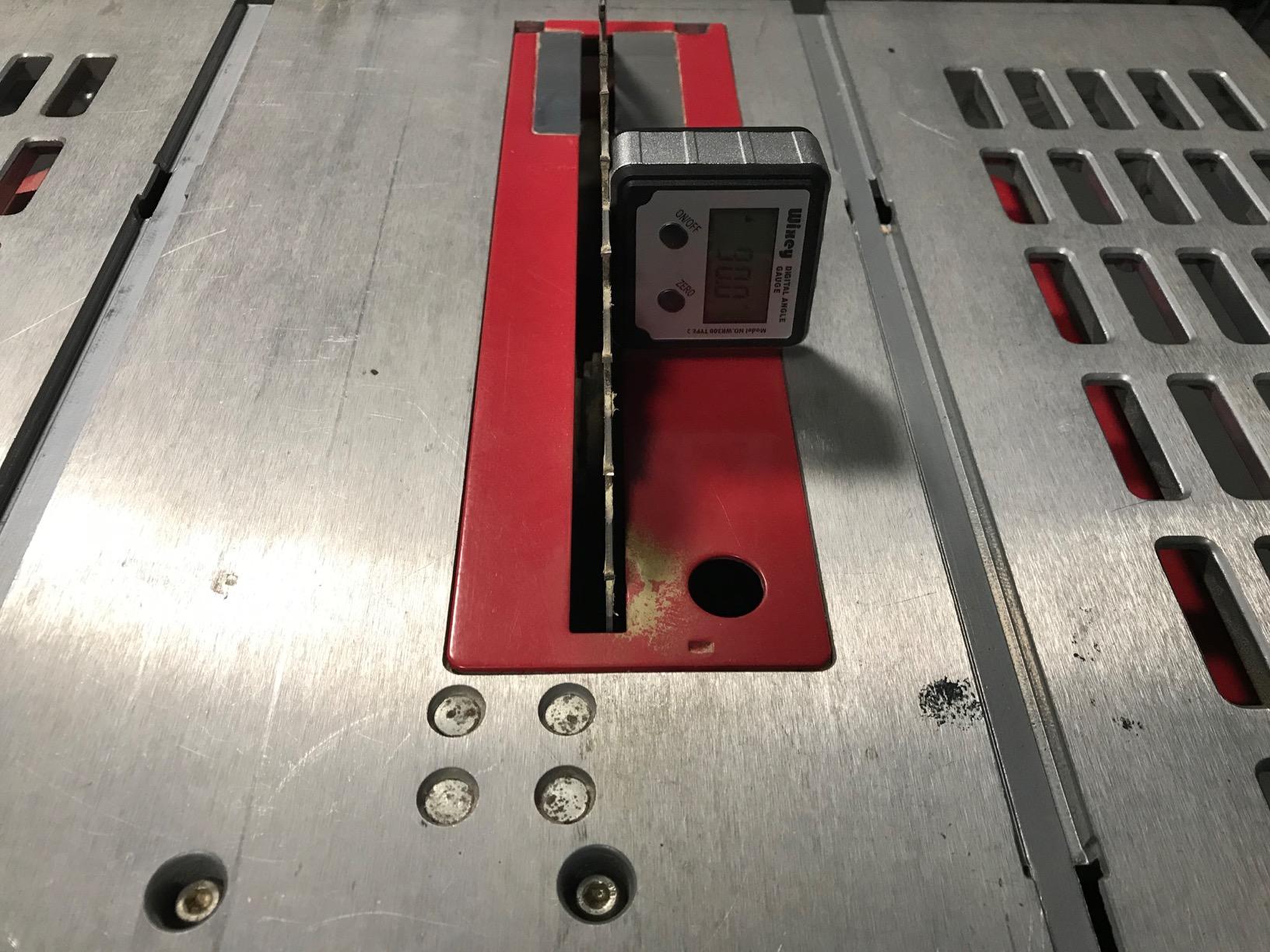
The WR300 is the gauge that appears most often in forum threads about miter saw accuracy, and owners have a good reason. It reports 0.1 degree resolution with a stated accuracy of plus or minus 0.2 degrees over a 180 degree range, which is tight enough to catch a saw that has drifted a full degree without ambiguity.
The backlit LCD is the practical hero here. In a basement shop with one overhead light, a gauge with a plain LCD becomes unreadable at arm’s length, and this one does not. Owners also point to the zero calibration as the fix for a saw that sits on an uneven bench, where an absolute reading is meaningless but a relative one is not.
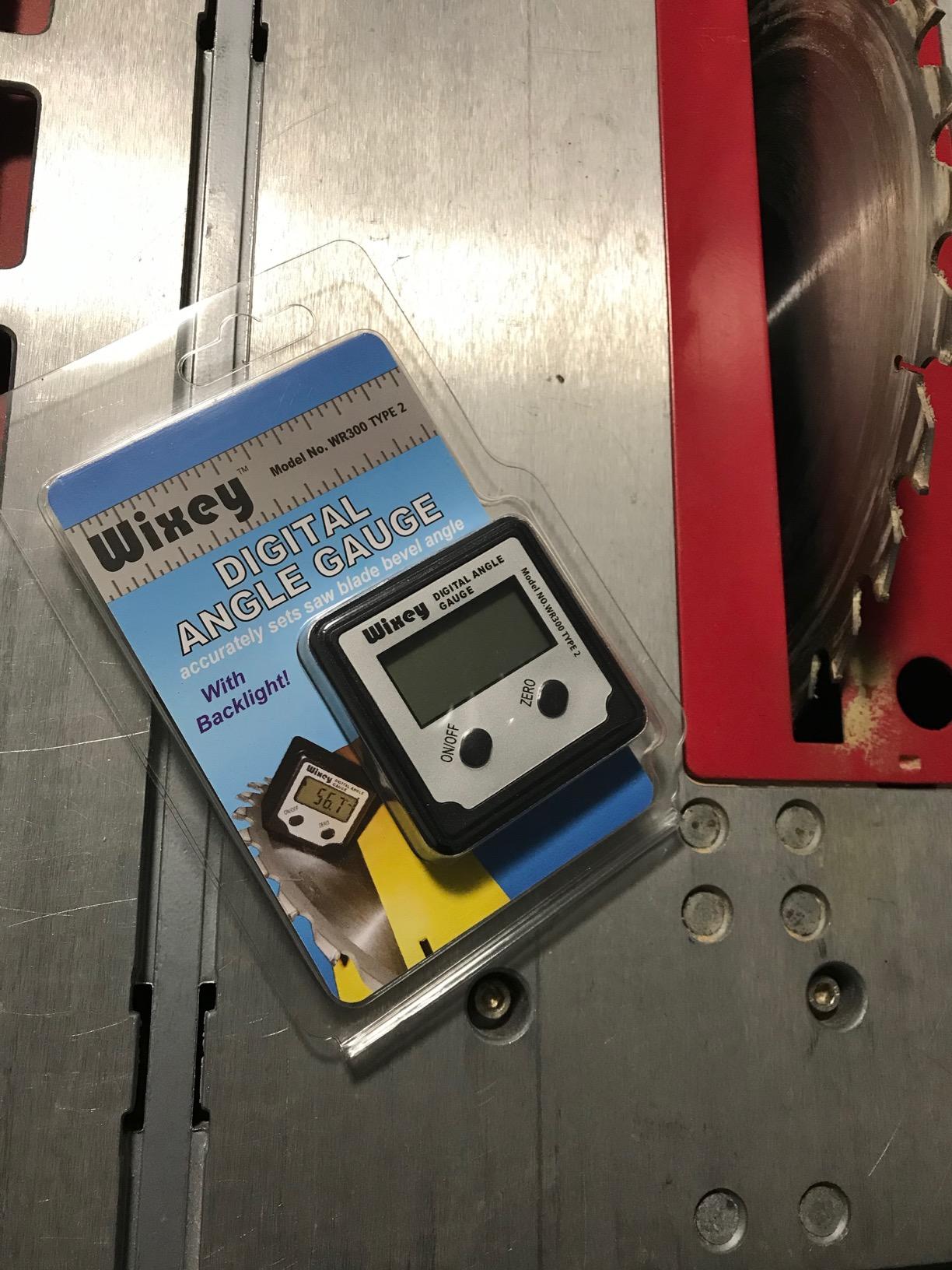
Magnets in the base grip blades, fences, and tables firmly enough that you can loosen the miter handle and check the number without the gauge walking off the steel. The alloy steel body is the reason it feels like a tool rather than a gadget, though that same material is why it weighs more than a plastic cube.
The main gripe is the auto shut-off. During a long setup session where you are walking back and forth between the saw and the stock, the gauge can power down while you are away, and then you have to re-zero rather than simply pick up where you were.
Who the Wixey WR300 suits best
This one is for the person who measures more than they cut, checking a saw, a fence, and a table in a single session. The backlight and the fine resolution make short readings reliable, and the steel body shrugs off the knocks that crack plastic housings.
It is a good second angle finder for a shop that owns two saws, since you can leave one on each machine instead of walking it around. Buyers also like that the 180 degree range covers the obtuse side of a compound miter without switching modes.
Where the Wixey WR300 falls short
There is no slope percentage readout, which matters if you also do roofing or drainage layout where roofers speak in pitch. The single AA cell is common and easy to find, but it is a consumable you will replace on a schedule rather than a rechargeable you forget about.
Owners who need to store a reference at a compound angle rather than at zero will find the zero function less flexible than the top of this list. For straight saw setup it is excellent. For transferring a complex inside corner angle, it is a starting point rather than a solution.
3. Trend DLB Digital Level Box – Best for Squaring a New Saw
Trend Digital Level Box and Angle Finder, Magnetic Base and Backlit LCD Display for Table Saw, Miter Saw and Blade Angle Setup, Black, DLB
Zero function for any reference surface
Backlit auto-orienting LCD
Compact 1.1 inch body
One year warranty
Pros
- Zero function nails 90 and 45 degree stops on an unlevel platform
- Survives repeated drops and stays calibrated
- Small enough to replace a long level in a tool bag
- Arrow indicators show which way to adjust
- Backlit screen is bright
Cons
- Some users report repeatability near plus or minus 0.5 degrees
- Magnet strength is debated among owners
- Must be re-zeroed for reliable readings
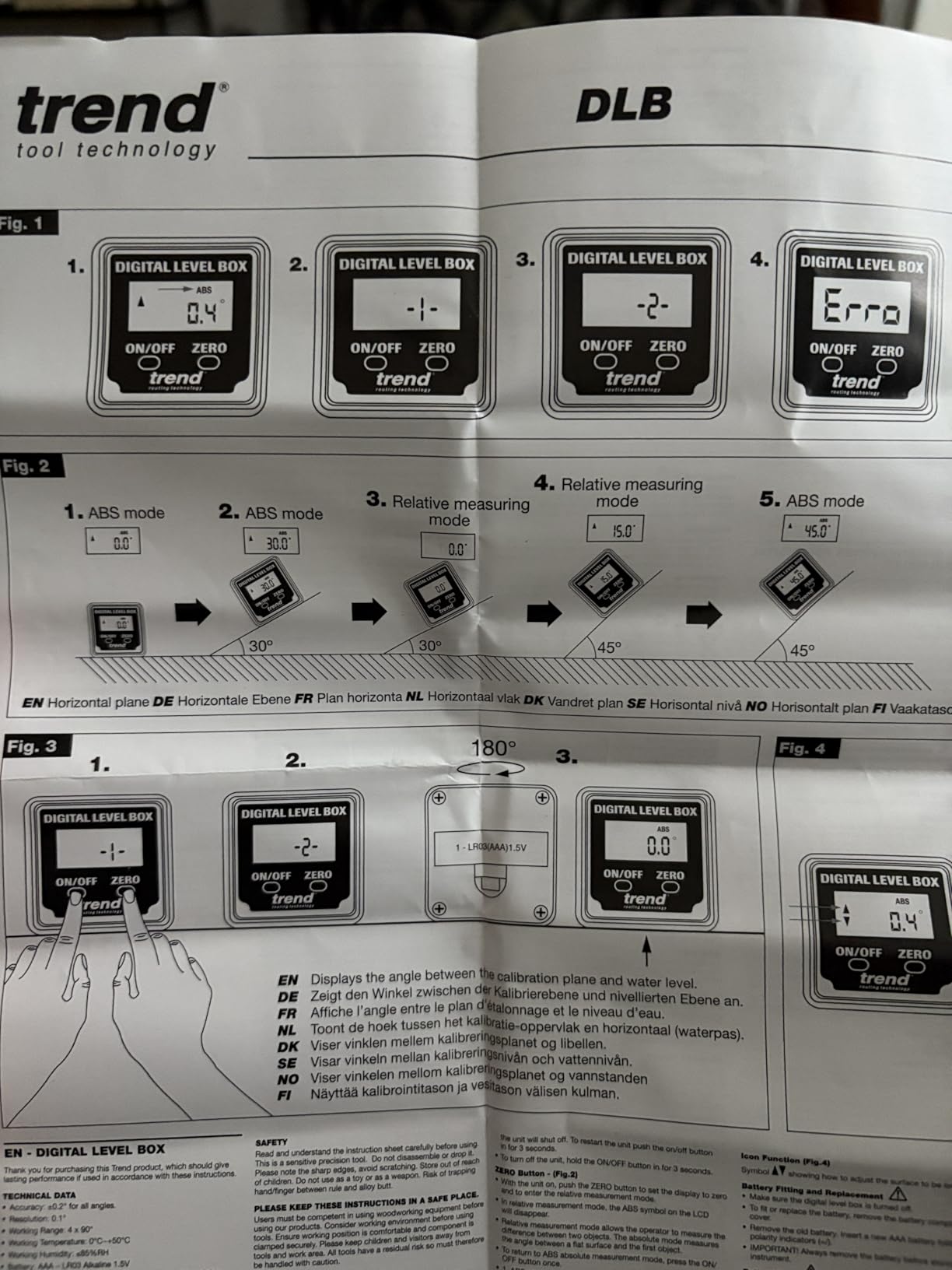
The DLB is the tool to buy in the week after a new compound miter saw comes out of the carton, and owners describe exactly that use case. Its zero function lets you set a true reference on any surface, which is what turns a saw that is out of square on a garage floor into a saw that returns repeatable 90 and 45 degree stops.
The display orients itself automatically and shows arrow indicators telling you which direction to turn the handle. That is a small thing that saves real time. Instead of rotating the head and guessing, you watch the arrow and move in one direction until the number lands.
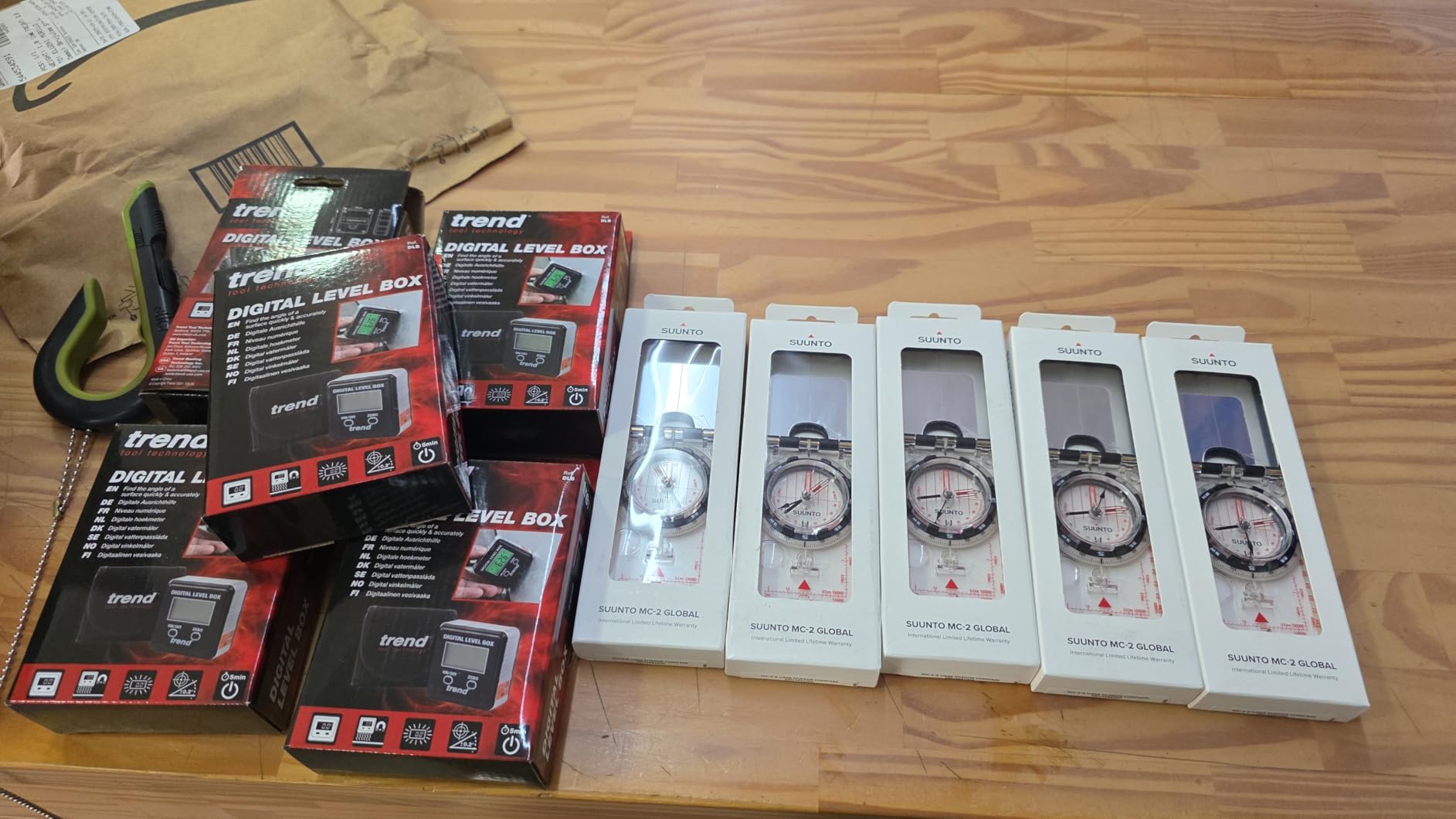
At roughly 1.1 inch square it fits into places a long level cannot reach, and it comes with a one year manufacturer warranty. Several owners mention dropping it repeatedly and finding the calibration still intact afterward, which is a good sign for a tool that lives in a bad environment.
Accuracy is where the split happens. A minority of users measure repeatability closer to plus or minus 0.5 degrees, and that is enough to matter if you are cutting matched pairs of crown. Magnet strength is also debated, with one reviewer saying it will not hold on a level surface, so confirm the grip on your specific saw before relying on hands-free checks.
Why the Trend DLB earns its place
For a saw that has never been checked, the zero-to-reference workflow is the whole argument. You set the gauge on a flat surface, zero it, then swing the head and watch the number move, and any deviation from square shows up immediately as a number you can correct.
It is also cheap insurance. If the tool reads badly on your machine, you have still learned the truth about the saw, and that knowledge transfers to whatever gauge you buy next.
Who should skip the Trend DLB
If you are fitting crown molding where a quarter degree is visible on a 12 foot run, the reported plus or minus 0.5 degree repeatability is a real limitation. This is a setup and squaring tool, not a finishing instrument.
It also needs re-zeroing to stay trustworthy. That is a mild irritation rather than a dealbreaker, but if you are the kind of person who grabs a tool and trusts the number immediately, that habit will frustrate you.
4. GemRed 82305 Digital Angle Finder Protractor – Best Value Ruler Style
GemRed 82305 Digital Angle Finder Protractor Stainless Steel 7inch 200mm
Ruler and protractor combination
Laser etched stainless steel arms
Plus or minus 0.3 degree accuracy
CR2032 included
Pros
- Consistently accurate within 0.1 to 0.2 degrees in practice
- Stainless steel arms feel sturdier than plastic
- Angle lock holds the reading for transfer
- Single button zero and clear display
- Handles baseboard and crown well
Cons
- No backlit display and no reverse angle readout
- CR2032 cell can work loose in the tray
- Zero is lost after auto shutoff
- Stainless edges are sharp out of the box
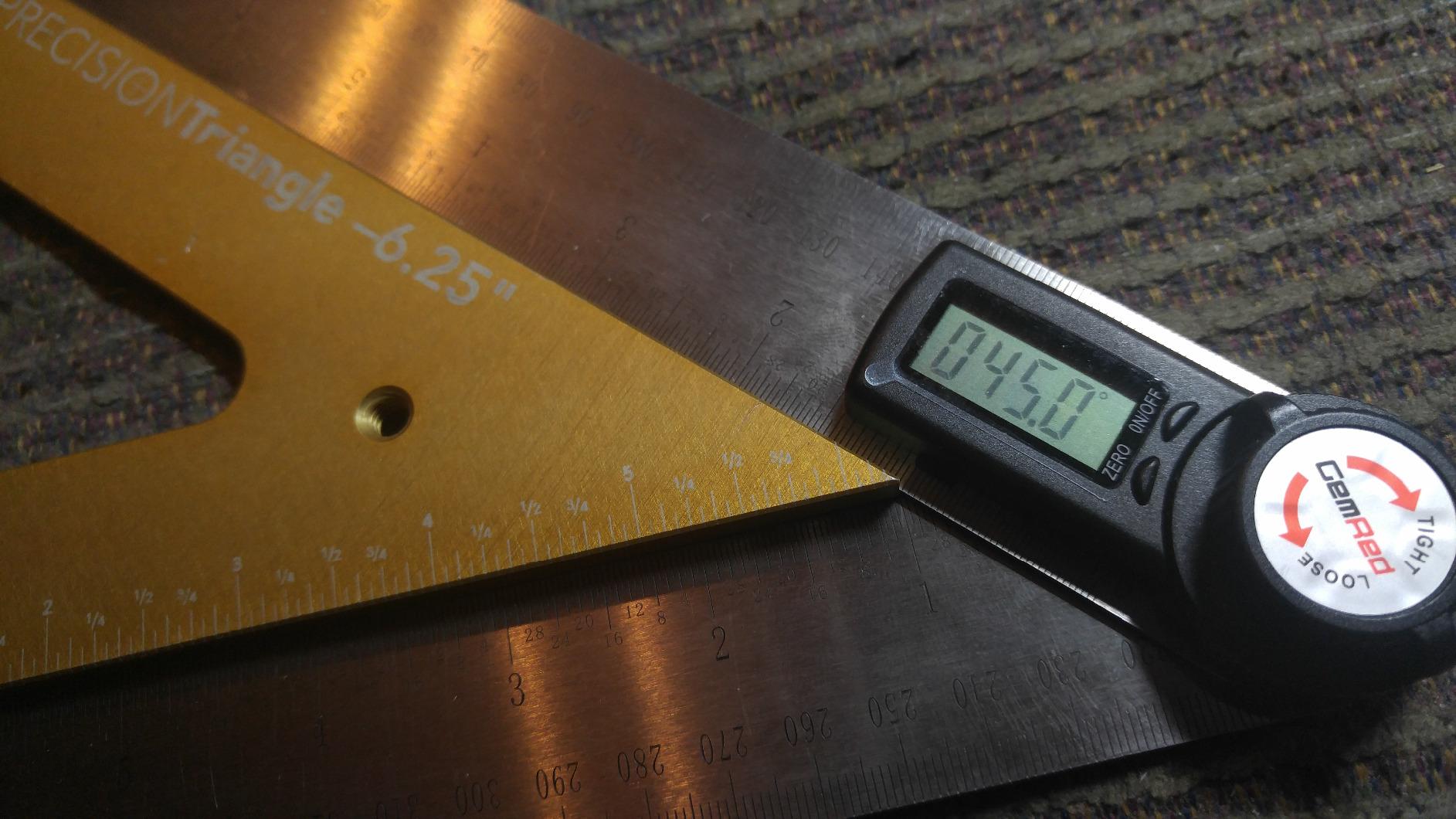
This is a digital protractor rather than a digital gauge, and that distinction matters. Instead of sticking to a blade, you swing the stainless arms against a molding or a corner and read the angle directly, which is exactly what you need when the wall is not square and you want the real compound number.
Owners check it against squares they trust and generally find readings inside 0.1 to 0.2 degrees, which is tighter than the stated plus or minus 0.3 degree spec. The laser etched stainless arms resist the marking wear that turns a printed plastic protractor into an unreadable smudge after a year of layout.
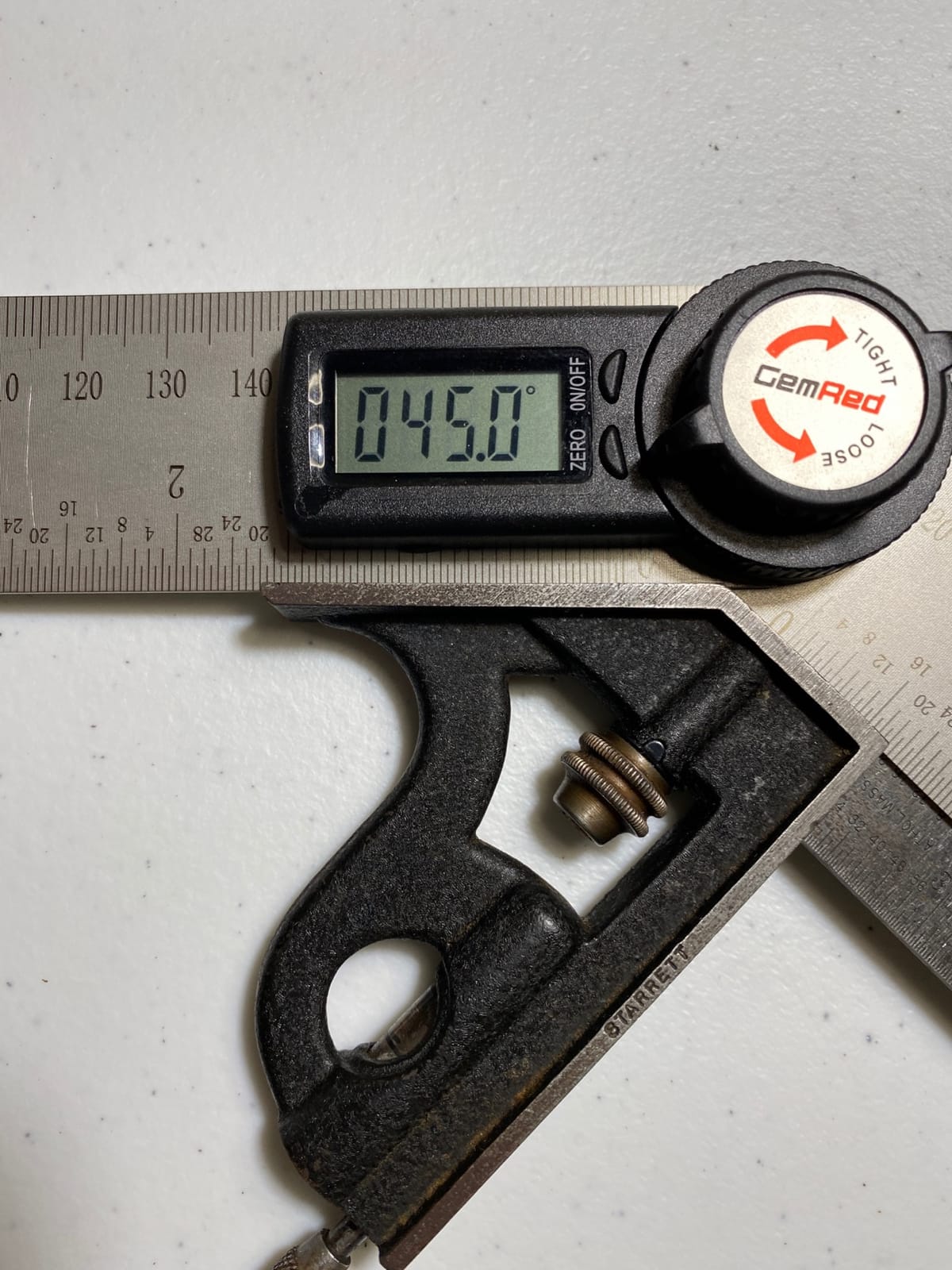
The angle lock is the feature I would not give up. You can lock the reading at any angle, mark the line, and carry that angle to the saw without the arms drifting as you move, which removes the single most common cause of a bad miter in my experience.
It folds to about 7.5 inch and opens to 400 millimeters, so it fits in a tool bag but still spans a decent workpiece. A CR2032 coin cell is included, which is one less thing to hunt for when you are setting up at eight in the morning.
Why the GemRed 82305 is the smart buy
Two roles in one body. The ruler arms let you measure an inside or outside corner and then transfer the angle, and the digital readout removes the guesswork of reading a printed scale through a bevel. For baseboard and crown work, that combination is hard to beat at this tier.
The steel construction also means it will not crack the way cheap plastic protractors do when they get knocked off a saw table, and reviewers repeatedly treat it as a tool they keep for years rather than replace.
What to watch out for with the GemRed 82305
The display has no backlight and no flip function, so in a dark shop you are holding the arms up to whatever light you have. Reviewers also mention that the coin cell can shift in its tray and cause an unexpected shutoff, and that the zero reference does not survive power off.
Be careful with the stainless edges straight from the box, because they are sharp enough to draw blood and nobody thinks to file them. None of that ruins the tool, but it is worth knowing before the first trim job.
5. GemRed DAG-V1 Digital Angle Gauge – Aluminum Body and 360 Degree Range
GemRed Digital Angle Gauge DAG-V1 for Measuring and Layout
0-360 degree range
Plus or minus 0.2 degree accuracy
Aluminum alloy body
AAA battery included
Pros
- Good repeatability for the class and factory pre-calibrated
- Aluminum body feels more durable than plastic
- Backlit reversible LCD reads well in dark shops
- Magnetic flat base holds on ferrous surfaces
- AAA cell runs a long time
Cons
- Reads degrees only with no slope percentage
- ERROR indicator triggers easily past 30 degrees of diagonal tilt
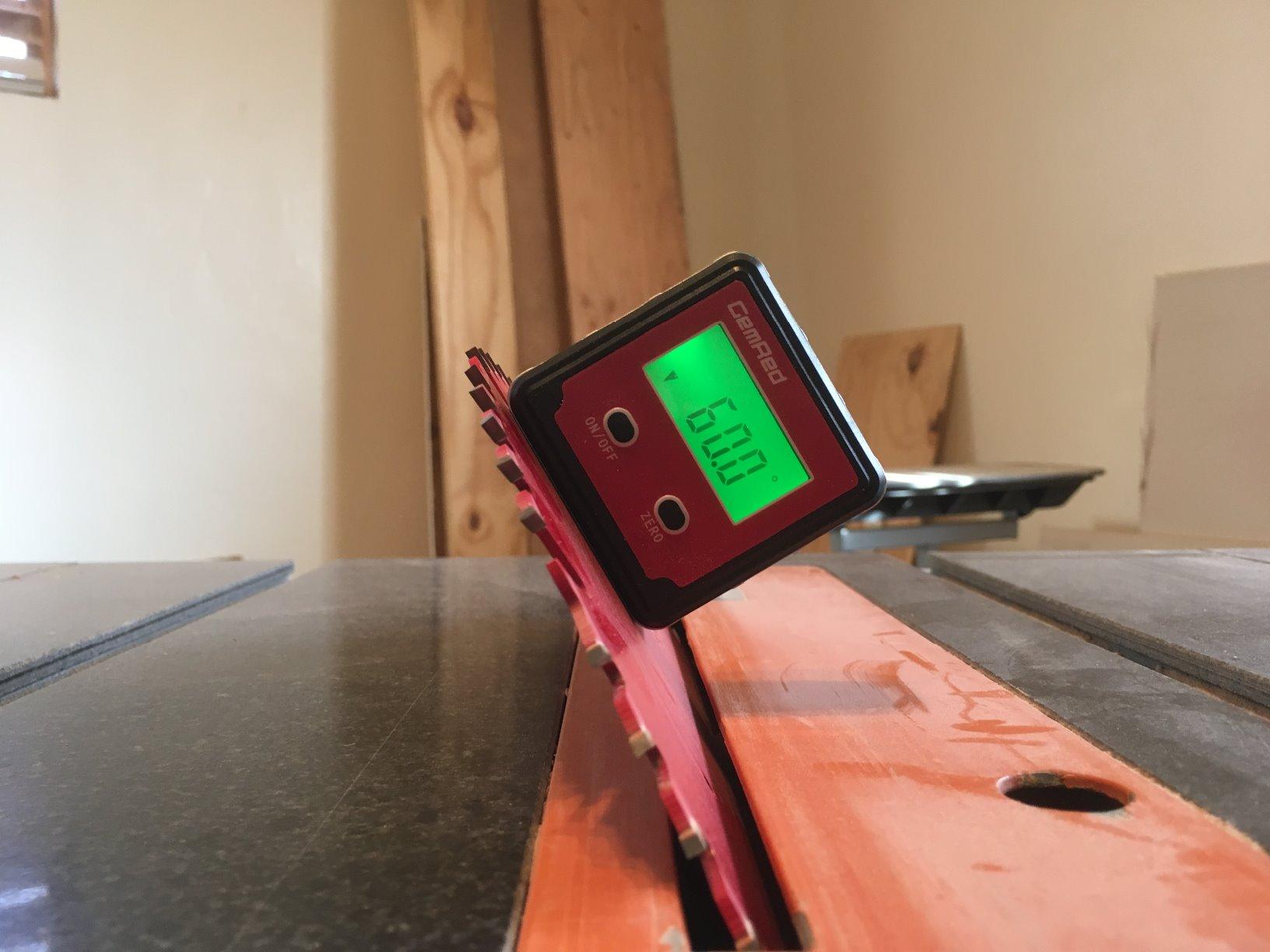
The DAG-V1 is the gauge I suggest for anyone whose cuts are not limited to a quadrant. A full 0 to 360 degree range with plus or minus 0.2 degree accuracy and 0.1 degree resolution covers obtuse compound cuts that a 180 degree tool cannot show you at all.
The aluminum alloy framework is the deciding factor for me. Plastic cubes feel fine in the hand but crack eventually, and an aluminum body is what keeps the sensor stable over years. The magnetic flat base spreads the contact area, which helps it sit flat against a blade instead of rocking.
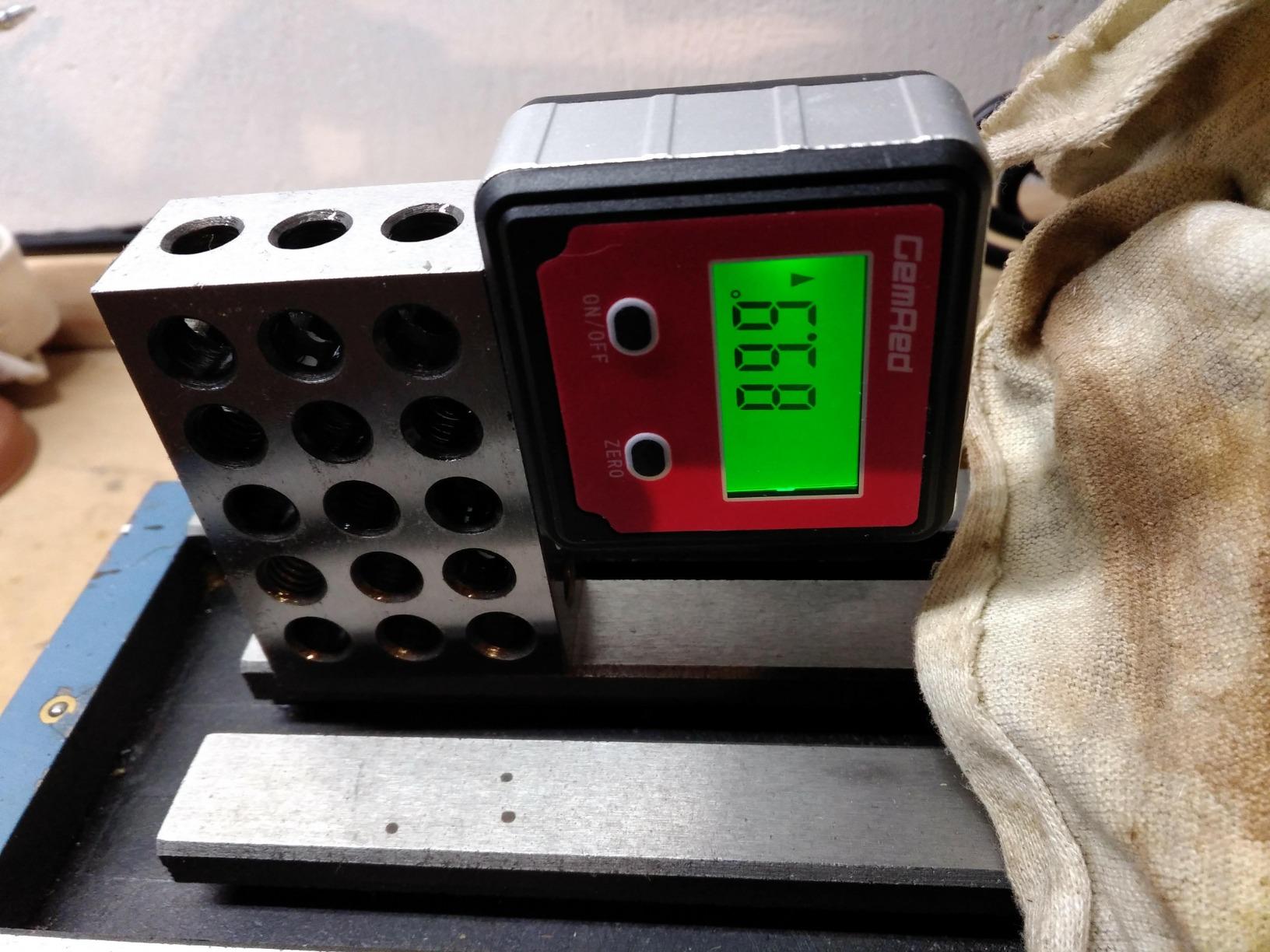
Two measuring modes are available: a true level check and a relative reading between two surfaces. That second mode is how you take an angle off a wall that is not plumb, zero against the wall, and then read the deviation. The reversible LCD with a green backlight stays readable in a dark shop, and it inverts when you turn the tool over.
It ships factory pre-calibrated, takes a single AAA cell, and owners report roughly 50 hours of use with auto shut-off after five minutes of inactivity. Battery changes need no screwdriver, which is a small quality of life thing you notice every time.
Where the GemRed DAG-V1 earns its slot
If you are cutting rafters, rafters with obtuse pitches, or doing any layout that swings past 180 degrees, the 360 degree range removes a real limitation. Combined with the aluminum frame, it feels like a tool built for a working shop rather than a demonstration.
The relative angle mode also makes it a good companion to a ruler style protractor, since the two cover different jobs without duplicating each other.
What the GemRed DAG-V1 does not do
The readout is degrees only. If you set up roof work and want a slope percentage to go straight onto a layout, this one will not give it to you, and you will be doing the conversion yourself.
Watch the ERROR indicator. It appears when the gauge is tilted diagonally past about 30 degrees, which can happen when you try to read an angle on a steeply pitched surface, and it will interrupt a measurement that was actually fine.
6. Neoteck NTK033 Digital Angle Finder – The Lightweight Pocket Option
Neoteck Digital Angle Finder LCD Digital Angle Gauge Waterproof Protractor Inclinometer Bevel Box for Helicopter Bevel Angle of Miter Saw Automobile Test and Repair and ect-Blue
0-360 degree range
Plus or minus 0.2 degree accuracy
Built-in magnets
2.28 inch square body
Pros
- Lowest cost option in this roundup at the stated accuracy
- Small and light enough for a pocket
- Built-in magnets attach firmly to iron surfaces
- Doubles as a true digital level in tight spots
- Auto power off after three minutes
Cons
- Batteries are not included
- Some 1 star reviews cite off readings
- Display is not backlit
The NTK033 covers the same 0 to 360 degree range as gauges costing far more, and the stated accuracy is plus or minus 0.2 degrees. It is also light enough at 0.12 kilograms to live in a shirt pocket, which is the honest reason to own a second gauge like this.
It works as a true digital level, and reviewers like that in confined spaces where a full length level will not fit. The built-in magnets are the part that matters for a miter saw, and they hold on a blade without the gauge needing to be held in place by hand.
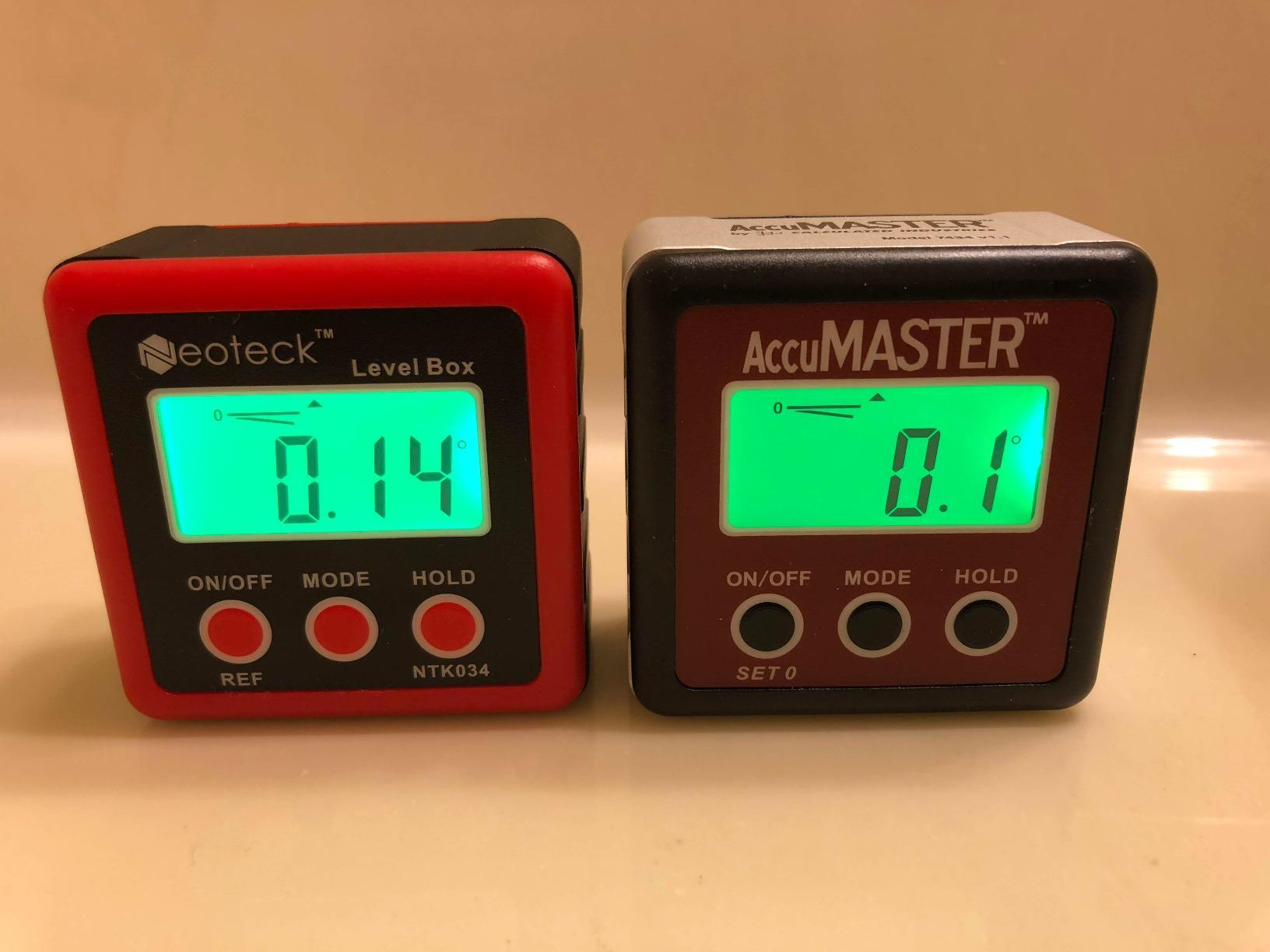
Auto power off after three minutes of inactivity prevents a flat battery surprise, and the LCD is described as clear and easy to read at normal working angles. The body mixes plastic, alloy steel, and aluminium with a rubberized feel, which helps it survive being dropped.
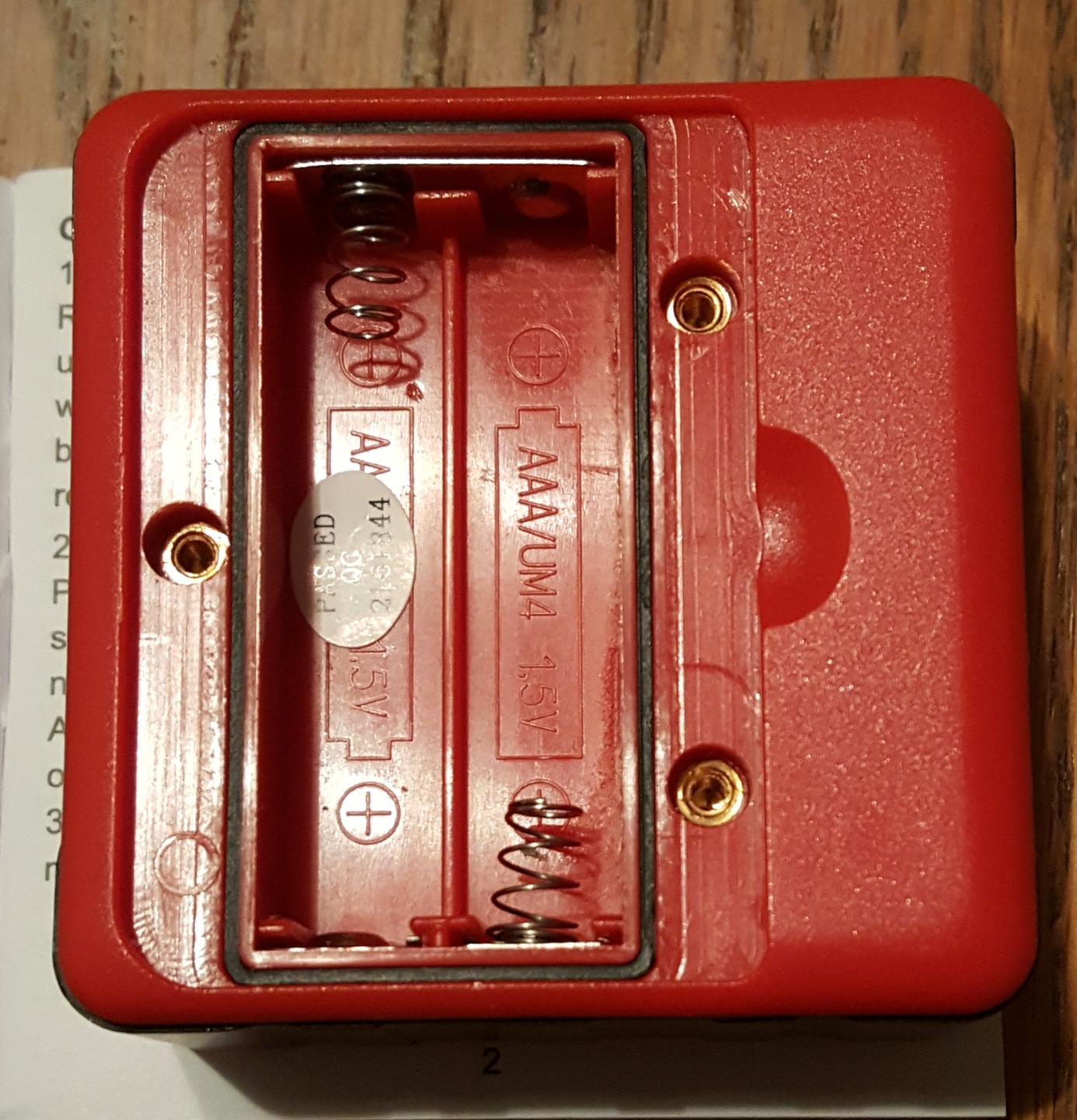
Two things temper the enthusiasm. The two AAA cells are not included, which is a strange omission for a tool at this level. And the rating of 4.4 across more than 5,000 reviews reflects a steady stream of one star reports describing readings that did not match a trusted reference, so the stated accuracy is not guaranteed on every unit.
When the Neoteck NTK033 is the right pick
Buy this one as a backup, a truck tool, or a gift for someone starting out. It handles a quick bevel check, a fence squaring check, and a rough compound setup without fuss, and the low weight means you will actually carry it and use it.
It is also a reasonable second opinion tool. If a more expensive gauge ever gives you a reading you do not trust, a second device from a different maker is a fast way to find out which one is lying.
When to spend a little more instead
If the job is matched crown molding where a visible gap ruins the room, the pattern of off readings in the reviews is the wrong risk. Move up to a gauge with a stronger review history and a backlit display.
The unlit screen is a genuine nuisance in a dark shop, and the missing batteries mean it is not ready to use the moment the box is open. Neither problem is fatal, but both are avoidable for a few dollars more.
7. XUNTOP USB Charging Digital Angle Finder with Dual Lasers
XUNTOP USB Charging Digital Angle Finder with Laser (Class 2, <1mW Output)
USB-C rechargeable battery
Plus or minus 0.2 degree accuracy and 0.1 degree repeatability
Dual Class 2 lasers
IP54 rated
Pros
- Only rechargeable option here with no disposable cells
- Magnets on all four sides so it stays put on blades
- Bright backlit display readable in sunlight
- Dual lasers for horizontal and symmetry lines
- Pocket size cube with belt pouch
Cons
- Compact cube size limits precision on longer surfaces
- Several users rate it as not professional grade
The XUNTOP is the only tool in this group you never have to open with a screwdriver to change a cell. A USB-C rechargeable internal battery means the gauge is ready every morning, and for a shop where the measuring tool lives in a truck and the temperature swings all night, that removes a whole category of problems.
Four-sided magnets are a real upgrade over a single base magnet. On a table saw blade or a miter saw fence, a gauge with magnets on every face will attach in an orientation that a single-base tool cannot, and owners specifically call out that it does not slide on a blade.
It measures four 90 degree quadrants and can be zeroed at any angle for comparison, with stated accuracy of plus or minus 0.2 degrees and 0.1 degree repeatability. The IP54 dust and water resistance rating is meaningful if your saw lives on a covered but damp porch.
The dual Class 2 lasers are a bonus for hanging and symmetrical layout rather than a miter saw feature, and the display auto-inverts when you turn the cube over. One thing the manufacturer flags themselves is that calibration error, temperature, humidity, magnetic fields, and a low battery can all affect readings, which is honest but worth remembering before you blame the saw.
Why the XUNTOP stands apart
Rechargeable power and four-sided magnets together solve two problems that recur in every forum thread about cheap angle gauges. There is no flat battery, and there is no orientation where the gauge refuses to attach.
For layout work that involves centering something symmetric on a wall, the laser reference lines save a surprising amount of time, and the bright backlight is the most readable screen here in direct sun.
What limits the XUNTOP
The pocket cube size works against precision on long surfaces. A short body is inherently less stable against a large flat plane, and several reviewers note that this shows up in the readings and that the tool is not quite professional grade for demanding work.
If your project is a matched set of visible crown in a finished room, I would use this for setup checks and keep a longer tool for the final transfer. It is a strong secondary instrument rather than the only one.
8. Neoteck 16 Inch Digital Angle Finder – Long Arms for Large Workpieces
Neoteck 16 inch Digital Angle Finder 225°Aluminum Protractor LCD Backlight
0-225 degree range
Plus or minus 0.5 degree precision
16 inch aluminum body
AAA battery included
Pros
- Long 16 inch arms read and hold angles on large workpieces
- Backlit LCD stays legible in low light
- 0-225 degree range covers obtuse compound miters
- Bubble levels assist setup and calibration
- Portable bag supplied
Cons
- Loosest stated accuracy in the group at plus or minus 0.5 degrees
- The knob does not lock the angle without the HOLD button
- Heavier at 1.21 pounds than pocket cubes
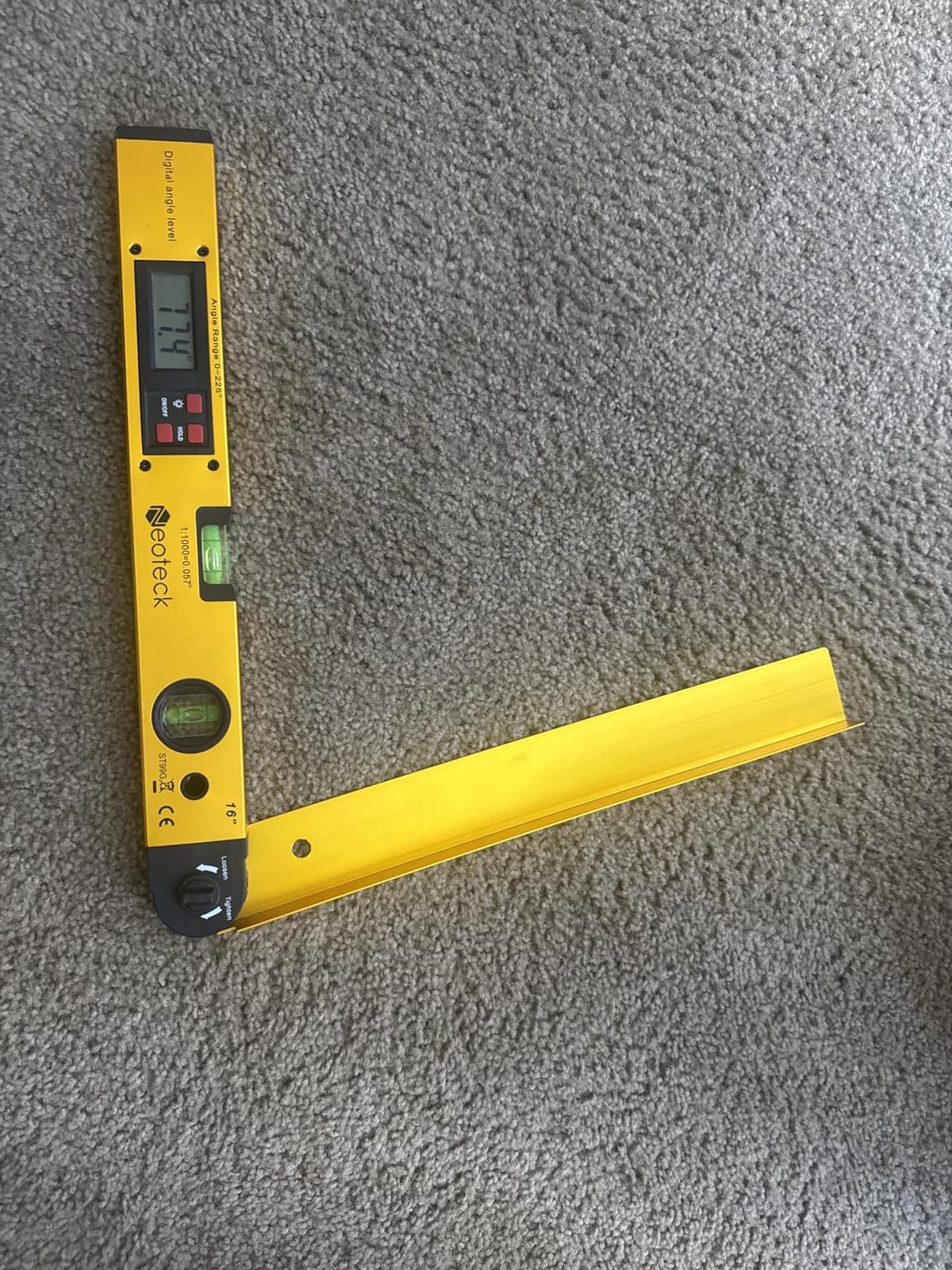
Length is the whole argument for this tool. At 16 inches the arms span enough of a baseboard, a door header, or a cabinet face to give a stable reading, and a short protractor on a large workpiece tends to float while you try to find a repeatable position.
Owners also value the 0 to 225 degree range, which reaches past 180 degrees and therefore covers the obtuse side of compound miter work that a standard protractor simply cannot display. The backlit LED display is readable in low light, and an AAA battery plus a portable bag are included.
The integrated horizontal and vertical bubble levels are a small extra that helps during setup and calibration. They are not a digital level, and I would not substitute them for one, but they give you a quick visual confirmation that the tool is sitting square before you trust a reading.
Two practical notes. The knob only loosens and tightens, so to hold an angle you press the dedicated red HOLD button, which catches out people expecting the knob to lock. And the stated precision of plus or minus 0.5 degrees is the loosest in this roundup, so treat it as a layout and transfer tool more than a fine setup gauge.
Where the 16 inch Neoteck fits
This is the right choice when your work involves long stock. Wide trim, picture frames, cabinet parts, and door casings all benefit from a longer reference arm because you can hold the angle against the actual workpiece instead of approximating it from a short tool.
The wide range makes it useful for HVAC duct elbows too, where angles past 90 degrees are routine. For anyone who works across several trades rather than specializing in finish carpentry, the versatility is the selling point.
Where it does not fit
At plus or minus 0.5 degrees it will not hold a tight tolerance joint on fine crown, and a half degree error across a wide miter shows as daylight at the corner. If that is your main job, pick a gauge with a plus or minus 0.2 degree spec.
The 1.21 pound weight is also a consideration. That is pocketknife weight, not pocket weight, so it lives in a tool bag rather than on your hip, which is exactly where you would want it anyway.
9. S&F STEAD & FAST Digital Angle Gauge – The Only One With Slope Percentage
S&F STEAD & FAST Digital Angle Gauge Magnetic, Angle Cube for Table Saw
Plus or minus 0.2 degree accuracy and 0.1 degree resolution
Degrees and slope percentage
Aluminum body at 3 ounces
Screw-free battery case
Pros
- Only option here that reads slope percentage as well as degrees
- Self-inverting backlit display reads well flipped
- Screw-free battery compartment
- Aluminum body at just 3 ounces
- Hold function freezes the reading for transfer
Cons
- Thinner review history than most of the group
- Compact cube size limits accuracy on larger surfaces
- Uses disposable AAA cells
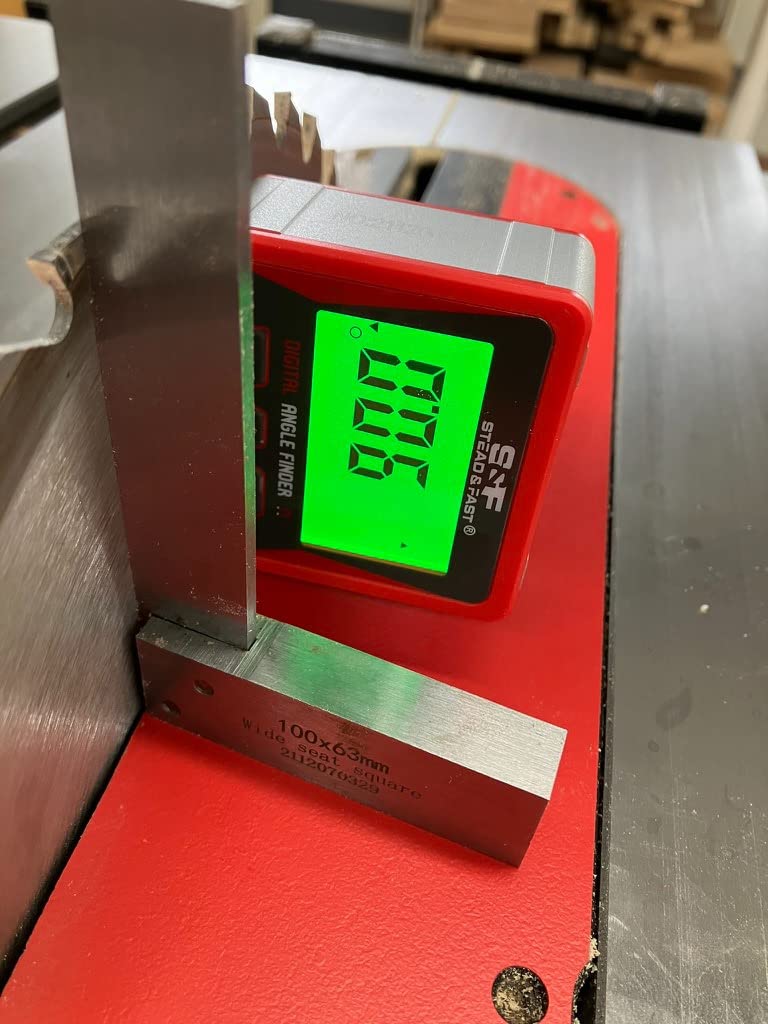
If any part of your work is outside the shop, this is the one to look at. It is the only gauge in the group that reports slope percentage alongside degrees, which means a roof pitch or a drainage fall can be read directly instead of converted from a degree number in the moment.
Absolute and relative measuring modes are both present, so you can check a true level and then zero against any reference surface. The large backlit LCD inverts itself when the gauge is turned over, which is a small feature that saves bending over a saw table every time you look.
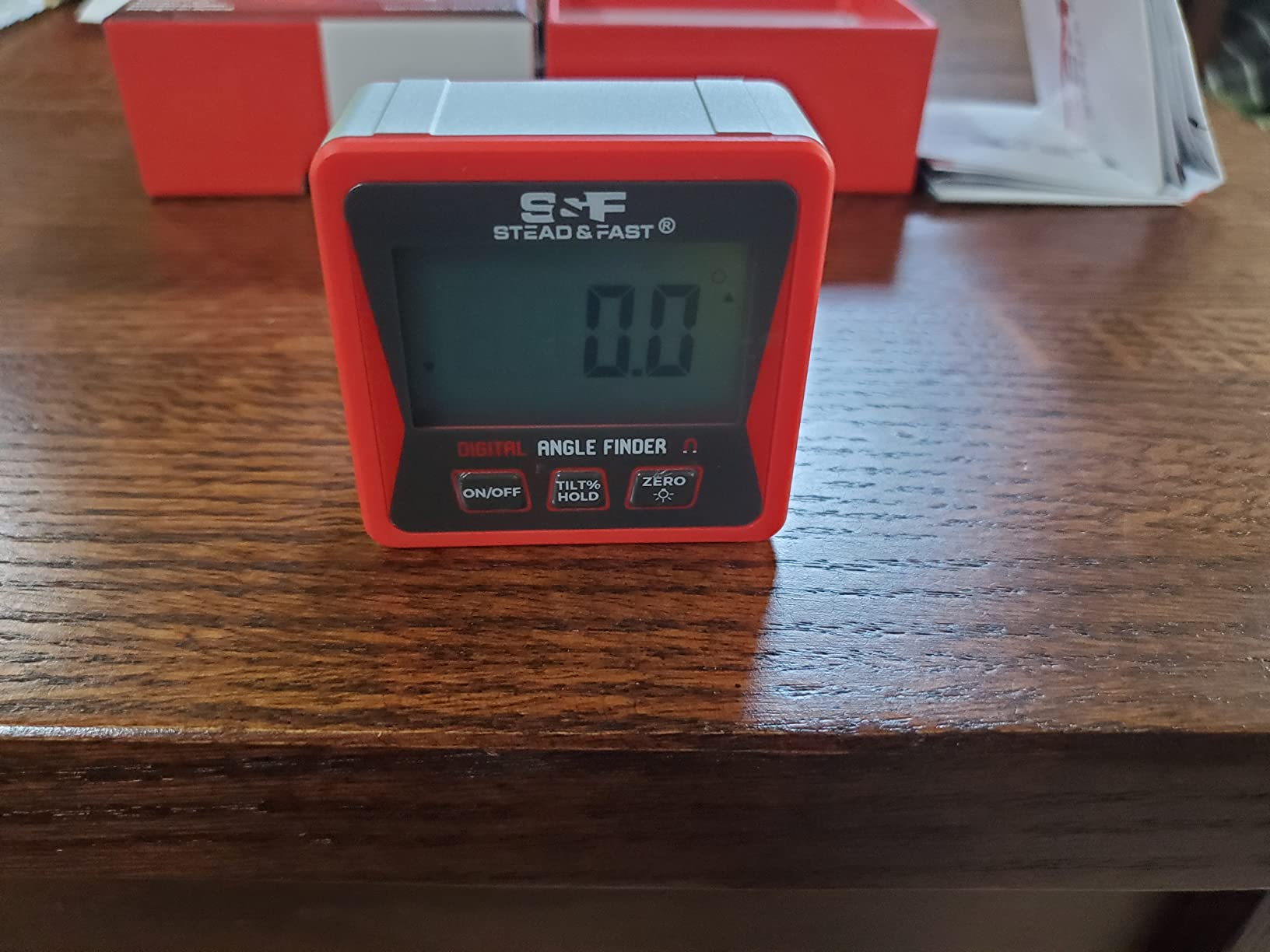
At 3 ounces in an aluminum body, it is the best weight to strength ratio here. The screw-free battery case means cell changes take seconds with no tool, the hold function freezes a reading so you can transfer it, and auto-off after three minutes protects the batteries between setups.
Owners report repeatability of about plus or minus 0.1 degree alongside the stated plus or minus 0.2 degree accuracy, which is a good result for a tool this size. The catch is review volume: at just over 1,300 ratings, this has one of the thinnest long-term track records in the roundup.
Why the S&F gauge earns a spot
The slope percentage unit is a genuine capability gap in the rest of this list, and it costs nothing to add. If you frame roofs, set a deck, or run drainage away from a house, that readout removes an arithmetic step and an error source.
The relative mode also makes it a good first saw checker, and the hold function means you can capture an angle, walk it to the saw, and set the head without losing the number on the way.
Why you might pick something else
The limited review history matters for a measuring tool, because accuracy claims are easy to make and hard to verify. Over more than 16,000 reviews you can see patterns; over 1,300 you are largely trusting the listing.
It also uses disposable AAA cells rather than a rechargeable pack, and the compact cube inherits the same accuracy limitation on large surfaces that the other pocket cubes have. If your work is purely finish carpentry, the slope unit is a bonus you will never use.
10. LEXIVON LX-DAF7 Aluminum Digital Angle Finder – Finest Display and Reverse Angles
LEXIVON Aluminum Digital Angle Finder Gauge, 7-inch/180mm Multi-Purpose Protractor, Includes XL Display and Rugged Zippered Pouch (LX-DAF7)
0.05 degree display resolution
Plus or minus 0.3 degree accuracy
7 inch anodized laser-etched rule
REV. button for outside angles
Pros
- Finest display resolution here at 0.05 degrees
- 360 degree range with reverse angle readout
- REV. button shows the outside angle
- Locking knob holds the angle without disturbing it
- Anodized rule with laser etched dual unit markings
Cons
- Smallest review base here at under 750 ratings
- 7 inch rule is shorter than the 16 inch model for large workpieces
The LX-DAF7 has the sharpest display in this roundup. At 0.05 degree resolution you can see a 0.05 degree change on screen, which makes it easy to watch a miter handle move in real time and stop on the number rather than on feel. Stated accuracy is plus or minus 0.3 degrees.
The REV. button is the feature that sets it apart. Press it and the tool shows the outside angle instead of the inside angle, which is precisely what you need for crown molding, where a 52 degree inside corner corresponds to a 128 degree outside angle. Most competing tools simply do not show you the second number.
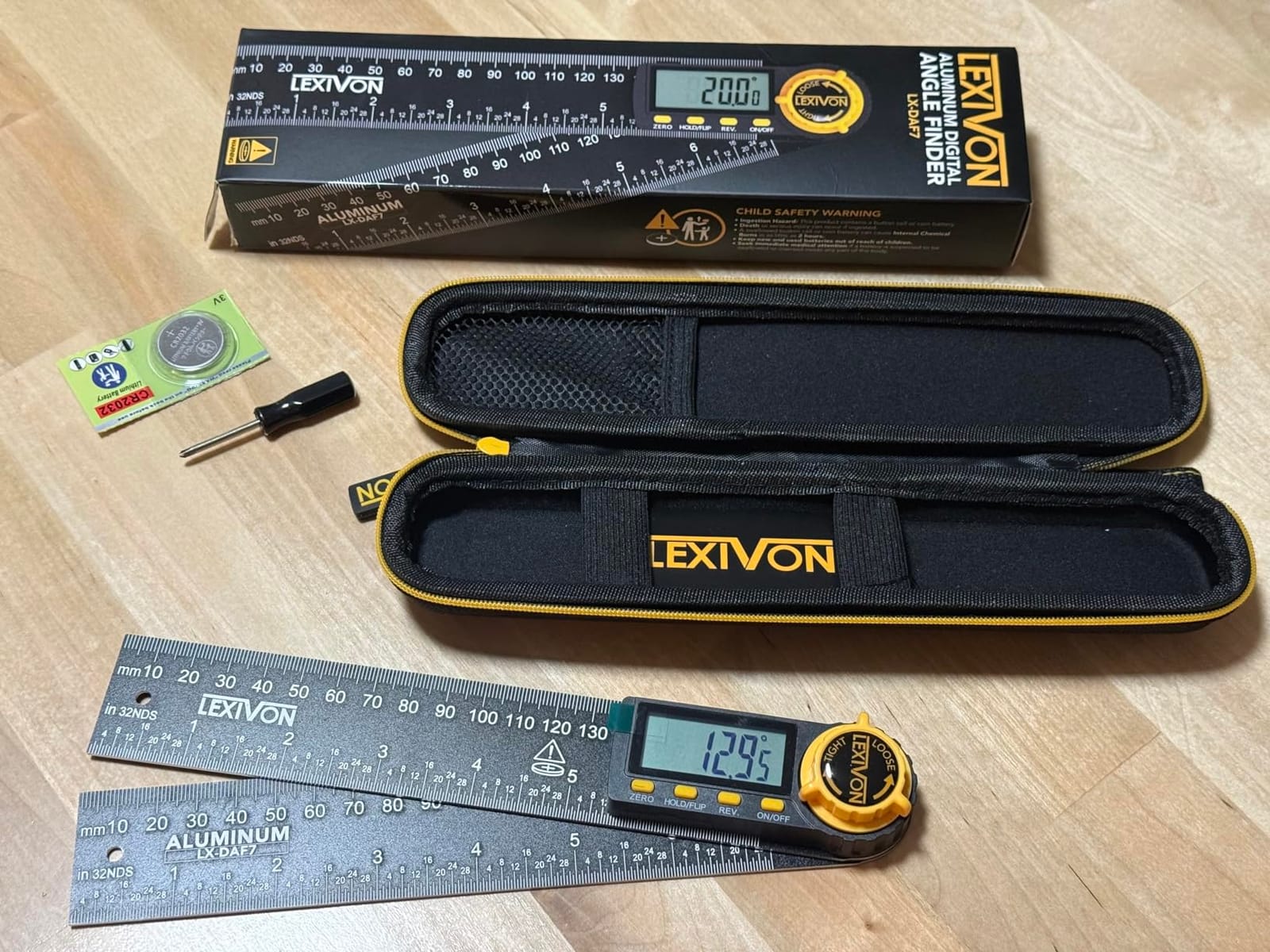
The 7 inch anodized aluminum rule has laser-etched millimeter and inch markings, so the scale survives a lifetime of layout marks the way printed plastic scales do not. A heavy-duty zippered pouch is included, and each unit carries a serial number and is individually tested before it ships.
Four buttons handle everything: ZERO, HOLD and FLIP, REV., and ON and OFF. Fewer buttons means less to learn and fewer ways to change a setting by accident, and the ergonomic angle lock knob holds the arms without shifting the reading.
Why the LEXIVON LX-DAF7 belongs on a shortlist
Crown molding installers will get the most out of it, because the reverse angle readout saves a calculation on every inside corner. The 0.05 degree resolution also makes it the most pleasant tool here to zero against a known reference and watch for drift.
It suits picture frames and cabinet work too, where a reversible 7 inch rule is genuinely the right format and a magnetic cube would be the wrong tool entirely.
What to consider before buying
At under 750 ratings, it is the newest listing here and the long-term durability picture is thin. Nothing in the feedback suggests a problem, but there is also a decade of owners telling you what did not break, and that history is missing.
The 7 inch rule is also shorter than the 16 inch model, so for very large workpieces you will be moving the tool more. If your work is mostly large stock, the longer tool is a better fit. If it is fine interior trim, this is the more precise instrument.
Digital Gauge vs Digital Protractor vs Analog – Which One Matches Your Work
This is the question that comes up more than any other in woodworking forums, and the confusion is understandable because all three tools do the same job in different bodies. A digital gauge is a box with a magnetic base. A digital protractor is a pivoting pair of arms with a display. An analog protractor is the printed plastic or aluminum version of the same arms.
Choose a magnetic digital gauge when you are checking a saw. It sticks to a blade, a fence, or a table and reads the angle the machine is actually holding, which is the whole point of buying one. Every cube-style tool in this roundup, from the Klein to the Trend, is built for that job.
Choose a digital protractor when you are measuring a corner. You swing the arms against a wall, a baseboard, or a piece of crown and read the real angle, then lock it and carry it to the saw. This is the tool for walls that are out of square, which is most walls in an older house.
Choose an analog protractor when you want nothing to fail. No battery, no calibration, no electronics to drift. Professional finish carpenters have used them for decades, and many still carry one alongside a digital gauge purely as a sanity check.
How to Calibrate a Digital Angle Finder Before You Cut
Calibration is not a ritual you perform once and forget. A gauge that read perfectly in the winter can drift after a season of heat and humidity, and replacing a battery can shift a reading on some models. Treat the check as part of your setup, the same way you check a square.
Step 1: Check against a known reference. Put the gauge on a surface you trust, such as a granite surface plate or a verified machinist square, and confirm it reads zero. If it does not, use the zero function to set the reference rather than accepting the offset.
Step 2: Check the second range. Flip or rotate the tool through 90 degrees and confirm it reads 90.0. On a 360 degree model, do a full turn and watch for any jump or drop, which points to a sensor or magnet problem rather than a calibration issue.
Step 3: Zero to the saw, not to the world. Sit the gauge on an unlevel saw table or fence, zero it there, and then move the head. The reading that appears is the true error in your saw, free of any bench or floor problem.
Step 4: Know the warning signs. A reading that jumps, sticks, or refuses to repeat at the same physical position is a hardware fault, not a zero error. Returning a loose coin cell fully seated, or letting a warm gauge cool to room temperature, solves most of the rest.
One more tip from the field: keep batteries fresh in the gauge you use most, because a low battery is the most common cause of a reading that looks like drift. Models with a screw-free battery case make this far less of a nuisance.
Crown Molding Angles and How to Measure Them
Crown is where angle work gets complicated, and it is where a good angle finder earns its cost. A crown profile has a spring angle, the fixed angle at which the face of the molding meets its back. Standard crown is 52 degrees, though 38 degree and 42 degree profiles are common enough that you should check the back of the molding rather than assume.
For a square inside corner with standard 52 degree crown, the miter setting is 26 degrees and the bevel stays at 0. That 26 is simply half the spring angle, and most digital protractors will show it to you directly. A digital gauge is not what you use here, because the number comes from the wall and the profile, not from a machine.
When the corner is not square, you need both halves. Measure the deviation with the saw, then split it between the two miters, and remember that the miter angle for an inside corner is 90 minus half of the corner plus the spring angle adjustment. Tools with a reverse angle readout, like the LEXIVON, take a calculation out of that step.
Inside corners use the inside angle shown on the tool. Outside corners use the complement, which is why the REV. or reverse reading function exists on the better protractors. If your tool only shows one number and you get it backwards, the joint closes on the ends and opens in the middle, which is the classic crown molding failure.
For baseboard, where the profile sits flat, the miter setting is half the corner angle with a zero bevel. Measure the corner, divide by two, and check the cut on a scrap piece before you commit to a full length of expensive trim.
Frequently Asked Questions
What is a good digital angle finder for miter cuts?
For most saw setup work, a magnetic digital gauge with plus or minus 0.2 degree accuracy, a backlit display, and a zero reference function is the right answer. The Klein Tools 935DAG is our first pick for its accuracy and grip, while the Wixey WR300 Type 2 is the alternative if you work in a dim shop and need a backlit screen. For measuring a corner and transferring the angle to the saw, choose a digital protractor with locking arms such as the GemRed 82305.
Which digital angle finder is the most accurate?
Look at the stated accuracy band rather than the display resolution. Klein Tools does not publish a tight band for the 935DAG, but owners report readings that hold steady against trusted squares. Among tools with published figures, the Wixey WR300, the GemRed DAG-V1, and the Su0026amp;F gauge all state plus or minus 0.2 degree accuracy, while the LEXIVON LX-DAF7 offers the finest 0.05 degree display resolution. The 16 inch Neoteck is loosest at plus or minus 0.5 degrees.
Are digital angle finders worth it?
Yes, if you cut matched trim where a visible gap matters or if you suspect your saw has drifted. Factory miter saw scales are printed pointers and mechanical stops that move with use, so a digital reading turns an opinion into a number. If you only make rough framing cuts, an analog protractor or a sliding bevel gauge will serve you well and has nothing to fail. The tools in this roundup cover from a few dollars to a solid shop investment, so there is a sensible tier for most budgets.
How do I calibrate a digital angle finder?
Place the gauge on a surface you trust and confirm it reads zero, using the zero function to correct any offset. Rotate it through 90 degrees and verify a 90.0 reading, and on a 360 degree model make a full turn to check for jumps. Then set the gauge on your saw, zero it against the machine rather than the floor, and move the head to read the true error. Readings that will not repeat at the same position usually mean hardware or battery trouble rather than calibration.
What is the difference between an angle finder and a protractor?
A protractor is a pivoting tool with a printed or etched scale that you read by eye, and it measures the angle between two surfaces. An angle finder is a digital device that does the same job with a sensor and a display, giving a numeric reading to a stated accuracy. A digital angle gauge is a third form, a magnetic box that sticks to a saw blade or fence to read the angle a machine is actually holding rather than the angle a wall or molding makes.
Conclusion – The Best Digital Angle Finders for Miter Saws in 2026
The Klein Tools 935DAG is the one we recommend to most people. Its accuracy holds against trusted references, the magnetic base grips a blade without creeping, and the flip display keeps it readable in the conditions a real shop actually has. If you work in a dim basement, the Wixey WR300 Type 2 with its backlit screen is the substitute, and if you are squaring a brand-new saw rather than checking a seasoned one, the Trend DLB zero workflow is the fastest path to the truth.
For corner work, the GemRed 82305 stainless protractor gives you a ruler, an angle, and a lock in one body, and the LEXIVON LX-DAF7 is the pick when you want a reverse angle readout for crown. Add the S&F gauge if roof pitch matters to you, the XUNTOP if you would rather never change a battery again, and the long 16 inch Neoteck when your stock is wider than your reach.
Whichever one you pick, check the zero against a square you trust before the first cut of the day. The best digital angle finders for miter saws are the ones you actually use, and the second best thing you can do is verify them often. Our budget cabinet table saw comparison is worth a read if the saw itself is what you are still deciding on.
