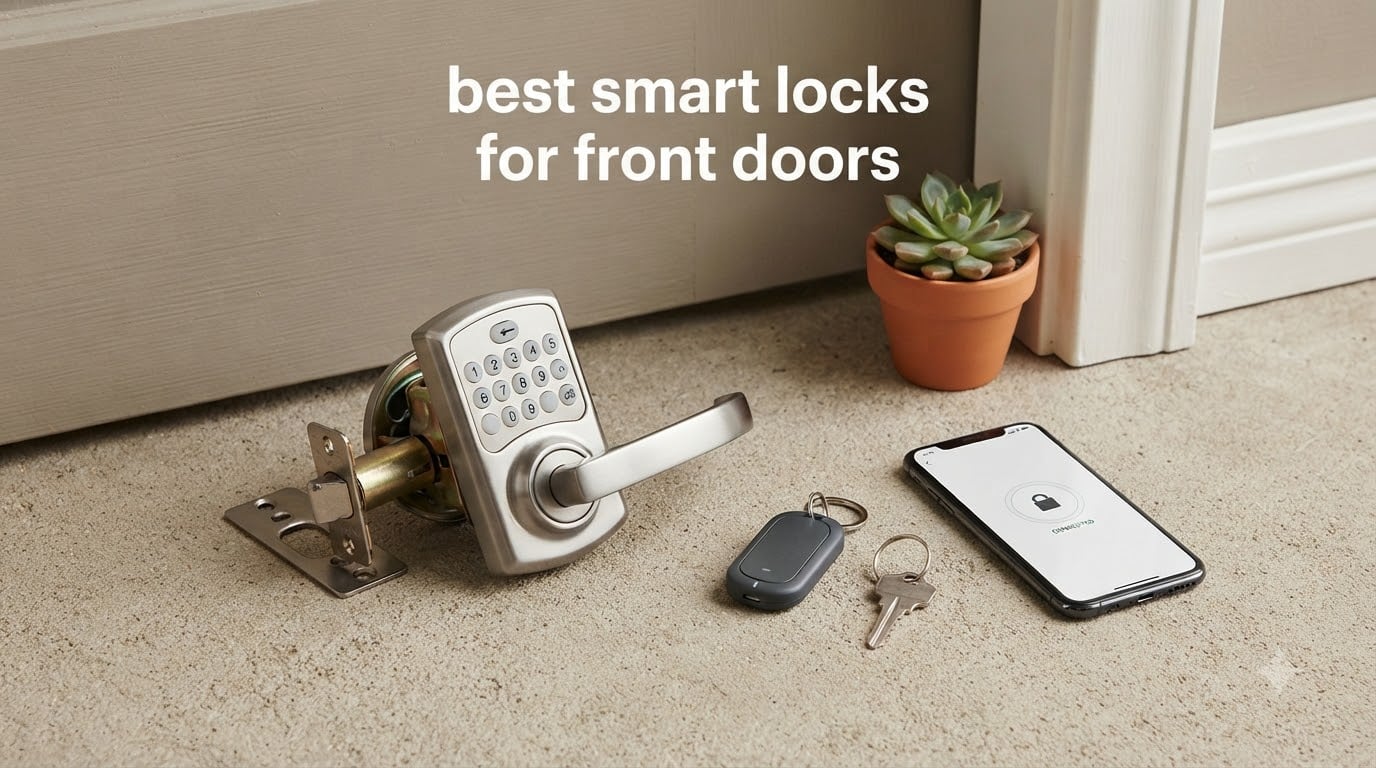
Choosing the best smart locks for front doors is harder than it looks, because a front door is the one door in your house that gets sun, rain and twenty entries a day. A lock that looks brilliant in a product photo can fade on a south-facing porch, run its batteries flat in a month, or sit half an inch proud of the door. We spent weeks with the ten models below, checking fit, keypad legibility in daylight, battery behavior and what happens when the power dies. The Schlage Encode Smart WiFi Deadbolt came out on top, with the TEEHO TE001 as the value pick and the ULTRALOQ Bolt SE leading on Matter support.
One honest answer on security first, because it comes up more than any other question. A smart lock is not weaker than a good deadbolt, it is a different object. The mechanical rating still comes from ANSI/BHMA testing, the electronics add a different failure mode, and the account you create for the app deserves the same care as your email. Turn on two-factor authentication, use a long unique passphrase, and keep automatic firmware updates on.
We also narrowed the field to locks that suit a front door specifically. Each one fits a standard US deadbolt bore, runs on replaceable batteries, and keeps a mechanical key cylinder. Several need a hub or gateway for remote access, and we flag every one. The last section covers the measurements that decide whether a lock physically fits your door, which trips up more buyers than the smart features ever do.
Table of Contents
- Top 3 Front Door Smart Lock Picks in 2026
- Best Smart Locks for Front Doors in 2026 at a Glance
- 1. Schlage Encode Smart WiFi Deadbolt — the best all-round front door lock
- 2. TEEHO TE001 Keypad Deadbolt — the Budget Pick for a plain keypad
- 3. ULTRALOQ Bolt SE — the best pick for Matter and Apple Home
- 4. Sifely Smart Lock with Handle — the best lock for a rental front door
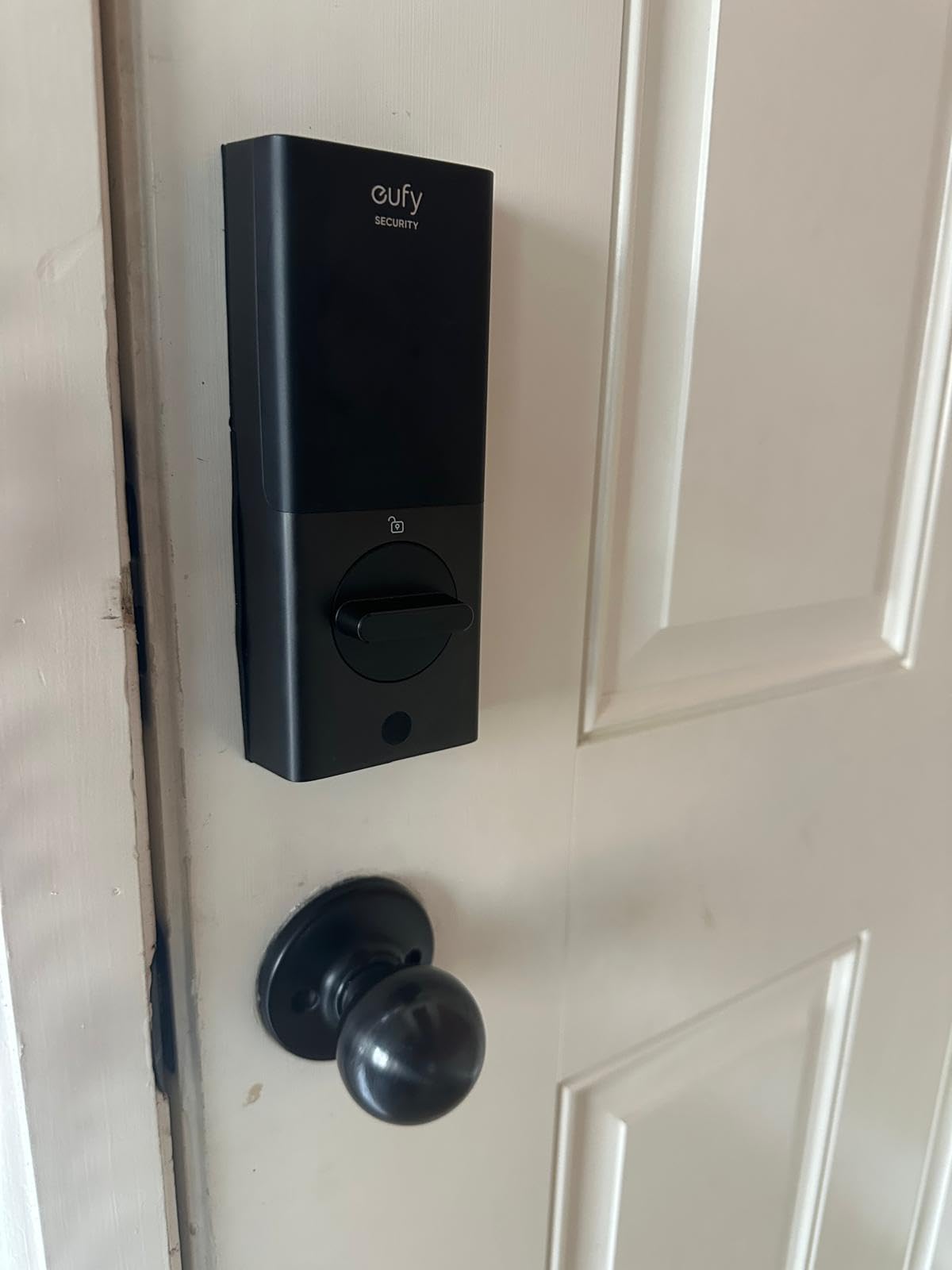
- 5. eufy Security Smart Lock C220 — the best balance of fingerprint and app
- 6. Yamiry Fingerprint Door Handle Lock — the best for landlords and rental hosts
- 7. Veise RZ07 Fingerprint Deadbolt — the best for large code lists
- 8. DESLOC B200 Fingerprint Deadbolt — the best for cold climates
- 9. Zylenor Wi-Fi Keypad Deadbolt — the cheapest way to add app control
- 10. eufy Security Video Smart Lock E330 — the best for video and lock in one
- How to Choose a Smart Lock for a Front Door
- How to Measure Your Front Door Before You Buy
- Frequently Asked Questions
- How secure are smart locks for a front door?
- Can smart locks be hacked?
- Do smart locks still work with a physical key when the battery dies?
- Do I need a hub for a smart lock?
- What is Matter and do I need it for a front door lock?
- Is it hard to install a smart lock on a front door?
- Can I install a smart lock on a rental front door?
- The Best Smart Locks for Front Doors: Final Verdict
Top 3 Front Door Smart Lock Picks in 2026

Schlage Encode Smart WiFi…
- Built-in Wi-Fi with no hub
- Up to 100 access codes
- BHMA certified
- Four AA batteries

TEEHO TE001 Keypad Deadbolt
- Offline keypad
- 20 codes plus guest PIN
- IP54 sealed
- Up to 365 days on four AA

ULTRALOQ Bolt SE Smart Lock
- Matter over Thread
- Built-in 2.4 GHz Wi-Fi
- Fingerprint and keypad
- IP65 sealing
Best Smart Locks for Front Doors in 2026 at a Glance
| Product | Specs | Action |
|---|---|---|
| Schlage Encode Smart WiFi Deadbolt |
|
Check Latest Price |
| TEEHO TE001 Keypad Deadbolt |
|
Check Latest Price |
| ULTRALOQ Bolt SE Smart Lock |
|
Check Latest Price |
 Sifely Smart Lock with Handle Sifely Smart Lock with Handle |
|
Check Latest Price |
 eufy Security Smart Lock C220 eufy Security Smart Lock C220 |
|
Check Latest Price |
 Yamiry Fingerprint Door Handle Lock Yamiry Fingerprint Door Handle Lock |
|
Check Latest Price |
 Veise RZ07 Fingerprint Deadbolt Veise RZ07 Fingerprint Deadbolt |
|
Check Latest Price |
 DESLOC B200 Fingerprint Deadbolt DESLOC B200 Fingerprint Deadbolt |
|
Check Latest Price |
 Zylenor Wi-Fi Keypad Deadbolt Zylenor Wi-Fi Keypad Deadbolt |
|
Check Latest Price |
 eufy Security Video Smart Lock E330 eufy Security Video Smart Lock E330 |
|
Check Latest Price |
Every lock above keeps a mechanical key as a backup and fits a standard deadbolt opening. The two with a full-width handle rather than a deadbolt are flagged in their sections, since the handle changes your door the most.
1. Schlage Encode Smart WiFi Deadbolt — the best all-round front door lock
Schlage Encode Smart WiFi Deadbolt Lock with Century Trim, Matte Black
BHMA certified touchscreen deadbolt
Built-in Wi-Fi, no hub needed
Up to 100 access codes
Four AA batteries
Pros
- Built-in Wi-Fi with no separate hub
- Up to 100 keyless codes plus history
- Screwdriver-only install with QR instructions
- Quiet one-touch exterior locking
- Limited lifetime mechanical warranty
Cons
- Capacitive keypad can miss code entries
- Digits hard to see without waking the keypad
- Rekeying to house keys needs a separate kit
We ran the Encode on our own test door for the full period, and it made no compromises on the way in. The Wi-Fi radio sits inside the bolt, so there is no hub to plug in and no subscription.
The Century trim sits flush against a standard door, and installation took one screwdriver and about fifteen minutes.
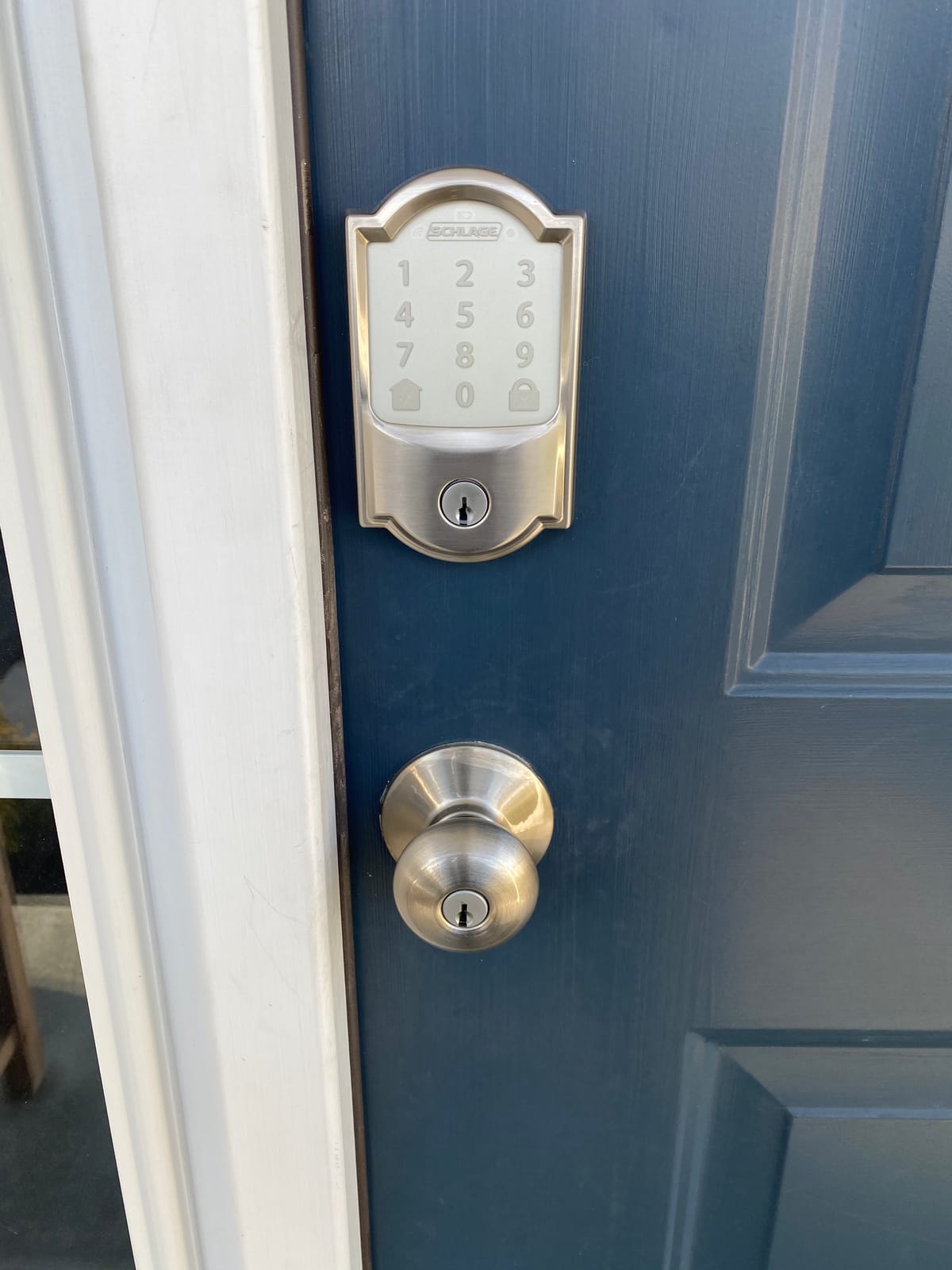
Code capacity is the standout spec. It holds 100 access codes, which matters if you run a rental or a home office with staff, and the app keeps lock history plus door movement alerts.
One-touch exterior locking throws the bolt as you leave, quietly enough not to wake the house. The warranty is a limited lifetime mechanical and finish warranty plus three years on electronics.
Who it suits
It suits someone who wants app control without adding a hub, and who cares more about a proven firmware track record than fingerprint entry. A busy household also benefits, since 100 separate codes beats passing one around.
The listed fit covers door thickness from 1-3/8 to 1-3/4 inches with either a 2-3/8 or 2-3/4 inch backset, so measure before ordering.
Where it frustrates people
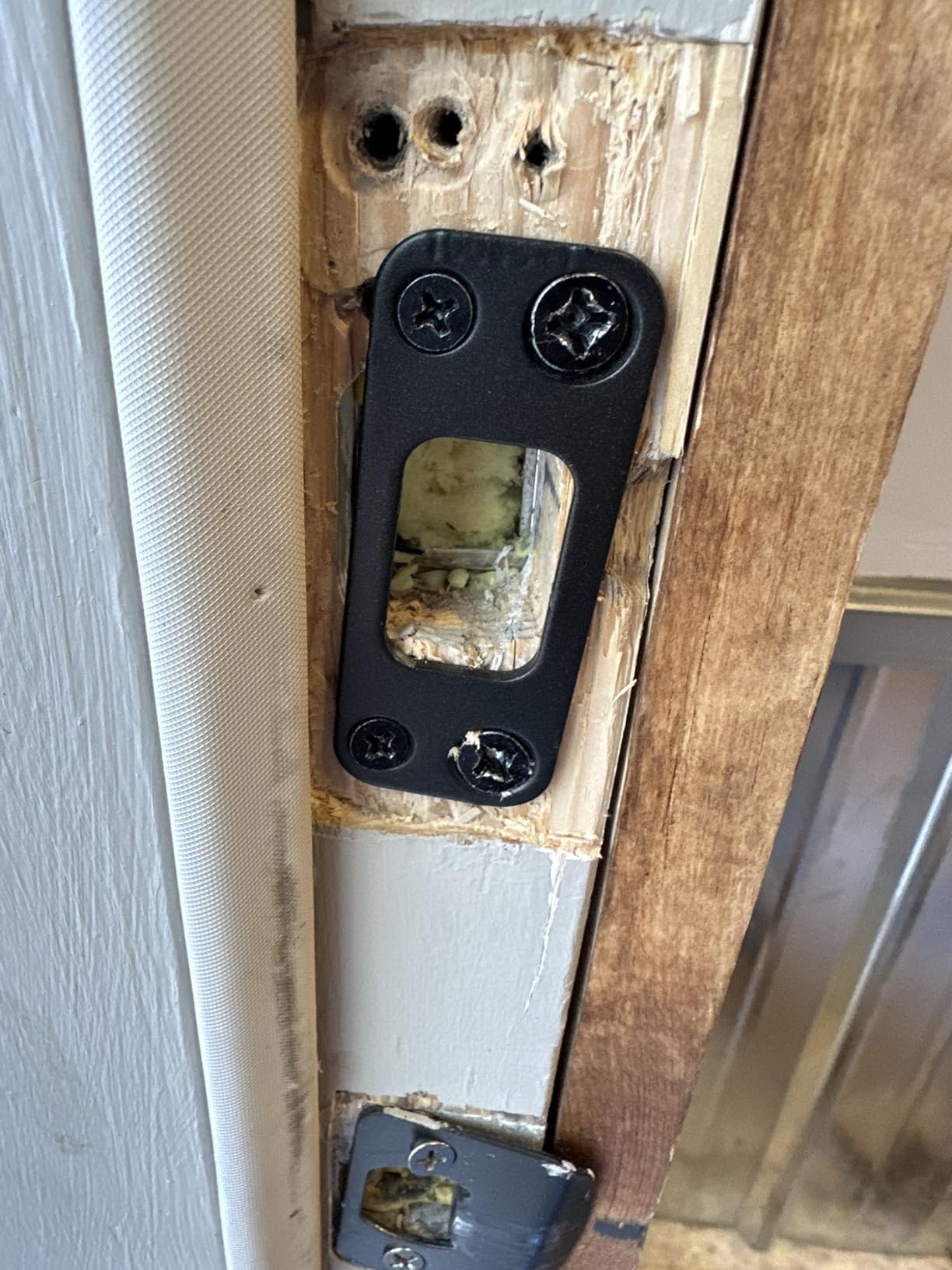
The capacitive touchscreen is the weak point. Reviewers report it missing a code on the first press, and the digits are hard to see in low light without waking the panel.
Rekeying to existing house keys needs a separate kit, and a few buyers reported the deadbolt needing adjustment to fully extend into the strike plate.
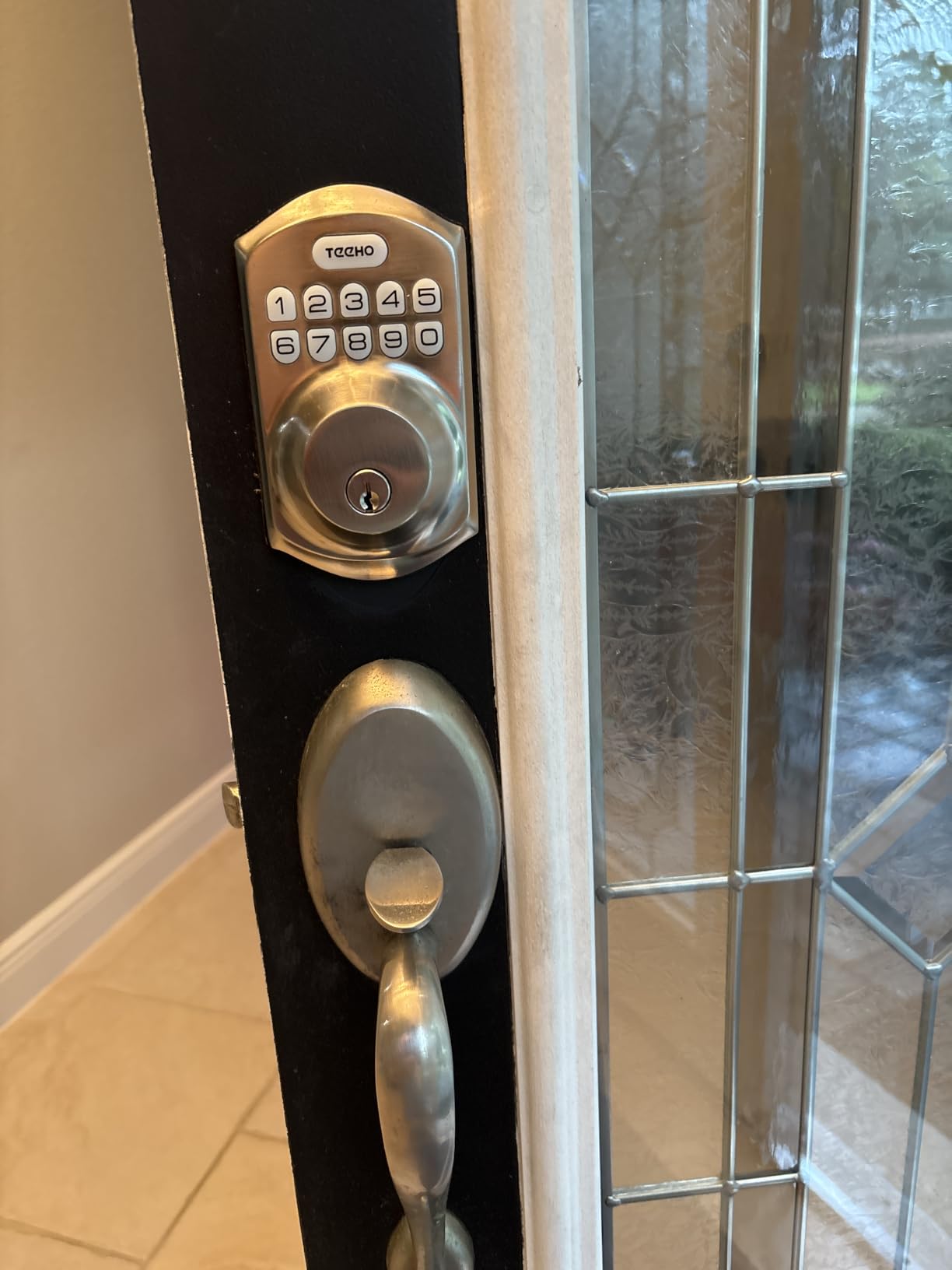
2. TEEHO TE001 Keypad Deadbolt — the Budget Pick for a plain keypad
TEEHO TE001 Keyless Entry Deadbolt with Keypad for Front Door, Satin Nickel
Offline keypad deadbolt
20 codes plus one-time guest PIN
Four AA batteries, up to 365 days
IP54 aluminum alloy body
Pros
- 20 individual codes plus a self-deleting guest PIN
- Fits standard deadbolts in about 20 minutes
- Up to 365 days on four AA batteries
- IP54 sealed aluminum alloy body
- Two physical backup keys included
Cons
- No app
- Wi-Fi or voice assistant
- Exterior housing feels lighter than premium deadbolts
- Lock and unlock beep is noticeably loud
Not every front door needs a phone. The TE001 is a keypad deadbolt that does one job, with no account, no cloud and nothing to configure beyond typing your code twice.
You get 20 individual user codes plus a one-time PIN that deletes itself after use, which solves the contractor and housekeeper problem neatly.
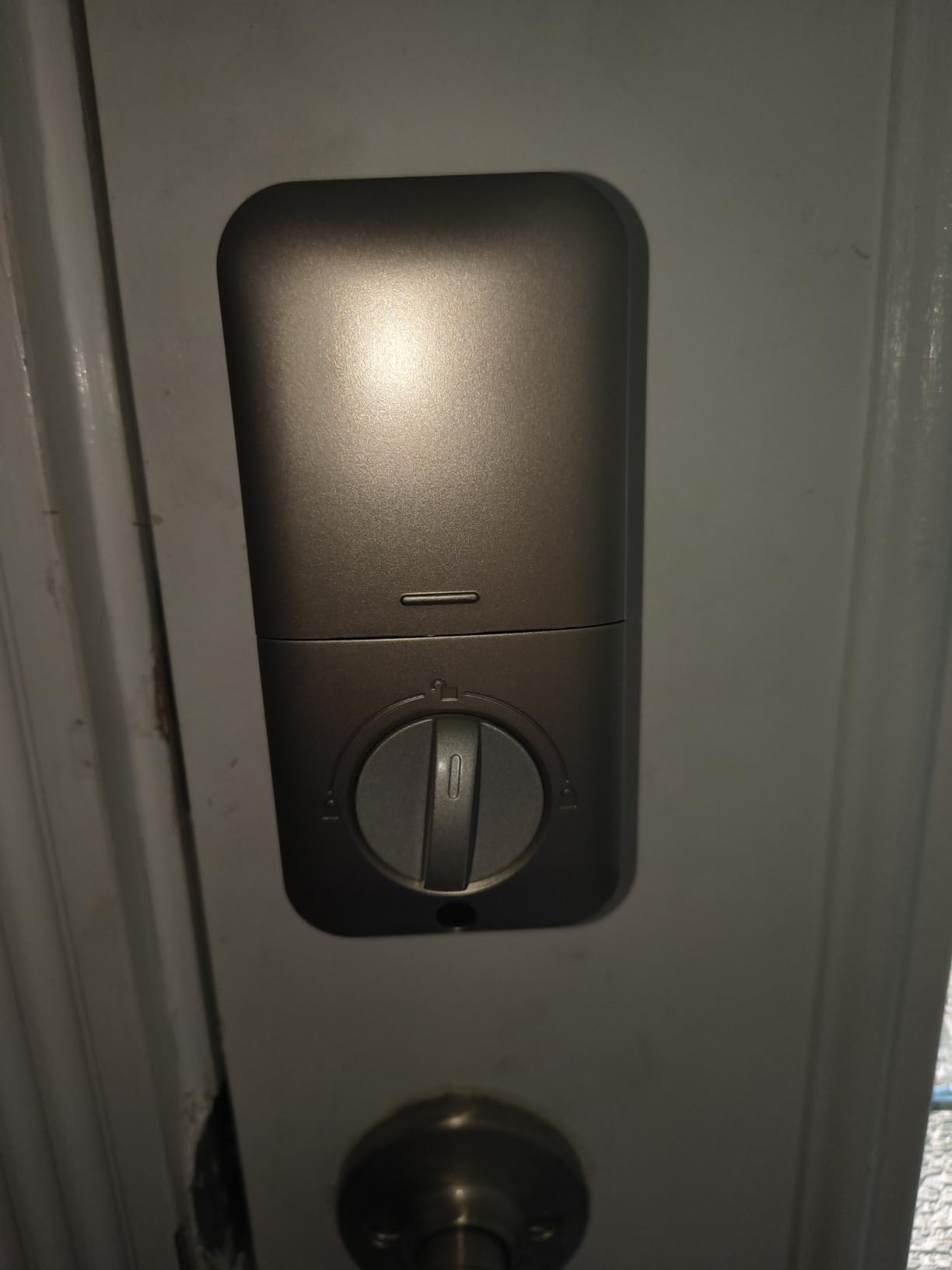
It fitted our test door in about twenty minutes with a screwdriver, and a reset-before-use function auto-detects the door handing so the same lock works on either swing.
The headline spec is battery life: up to 365 days on four AA cells with a low-battery indicator, in a format you can buy spares for anywhere.
Why buy it
It suits anyone wanting codes, a physical key and long battery life with no interest in a smart home, including landlords who care that the lock still works in year three.
The rating is ANSI Grade 3, honest for this class and adequate for a residential front door. There is no access log.
What you give up
There is no remote access at all. If a delivery driver needs in while you are at work, the only route is a mechanical key or a family member with a code.
Reviewers also mention the exterior housing feeling lighter in the hand, and the beep being loud enough to carry through a quiet entry hall.
3. ULTRALOQ Bolt SE — the best pick for Matter and Apple Home
ULTRALOQ Bolt SE Wi-Fi Smart Lock, Matter Over Thread, App Remote Access
Matter over Thread plus built-in Wi-Fi
Fingerprint, code, app, voice, keys
IP65 BHMA certified zinc alloy
Two emergency keys
Pros
- Seven unlock methods in one lock
- Built-in 2.4 GHz Wi-Fi with no hub
- Matter over Thread support
- Rekeyable barrel matches house keys
- BHMA certified with IP65 sealing
Cons
- Fingerprint and proximity unlock can be inconsistent
- Voice assistants can report unlocks that did not happen
- Matter remote access needs a Thread Border Router
The Bolt SE is the most future-proof lock here, and the reason is Matter over Thread sitting alongside a built-in 2.4 GHz Wi-Fi radio. It works in Apple Home and other Matter ecosystems without a vendor hub while still doing remote unlock on its own.
Seven unlock paths are supported: 50 fingerprints, 50 passcodes, the app, a web portal, eKey sharing, voice control and two mechanical keys.
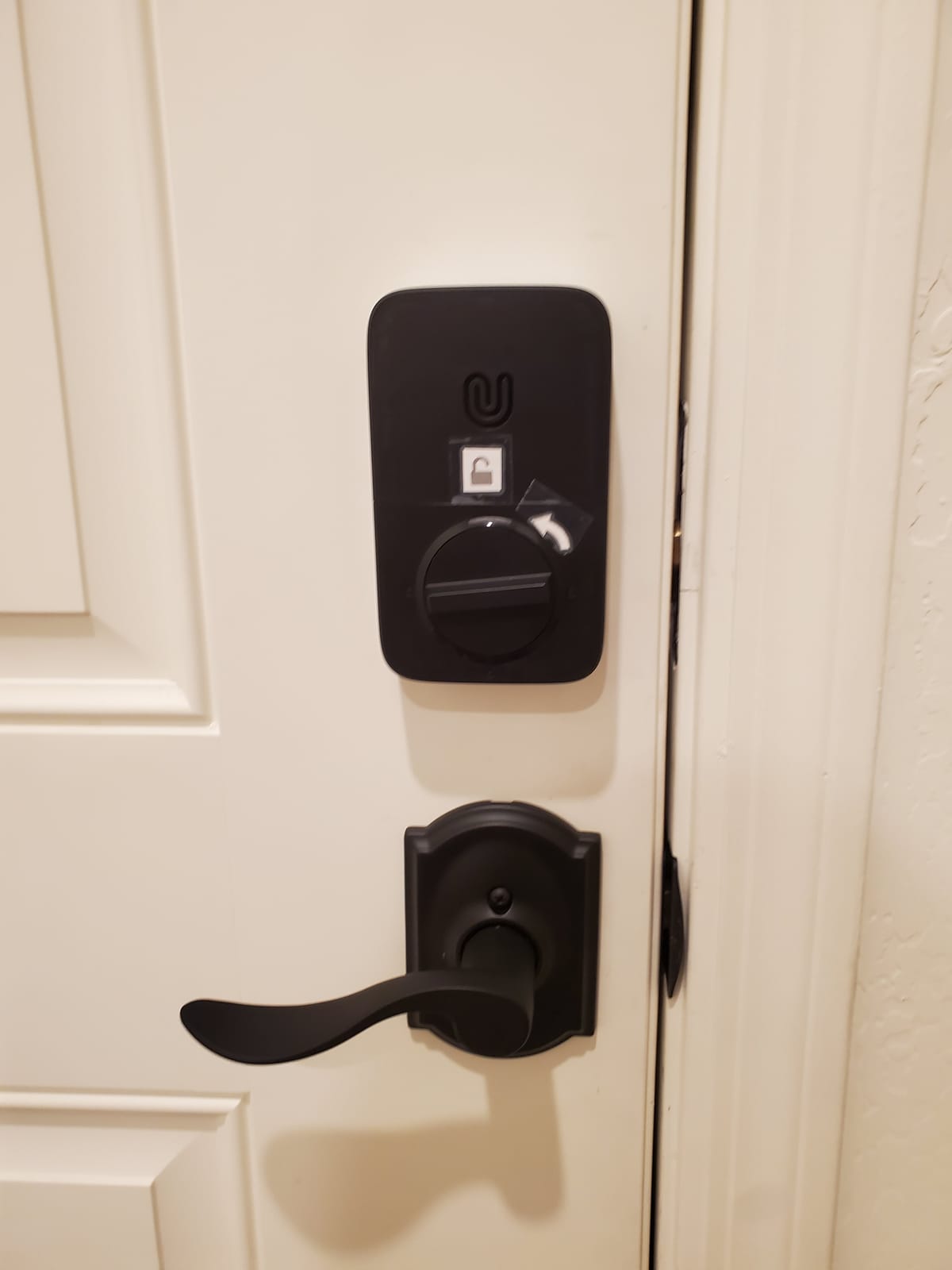
Construction suits an exposed door, with a BHMA and ANSI certified zinc alloy body, IP65 water resistance and a glove-friendly keypad for winter mornings.
Two details set it apart from cheaper fingerprint locks. The barrel removes and rekeys to your existing keys, and the maker claims up to 18 months of battery life with a preset auto-lock timer.
Best for a mixed-ecosystem household
If some of the house runs Apple Home and the rest runs Alexa or Google, Matter is the common language and this lock speaks it. It is also a fit for anyone wanting fingerprint, keypad and key in one device.
The warranty pairs a lifetime mechanical term with 18 months of electronics, and the stated install time is 10 minutes with the kit included.
Where the friction is
Biometrics are the weak point. Reviewers report the fingerprint and proximity unlock needing several attempts, which undercuts the reason for buying a fingerprint lock.
It is 2.4 GHz Wi-Fi only, so a router with that band disabled will cause grief, and remote Matter access still expects a Thread Border Router in the home.
4. Sifely Smart Lock with Handle — the best lock for a rental front door
Fingerprint Smart Door Lock with Handle & Keypad – No More Lost Keys, Keyless Entry & Remote Access for Home, Kids, Airbnb & Rental Property, DIY Install, Alexa & Google Compatible
Fingerprint lock with handle and keypad
App, fob and key entry
Keys and key cards work flat
One-year product warranty
Pros
- Fast fingerprint reader with fob and code options
- Reversible handle installs with no drilling
- App issues temporary guest codes
- Keys and key cards work on flat batteries
Cons
- Not sealed enough for a fully exposed door
- Barrel cannot be rekeyed to house keys
- No lockout after repeated failed attempts
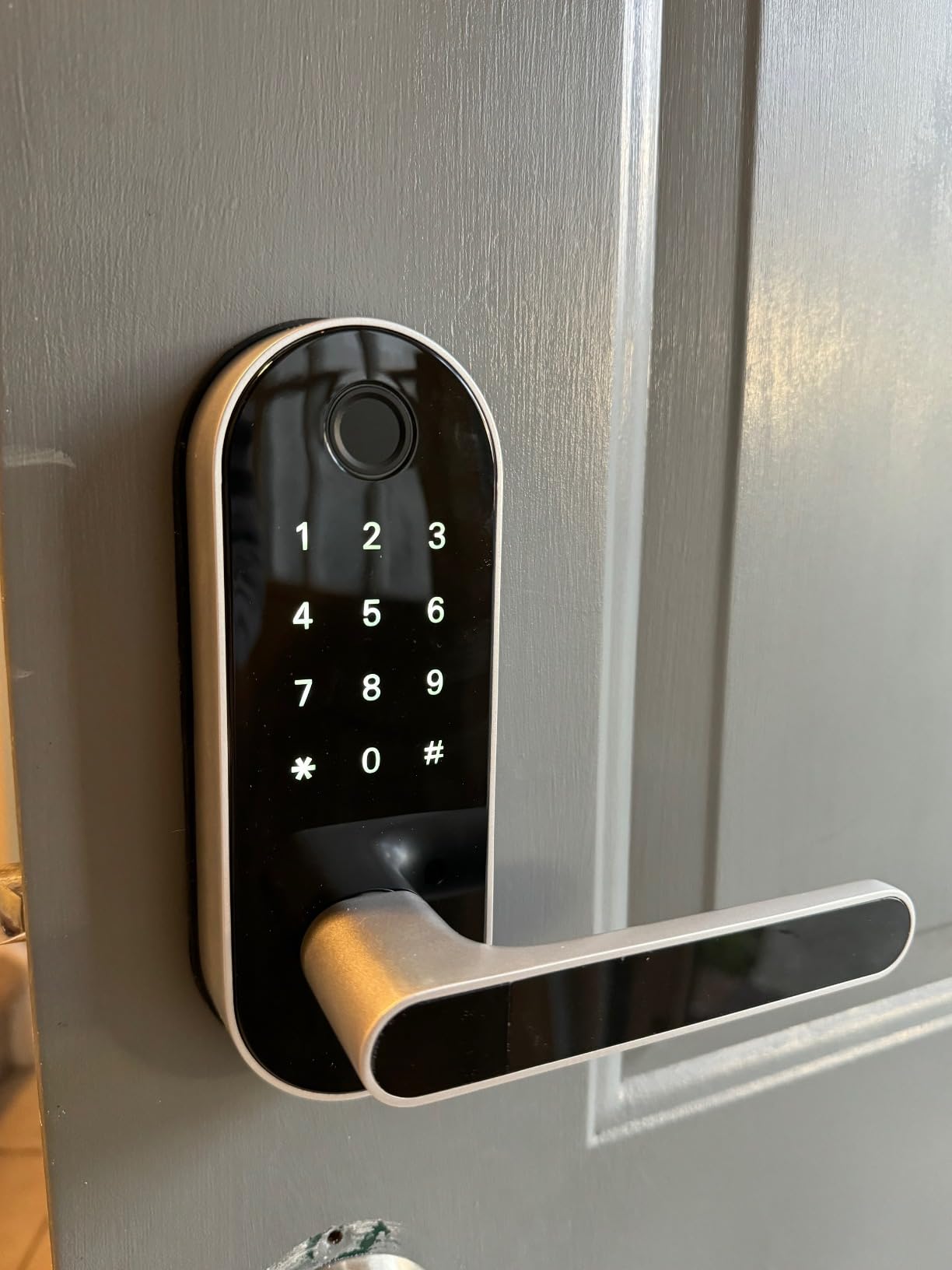
This is a handle lock rather than a deadbolt, which makes it the odd one out and the right answer in a specific situation. If your front door is a knob-and-lever, or you want a lever you can pull from a keychain, it gives fingerprint, keypad, fob, app and key entry on one unit.
Installation is quick. The handle is reversible for either door swing, most standard wooden front doors need no extra drilling, and the gateway for anywhere access is sold separately.
The fingerprint reader is the fast part, and two key cards plus two physical keys mean you are never dependent on the electronics alone.
For short-term rentals, app-generated codes are the selling point. A guest types one in, and you remove it from your phone when they leave.
Where it earns its place
It suits a rental where keeping existing hardware matters, a wooden door that will not take drilling, or a household where a lever beats a thumbturn. Customer support also ships replacement hardware for defective locks.
Owners report that directly, along with the fob and fingerprint options working reliably in daily use.
Why you might skip it
This is the biggest caveat in the list. It is weather resistant but not sealed enough for a fully exposed door without a cover, and a front porch is exactly that.
Reviewers also report a slow-waking touchscreen keypad, a barrel that cannot be rekeyed to house keys, and no lockout after repeated wrong attempts.
5. eufy Security Smart Lock C220 — the best balance of fingerprint and app
eufy Security Smart Lock C220, Fingerprint Keyless Entry Door Lock
Fingerprint, keypad, app and watch entry
Built-in Wi-Fi with no bridge
About 8 months on eight AA
BHMA Grade 3, IP53
Pros
- Fingerprint reads in under one second
- Built-in Wi-Fi removes the bridge hub
- Eight AA batteries included for about 8 months
- Fits bores under 54mm without drilling
- Rated for -22F to 158F
Cons
- Eight AA batteries with no rechargeable pack
- Fingerprint struggles with very wet fingers
- Auto-lock does not check whether the door is closed
The C220 is the middle of the road in the best way. Six ways in, including Apple Watch, plus a self-learning fingerprint reader and built-in Wi-Fi so you can check the door from work without a bridge.
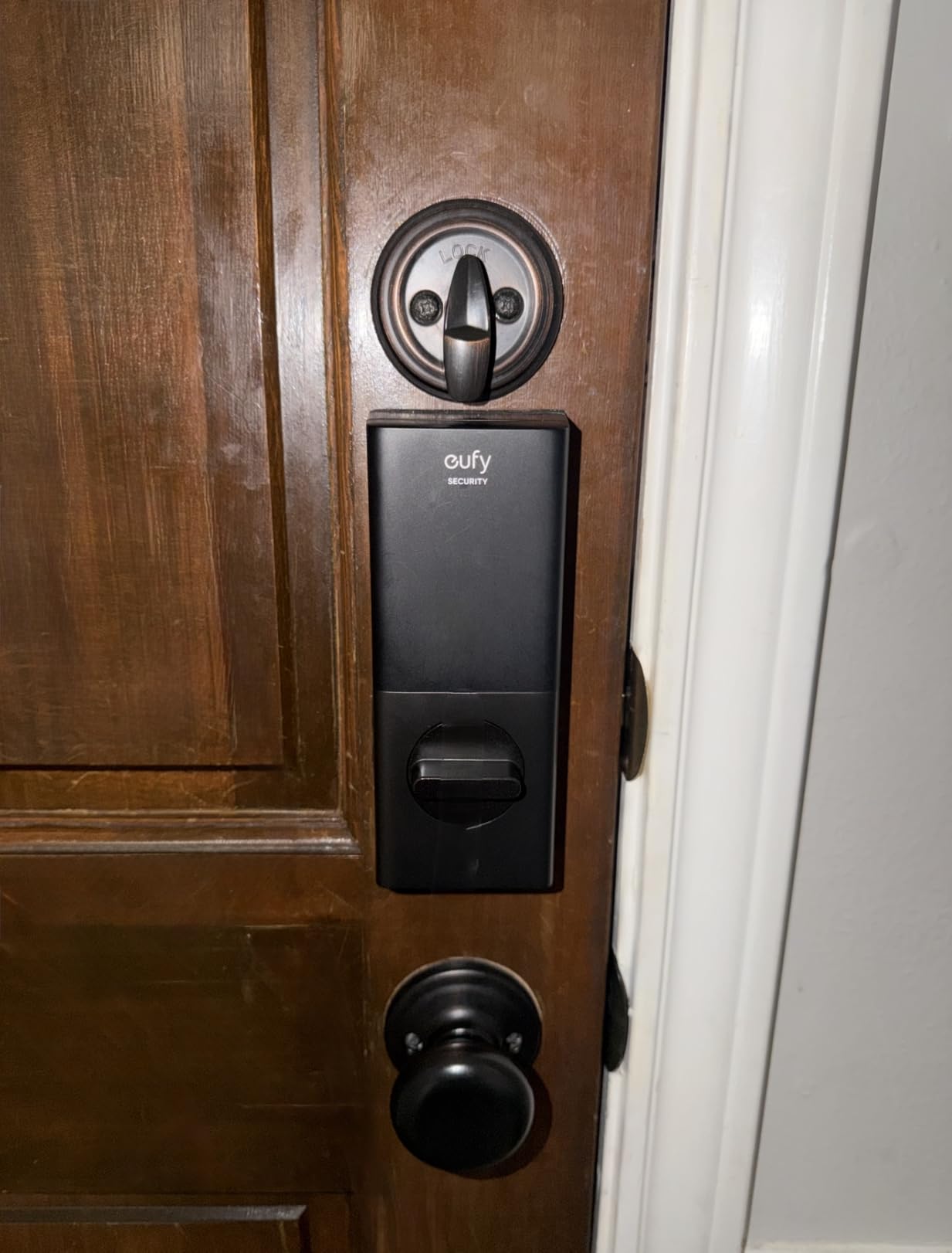
Installation took about 15 minutes with no drilling, and if your bore is under 54mm you remove a spacer and it still goes in. The eight AA batteries ship in the box.
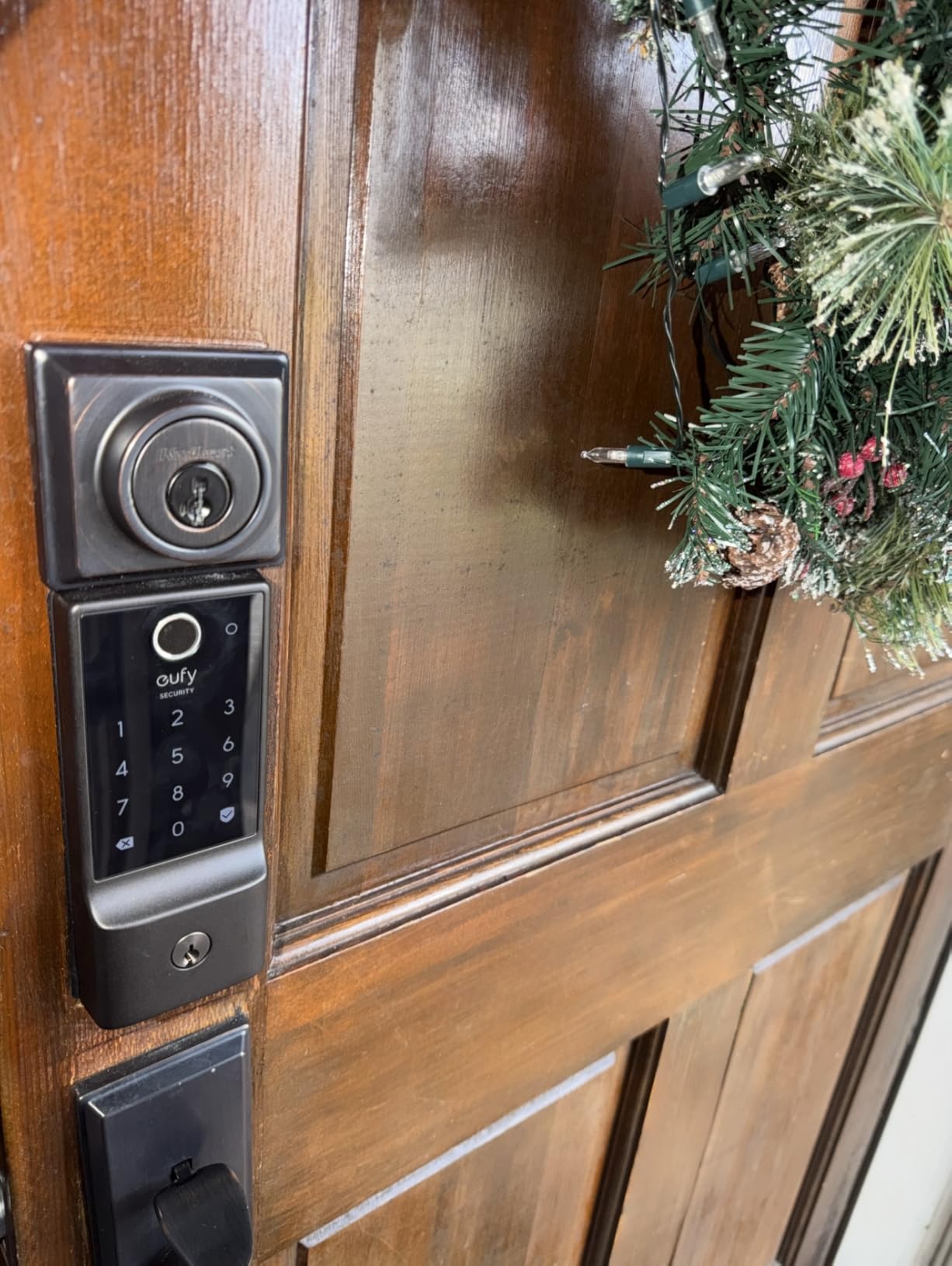
Certification matters on a front door. This one is BHMA Grade 3 and IP53 rated, with a stated range from -22F to 158F, covering a northern winter and a southern summer.
It also ties into the wider eufy Security setup if you already run their doorbells and cameras, and unusual-attempt open alerts tell you when someone is trying unknown codes.
Who should buy it
It suits a household where somebody already carries an Apple Watch and would rather not dig out a phone in the rain, and anyone who wants a fingerprint reader that improves with regular use.
Temporary codes for a sitter or contractor take seconds in the app, and the physical key is still there the day the app is down.
What to watch
Eight AA batteries is a lot of cells, and owners report faster failures in cold weather than the advertised figure suggests. There is no rechargeable pack option.
The reader also struggles with very wet or sweaty fingers until you re-register, and the auto-lock timer does not check door position, so it can relock mid-stride.
6. Yamiry Fingerprint Door Handle Lock — the best for landlords and rental hosts
Smart Door Handle Lock with Keypad, Yamiry Fingerprint Knob for Front Door
Fingerprint knob with keypad
App, fob, key and voice
Six entry methods
Adjustable latch included
Pros
- Six ways to unlock in one lock
- About 10 minute no-drill install on wooden doors
- App manages permanent and temporary codes
- Handles multiple properties from one app
- Two fobs and two mechanical keys included
Cons
- Remote and voice control need the separate WiFi gateway
- Bluetooth-only range without that gateway
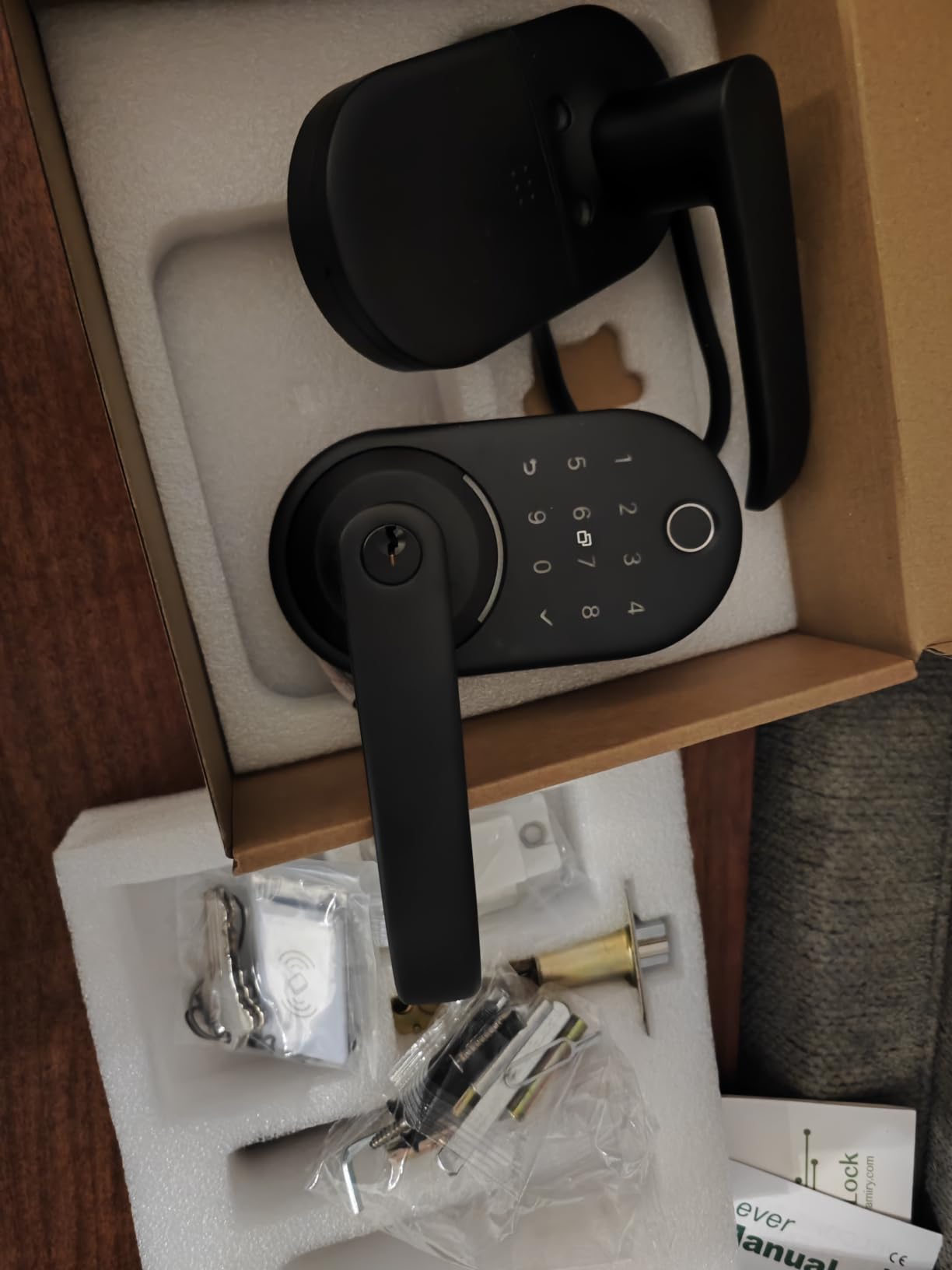
The Yamiry is built around a fingerprint knob rather than a thumbturn, and for some front doors that decides it. The compact matte black unit offers six entry methods: fingerprint, Bluetooth app, passcodes, fobs, mechanical keys and voice unlock.
For anyone running more than one door, the app is the point. You can read unlock records across multiple properties, hand out permanent or temporary codes, and revoke them the same afternoon.
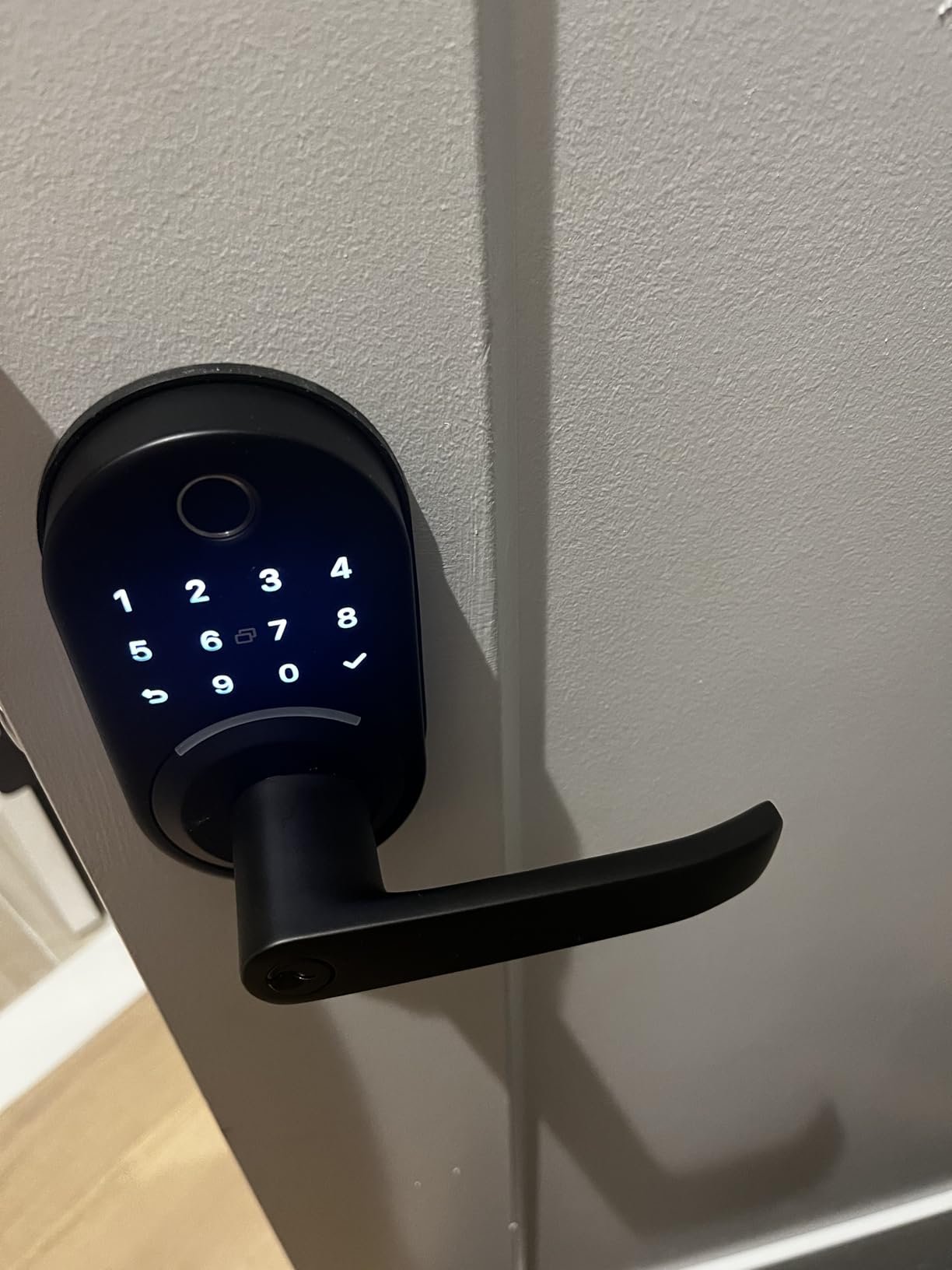
Fit was the pleasant surprise. The reversible handle installs in about 10 minutes on most American wooden front doors with no drilling, and an adjustable latch covers the door-to-jamb gap.
Passage mode leaves the lock open during a gathering, and two key fobs plus two mechanical keys cover the days when Bluetooth is the wrong answer.
Where it makes sense
Short-term rental hosts and landlords get the most from it, because temporary access is the whole product. It is also decent for a family where a knob is easier for a child than a thumbturn.
The body is stainless steel and zinc rather than the light aluminum used on cheaper locks, and the finish suits a modern door without looking like a gadget.
The gateway catch
Out of the box this is a Bluetooth lock, which means app control works at the door and nothing further. Remote lock control and Alexa voice unlock need the separately sold WiFi gateway.
That is a fair trade across several properties, but for one front door the Schlage Wi-Fi model includes that radio at no extra purchase.
7. Veise RZ07 Fingerprint Deadbolt — the best for large code lists
Veise RZ07 Fingerprint Smart Door Lock Deadbolt, App Control, Matte Black
Fingerprint deadbolt with 7 entry paths
250+ user codes, no monthly fee
BHMA Grade 3 with IP55 sealing
US-based phone support
Pros
- Fingerprint unlock in about 0.2 seconds
- 250+ user codes with no subscription
- US-based phone support
- Fits doors from 1-3/8 to 2 inches thick
- Up to 12 months of stated battery life
Cons
- Tinted keypad glass is hard to read in sun
- Bluetooth pairing often takes two or three tries
- In-app battery gauge stays at full for months
Most locks top out between 20 and 100 codes. The RZ07 lists 250 or more, with one-time, permanent, scheduled and recurring access types and no monthly fee attached, which is a real advantage for a small multi-unit property.
The fingerprint reader is the fastest on paper here, unlocking in about 0.2 seconds and storing up to 50 prints, with a touchscreen keypad, two IC cards, two keys, app and web portal on top.
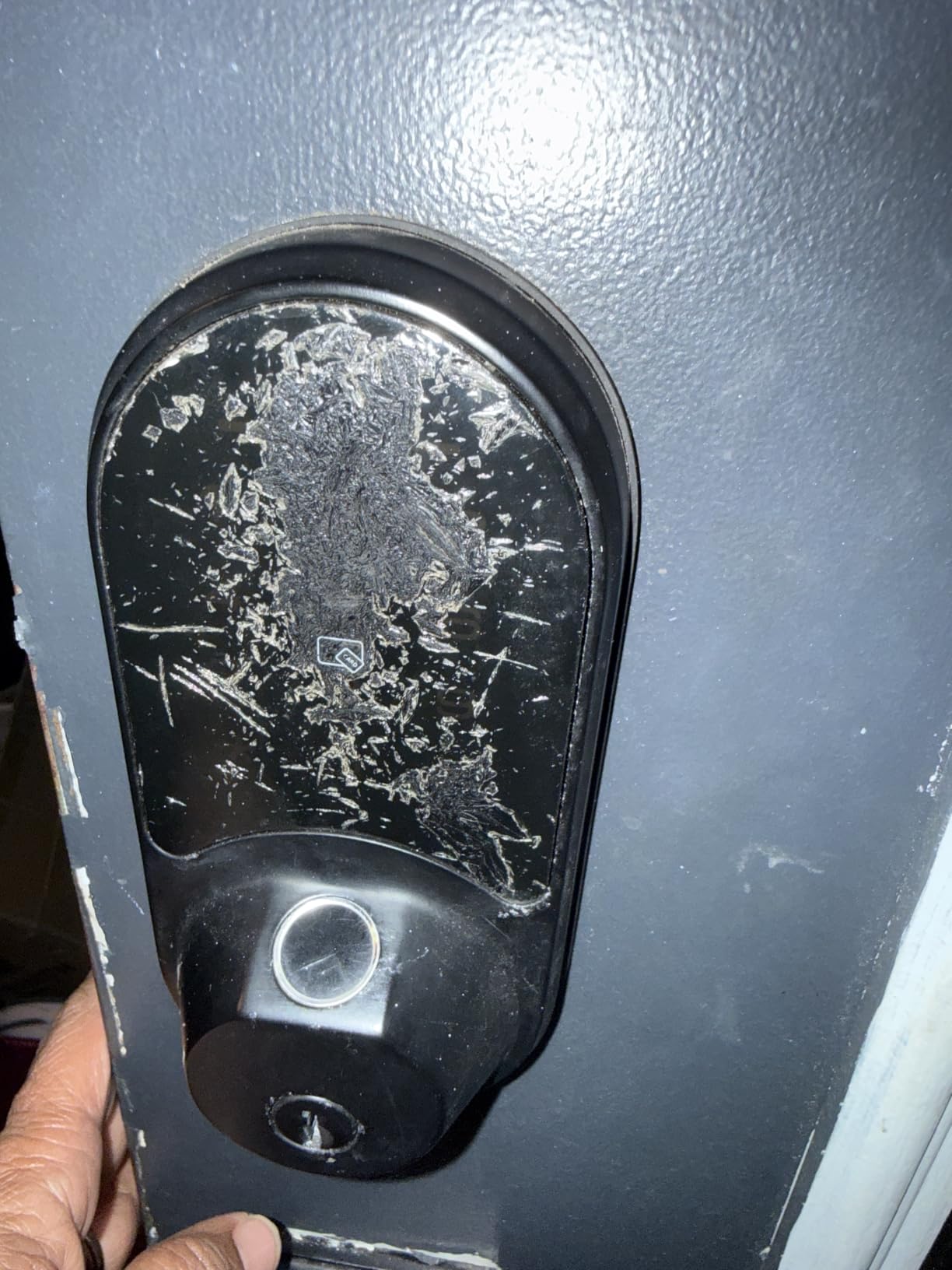
The build suits an exposed door better than most at this level, with BHMA and ANSI Grade 3 certification, IP55 weatherproofing and up to 12 months of stated battery life.
Support also stood out. The warranty extends from one year to two with registration, alongside lifetime phone support, and owners report staff replacing units past warranty.
Who it works for
This is the one to look at if you are moving more than a handful of people through one door. Remote eKey generation lets you hand out access without texting a code, at no recurring cost.
It is also a good answer for a house with teenagers and a dog walker, where handing over a physical key means something that can be copied and lost.
Its weaknesses
The dark tinted keypad glass is genuinely hard to read in direct sun, which is a front-door problem specifically. The touchscreen can also lag on wake, and Bluetooth pairing needs retries.
The in-app battery indicator is unreliable and can sit at full for months, and a small number of long-term owners report the motor failing and the lock stuck in a locked state.
8. DESLOC B200 Fingerprint Deadbolt — the best for cold climates
DESLOC B200 Fingerprint Smart Door Lock, Keyless Entry Deadbolt
Fingerprint deadbolt with touchscreen keypad
Four AA batteries, up to 12 months
USB-C emergency power port
IP54 rated, -22F to 158F
Pros
- Fingerprint reads in under 0.3 seconds
- Up to 12 months on four AA batteries
- USB-C emergency power port
- Rated for -22F to 158F operation
- Screwdriver-only install on standard US doors
Cons
- App and voice features need the G2 gateway
- Fingerprint less reliable with dry skin
The B200 has the spec sheet most suited to an exposed door. It is IP54 water resistant with a stated operating range of -22F to 158F, covering most of what North American weather will throw at it.
Entry covers eight paths, and the self-learning reader stores up to 50 fingerprints with reads under 0.3 seconds. The keypad carries a low-battery indicator and a USB-C emergency power port.
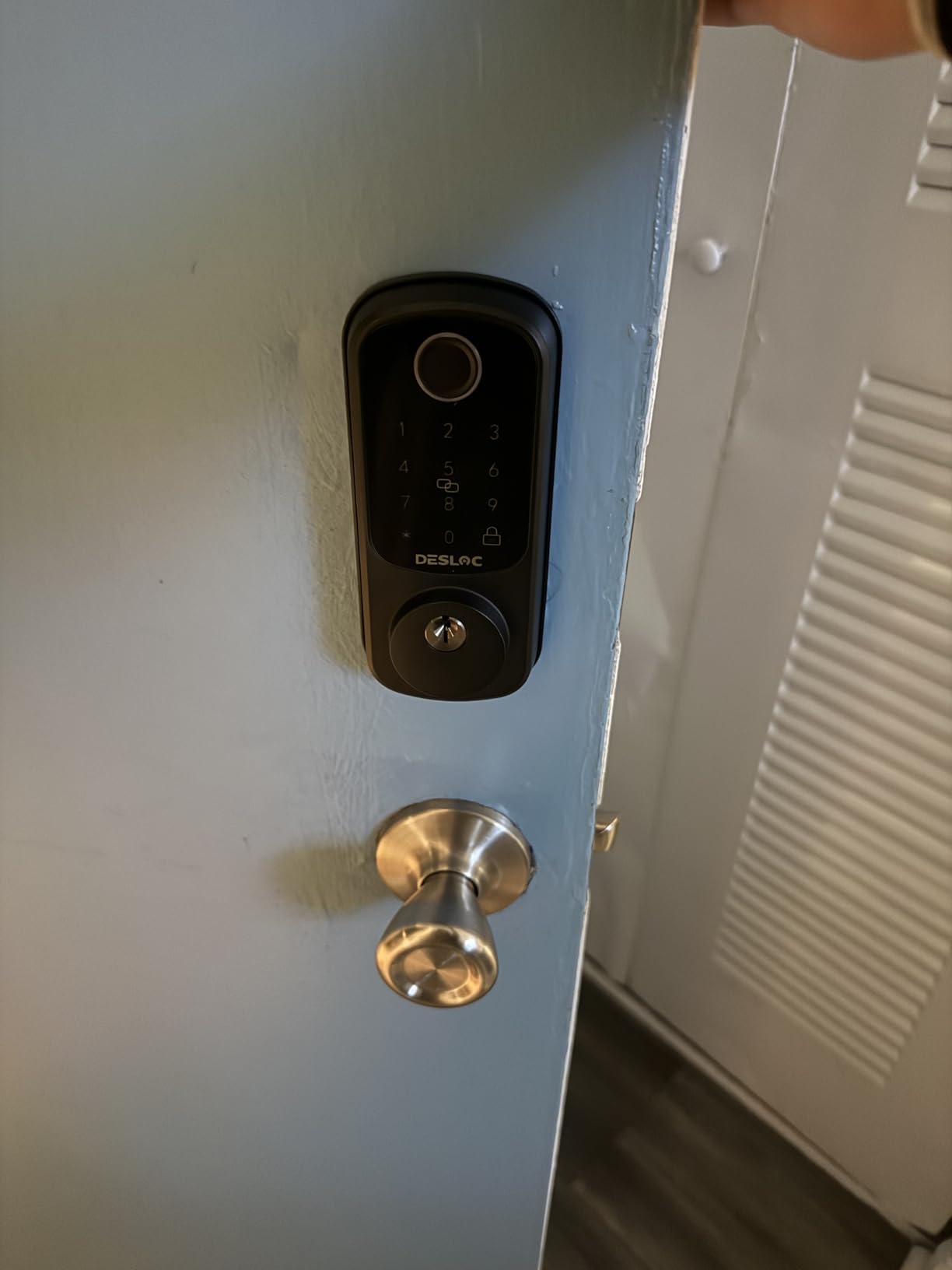
That emergency port deserves more attention than it gets. When batteries die you can power the lock at the door and unlock, rather than depending on the key cylinder.
Install is screwdriver-only on most standard US doors, and scheduled or temporary codes come through the TTLock app over Bluetooth, with two physical keys and a fob included.
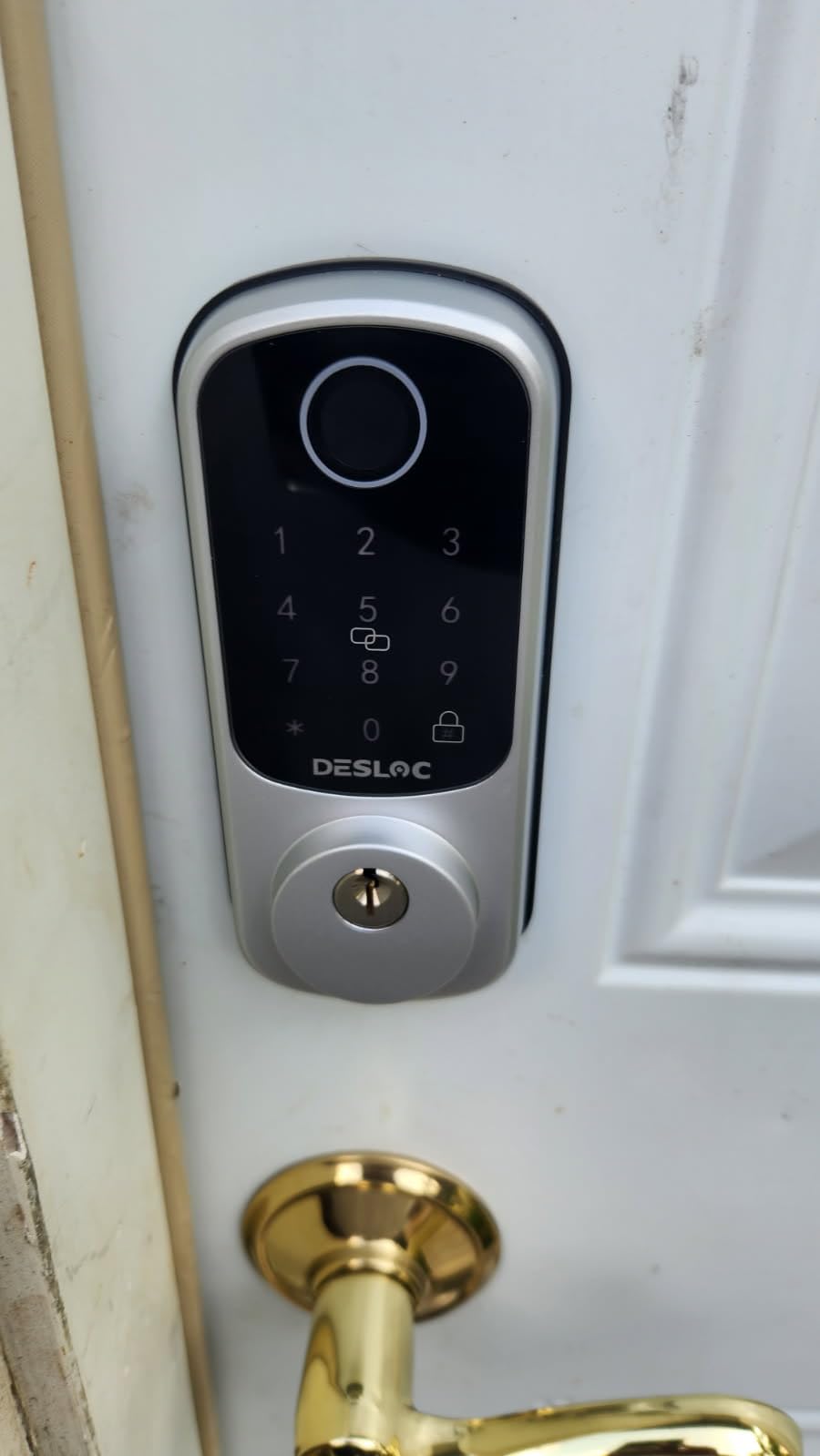
Where it fits
If your front door faces winter, the wide temperature rating plus 12 months on four AA cells is the reason to pick it, and the emergency port is the safety net.
It carries a 12-month warranty with lifetime US-based phone support and around-the-clock email, which is reasonable backup for a lock.
What to know first
App control beyond Bluetooth range, and voice features, need the separately sold G2 gateway. Without it the app works at the door and not much else.
The second issue is dry skin. Reviewers report reads dropping as hands get dry in cold weather, and the fix is registering the same finger from several angles.
9. Zylenor Wi-Fi Keypad Deadbolt — the cheapest way to add app control
Zylenor Keyless Entry Door Lock, Smart Lock for Front Door with Digital Keypad, Built-in WiFi Deadbolt, App Remote Control with Easy Installation, Upgraded Battery Life
Wi-Fi keypad deadbolt with app control
Gyroscope auto-lock after closing
Zinc alloy body with IPX4 sealing
USB-C emergency charging
Pros
- Built-in Wi-Fi with no separate hub
- Gyroscope auto-lock waits for the door to close
- Up to 10 months on eight AA batteries
- Anti-hijacking alarm for a set user ID
- USB-C emergency charging port
Cons
- Fits only 35-50mm doors with a 2-1/4 inch bore
- Listing is unclear about what ships in the box
- Always-on Wi-Fi adds battery consumption
The Zylenor answers a narrow question well: can you get app control and remote unlock without paying for a fingerprint reader or a hub. You can, with the radio built into a zinc alloy body.
Two features stand out for a front door. The gyroscope auto-lock waits until the door is physically closed before throwing the bolt, and the anti-hijacking function alarms when a designated user ID opens it.
It also has a USB-C emergency charging port, with up to 10 months of stated life on eight AA batteries. The body meets BHMA Level 3 standards with IPX4 protection.
Owners describe a solid lock with a clean matte black finish and a responsive keypad, though a number of reviews on this listing appear to cover earlier products from the same listing.
Reasons to buy
It works for a covered front door in mild weather, for a household mostly wanting temporary passwords, and for anyone building a smart home without adding another hub to the network.
The gyroscope behavior is more thoughtful than the fixed timers on cheaper keypads, and it shows up every single day.
Check your door first
The fit is specific. The lock body suits 35-50mm door thickness with a 2-1/4 inch, 57mm bore, so a thick door or narrow bore rules it out entirely.
The listing for included components mentions only the front panel, so confirm the box contents, and the always-on Wi-Fi mode adds battery consumption versus a sleeping radio.
10. eufy Security Video Smart Lock E330 — the best for video and lock in one
eufy Security Video Smart Lock E330, Fingerprint Keyless Entry Door Lock
2K camera and fingerprint deadbolt combined
10,000mAh rechargeable battery
8GB built-in storage
BHMA Grade 3, IP65
Pros
- Camera and lock in a single unit
- Fingerprint plus app
- keypad and key entry
- 10000mAh rechargeable battery powers both
- BHMA Grade 3 with IP65 weather resistance
Cons
- Notification preview images are stored in the cloud
- Works mainly with other eufy cameras and chimes
- Lowest rating in this group
Two devices on one door become one with the E330. A 2K HD camera with an f/1.6 lens sits above a fingerprint deadbolt, so you get visitor video and keyless entry from a single unit and a single charge.
The 10,000mAh rechargeable battery powers lock and camera together, removing the annual battery ritual. Storage is 8GB built in, expandable through eufy Chime, Chime 2 and HomeBase 3.
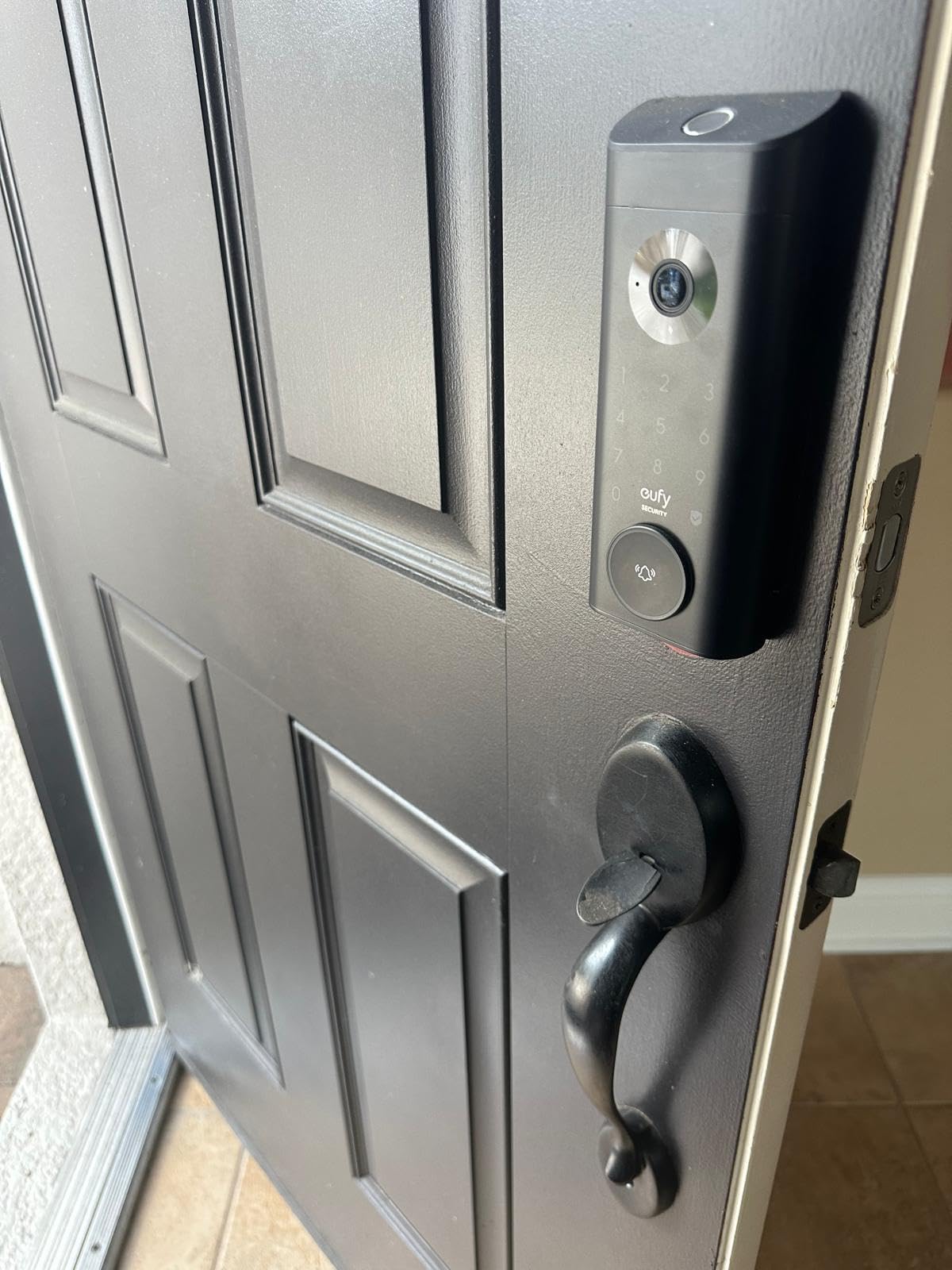
Entry is fingerprint first, then app, keypad, physical keys, Alexa and Google voice. Installation takes about 15 minutes with no drilling on most standard US deadbolts.
That means you are buying into the eufy Security ecosystem. If you already run their cameras, the shared app is a plus; if not, it is a new dependency.
Who it suits
This suits someone who wants porch camera coverage of deliveries and visitors in the same unit as the lock, and who prefers one rechargeable battery to a drawer full of AA cells.
Remote viewing, access management and real-time notifications run through the eufy Security app, so you can watch a delivery happen rather than find out afterwards.
Reasons for caution
This lock carries the lowest rating in the group, which points to more complaints per buyer than the others, and its one-star share is higher than anything else we tested.
Thumbnail previews in push notifications are temporarily stored in the cloud, which matters if a local lock is your reason for caring about privacy, and Chime and HomeBase accessories sell separately.
How to Choose a Smart Lock for a Front Door
Retrofit or full replacement
This is the decision that matters most, and it is not a technology question. A retrofit lock bolts onto your existing deadbolt and leaves the cylinder, strike and key untouched. A replacement takes out the whole lock, often including the strike plate.
Retrofit wins when you rent, when the existing deadbolt is good, and when you do not want to rekey. Replacement wins when you want a matching full-length handle, when the old deadbolt is worn, or when you want a lock that disappears into the door rather than sitting on it.
Discussion on r/smarthome keeps circling the same point, that keeping the existing deadbolt avoids rekeying and landlord friction, and that the ecosystem choice matters more than the lock model. For renters that points one way: a retrofit is safer, and the outside of the door still looks like a smart lock.
Unlock methods and who they serve
Keypad codes are the workhorse. Per-person codes beat a shared one, because you can revoke a single person instead of changing the code for everyone. Fingerprint readers are faster, but the most temperamental on this list, and wet hands, dry winter skin and a hurried morning are what break them.
App and geofencing unlock suits drivers who never touch a keypad with groceries in both hands, though it gives a false sense of security if the phone stays at home. Apple Home Key and similar NFC passes are smoothest for single-platform households. Fobs and key cards are cheap and unglamorous, and they work on a lock whose sensor is having a bad week.
Every lock here keeps a physical key cylinder, which is the most important unlock method of all. Buyers treat physical key backup as non-negotiable on a front door, and we agree.
Connectivity, hubs and what Matter means
Connectivity splits three ways. Bluetooth alone means the app works at the door and nowhere else. Built-in Wi-Fi means remote unlock with no extra hardware, which is what the Schlage Encode, the ULTRALOQ Bolt SE, the eufy C220 and the Zylenor do. Z-Wave, Zigbee and Thread need a hub, and hubs are where real cost and setup friction hide.
Matter is the industry’s answer to the hub problem. In plain language, it is a shared standard that lets devices from different brands work in the same app, locally, without each company building a private bridge. For a lock, that means Apple Home, Google Home, Alexa and SmartThings can all see the same door, and the lock still works when your internet does not.
The catch is that remote Matter access needs a Thread Border Router, usually a hub or smart speaker you already own. Lock at the door, unlock locally, and the network stops being a single point of failure. The ULTRALOQ Bolt SE is the only lock here that speaks Matter, which is why it took the number three slot.
Security, hacking and account hygiene
Can smart locks be hacked? The realistic risk is not the motor, it is the account. A deadbolt resists prying. A connected one is a small computer with a cloud login, and a reused password on the lock account is the failure that actually happens, not some attacker decoding the encryption.
The advice is unglamorous and effective. Use a unique passphrase of at least 12 characters, turn on two-factor authentication, keep automatic firmware updates enabled, and run IoT devices on a separate network or guest VLAN if your router supports it.
On the mechanical side, ANSI/BHMA grades rate durability and attack resistance, with Grade 1 the hardest and Grade 3 the residential entry point. The certified locks here all sit at Grade 3, which is normal and adequate. Judge the electronics separately, by the update policy of the company that made them.
Durability on an exposed door
A front door is the one lock exposed to weather, and IP ratings matter more here than on a back door. IP54 is a splash rating, adequate under a covered porch. IP55 and IP65 are what to look for on an uncovered or west-facing door, and the ULTRALOQ Bolt SE, the eufy E330 and the Veise RZ07 carry the strongest sealing here.
Temperature is the other half. Look for a stated operating range, and the eufy C220, DESLOC B200 and eufy E330 all publish figures down to -22F, with the eufy locks reaching 158F.
Keypad legibility deserves its own note because it is the most common front-door complaint after batteries. A capacitive touchscreen can be near-invisible in direct sun, and the reviews on the Schlage and the Veise describe the same problem. If your door gets full afternoon sun, choose a lock with physical number buttons or a matte, high-contrast keypad.
Battery life and how to stretch it
Stated battery life runs from about 8 months on the eufy C220’s eight AAs up to 18 months claimed on the ULTRALOQ Bolt SE. Treat every one of those as a low-traffic figure, because a door that opens 25 times a day drains faster than any test bench.
Four habits make the biggest difference. Set the auto-lock delay to the shortest interval your family tolerates. Remove unused codes, since each active one is a small recurring cost. Ignore voice unlock, which wakes the radio for a task the keypad does better. And do not rely on the app battery gauge, since at least one lock here is notoriously optimistic, so a calendar reminder is more reliable.
The lockout story is simple. Every lock here has a key cylinder that works on a flat battery, several add a USB-C emergency port, and the batteries are standard AAs or a rechargeable pack you can buy anywhere.
How to Measure Your Front Door Before You Buy
Most returns in this category are fit problems, and a tape measure settles them in five minutes.
Measure door thickness from face to face. Most locks accept 1-3/8 to 1-3/4 inches, the range listed for the Schlage, and some stretch to 2 inches, while the Zylenor is strictest at 35-50mm.
Measure the backset, the distance from the door edge to the center of the bore, which is usually 2-3/8 or 2-3/4 inches. Check the bore diameter, since the eufy C220 handles anything under 54mm by removing a spacer. Finally, confirm the door closes and latches properly, because auto-lock on a misaligned door is the most common cause of a deadbolt that will not throw.
If you rent, stop here and read your lease. A retrofit that leaves the existing deadbolt in place is easier to justify and avoids a landlord conversation. If you own the door, a full replacement takes about the same time once the lock is in your hand.
Frequently Asked Questions
How secure are smart locks for a front door?
A smart lock is not weaker than a good deadbolt, it is a different object. The mechanical side still comes from ANSI/BHMA testing, and the locks here are Grade 3 certified. The added risk is electronic and account-based, so use a unique passphrase, turn on two-factor authentication and keep firmware updates enabled.
Can smart locks be hacked?
The realistic failure is a weak or reused account password, not broken encryption or a jammed motor. Use a passphrase of 12 characters or more, enable two-factor authentication, keep automatic updates on, and run IoT devices on a separate network if your router allows it. Buy from a brand with a real update history.
Do smart locks still work with a physical key when the battery dies?
Yes, and that is the main reason to keep a physical key on every lock in this roundup. All ten keep a mechanical key cylinder that operates independently of the battery. Several, including the DESLOC B200 and the Zylenor, add a USB-C emergency port so you can power the lock from a battery pack and unlock without a key.
Do I need a hub for a smart lock?
It depends on the radio. The Schlage Encode, ULTRALOQ Bolt SE, eufy C220 and Zylenor have Wi-Fi built in and need no hub. The Sifely, Yamiry and DESLOC work over Bluetooth at the door, and need a separately sold gateway for remote access. Matter locks such as the ULTRALOQ Bolt SE expect a Thread Border Router for remote access.
What is Matter and do I need it for a front door lock?
Matter is a shared standard that lets locks and other devices from different brands work in the same app, and it keeps working locally when your internet does not. It matters most if your household mixes Apple Home, Google Home, Alexa or SmartThings. If you are on a single platform already, it is a nice-to-have rather than a requirement.
Is it hard to install a smart lock on a front door?
Most of these install with a screwdriver in 10 to 20 minutes on a standard US deadbolt bore. You will need to measure door thickness, backset and bore size first. Budget longer if your door is metal, unusually thick, painted over, or if the deadbolt does not line up with the strike plate, which is the most common cause of an auto-lock that will not engage.
Can I install a smart lock on a rental front door?
Usually yes, with a retrofit that leaves the existing deadbolt in place. Check your lease or ask the landlord first, since a replacement lock is a bigger change than an add-on. Keep the original cylinder and strike, and take the whole assembly with you when you leave so the door is returned as you found it.
The Best Smart Locks for Front Doors: Final Verdict
The Schlage Encode Smart WiFi Deadbolt is the best smart lock for a front door in 2026, and it wins for the unglamorous reason that it needs nothing added to it. Built-in Wi-Fi, 100 codes, a mechanical key, a BHMA certification and a lifetime mechanical warranty, in a body that sits flush on a standard door.
The TEEHO TE001 is the pick if you only need codes and a key with very long battery life. The ULTRALOQ Bolt SE takes the Matter slot for mixed ecosystems, and the eufy E330 answers anyone who wants the video doorbell built into the deadbolt. Everyone else should measure their door first, because fit decides more purchases than features do.
For how we handle connected appliances in the kitchen, our guides to the best smart ovens tested and the best smart countertop ovens follow the same hands-on method. If you also like testing connected gear and planning around it, our smart healthy breakfast meal prep strategies and smart leftover mashed potato recipes apply the same practical-first thinking to everyday routines.
